Selecting Scenes Using Menu Screen (Select)
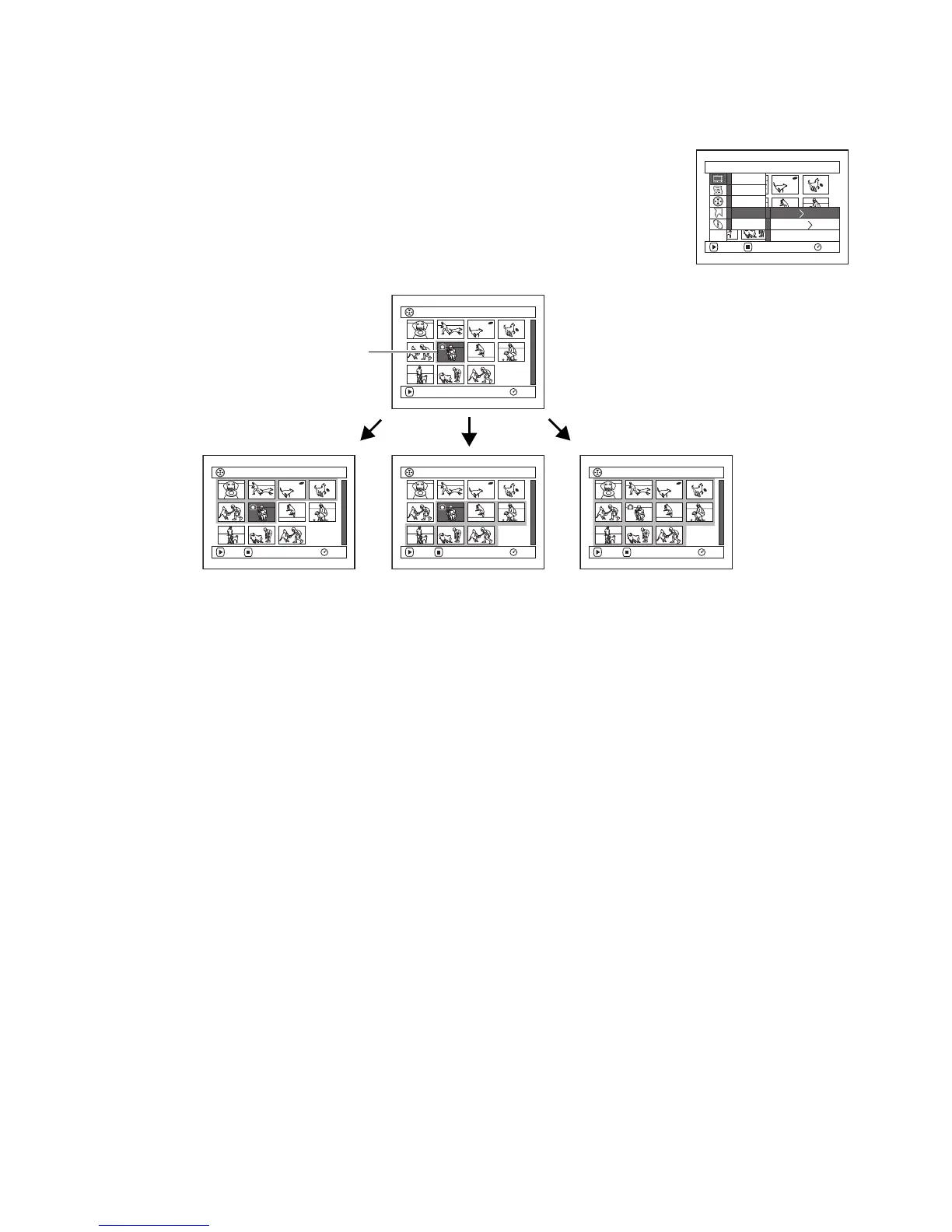
You can use this “Select” function to select consecutive scenes at one time.
This function is useful when there are numerous scenes.
1 Press the DISC NAVIGATION button.
2 Press the MENU button.
3 Choose “Select” on the “Scene” menu screen.
4 Choose “Start → Current”,
“Current → End” or “All”
and then press the A
button.
lDeselecting selected scenes
Deselecting scenes one by one:
While you are displaying the “All Programs” screen on
which scenes have been selected, choose the scene to be
deselected and then press the SELECT button.
Note:
Up to 999 scenes can be selected.
Deselecting all the selected scenes at once:
While you are displaying the “All Programs” screen on
which scenes have been selected, press the g button.
Scene
RAM
ENTER RETURN
Delete
Ed i t
Copy
Sel ect
De t a i l
ETC
Start– Current
Current– End
All
006 / 011All Progra
m
s
PLAY
RAM
006 / 011All Progra
m
s
PLAY
RAM
DESELECT ALL
006 / 011All Progra
m
s
PLAY
RAM
DESELECT ALL
006 / 011Al l Progra
m
s
PLAY
RAM
DESELECT ALL
Current scene
“Start → Current” is specified:
The scenes from the first to
current will be selected.
“Current → End” is specified:
The scenes from the current
to end will be selected.
“All” is specified:
All scenes from the first to end
will be selected














 To Next Page