49
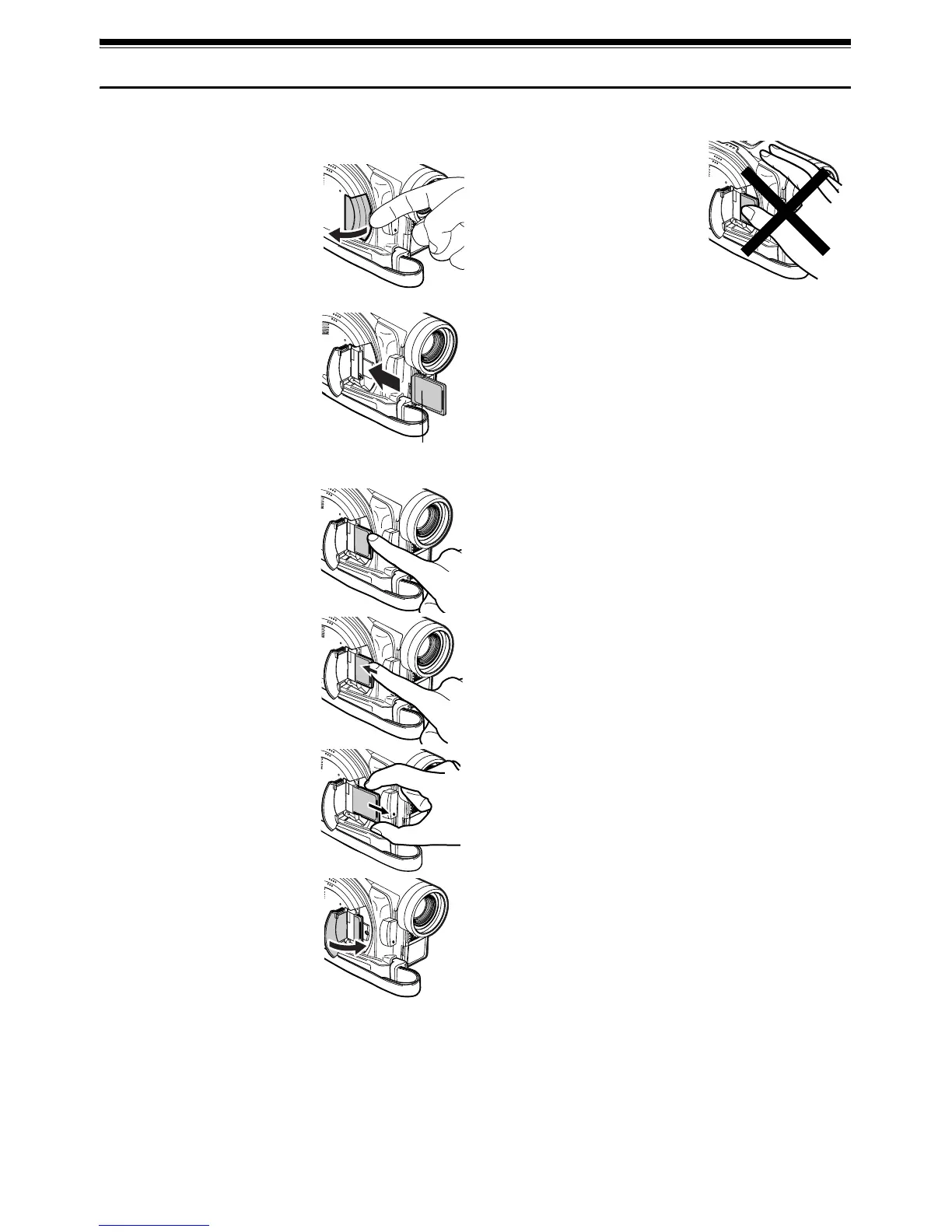
Inserting and Removing Card
1
Turn the DVD Video Camera off.
2 Open the cover of card
insertion slot.
3 Insert card with its contacts
inward until it locks.
Removing Card
Push the center of card edge:
The card will come out so that
it can be held by fingers.
4 Close the cover of card
insertion slot.
Note:
Do not push the label pasting
portion of SD Memory Card when
removing it: Doing so could
damage the SD Memory Card.
When you close the cover, be sure
not to insert the grip belt into the
insertion slot. If you insert the grip
belt into the insertion slot, the
insertion slot will be damaged.
Label pasting
portion














 To Next Page