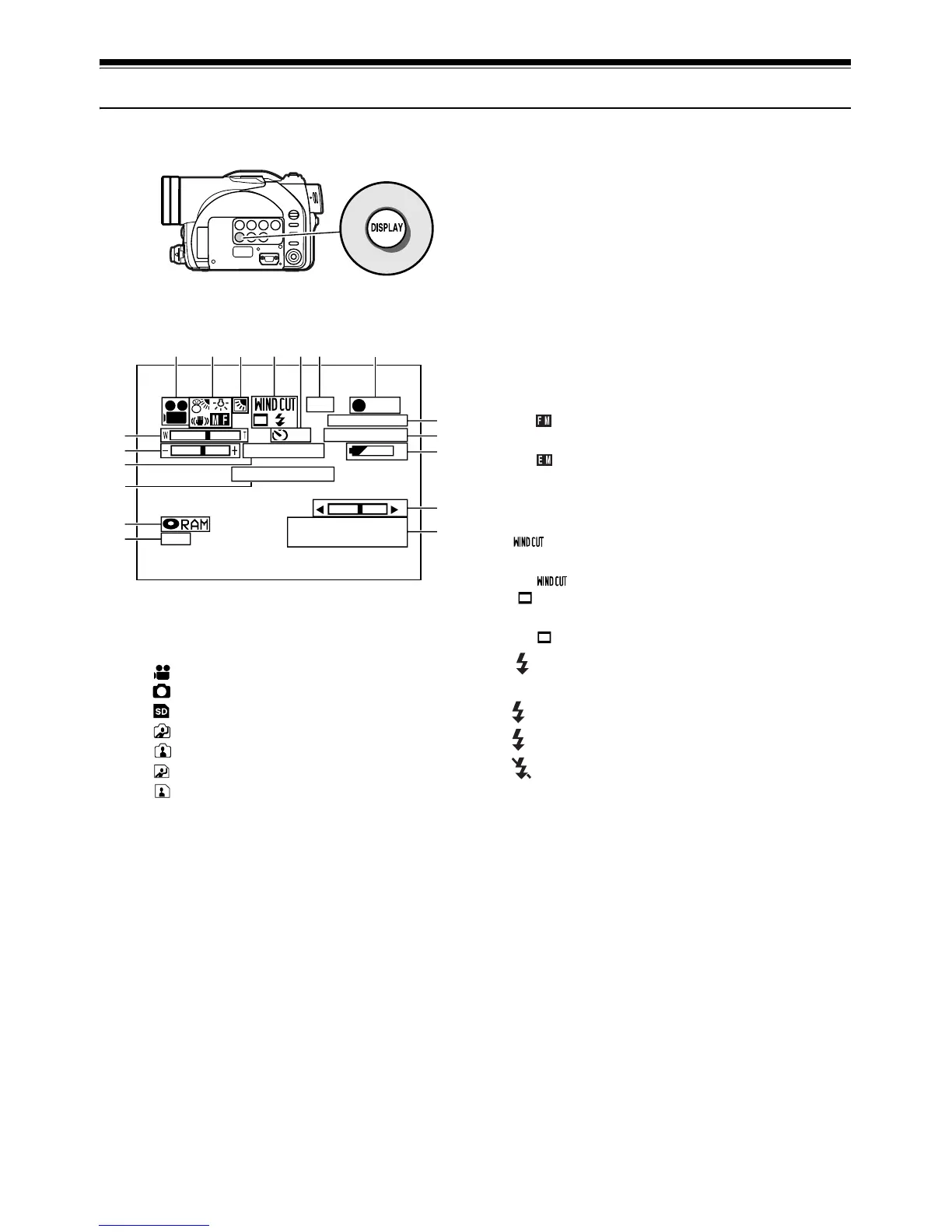
On-Screen Information
Various types of information will appear in the viewfinder or on the LCD screen during recording.
Information Display during Recording
1. Recording mode
:Movie
: Still with disc
: Still with card
*
1
: External input still with disc (field)
*
1
: External input still with disc (frame)
*
1
: External input still with card (field)
*
1
: External input still with card (frame)
2. e Program AE
No display : Auto
b :Sports
c :Portrait
d : Spotlight
e : Surf & Snow
f :Low Light
j White balance
No display : Auto
h :Set
i : Outdoor
j : Indoor
n Electronic image stabilizer (EIS)
No display : EIS OFF
n :EIS ON
o Manual focus
No display : Autofocus
o : (display in English or German): Manual
focus
: (display in French or Italian):
Manual focus
: (display in Spanish): Manual focus
3. Backlight compensation
No display : Backlight compensation OFF
m : Backlight compensation ON
4. Wind Cut (only in movie recording mode)
No display : Wind Cut OFF
:Wind Cut ON
Wide mode*
2
No display: Wide mode 4:3
: Wide mode 16:9
External flash
*2
[when Video Flash (sold
separately) is attached] (only in still recording mode)
A : Emits light automatically (AUTO)
: Always emits light
: No light emission
5. Self timer (only in still recording mode)
No display : Self timer OFF
q10 : Self timer ON (count is from 10 seconds)
6. External Input
LIN :AV input
SIN
*2
:S-VIDEO input
7. Recording status
n : During recording
m : During recording pause
No display
*3
10
8:00AM
3 0 MIN
0:00:00
FINE
REC
DISC ACCESS
REM
LIN
FULL AUTO
SEP 30 2004
The above screen is an example for explanation: It is
different from the actual display.
123456
8
9
10
12
13
14
15
16
17
18
11
7














 To Next Page