84
1
Setting to Wide TV Screen Mode (Wide) (Only for VDR-M70PP)
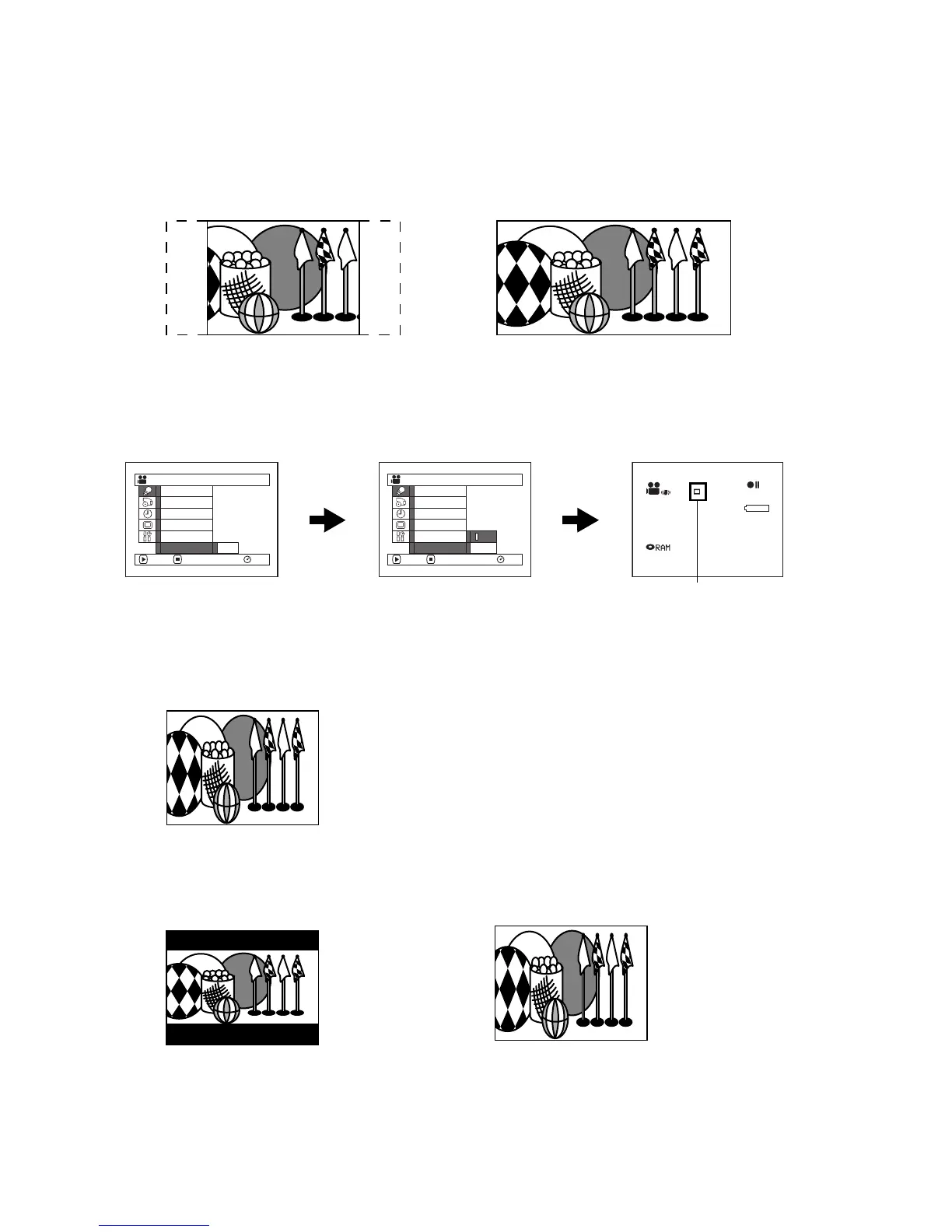
If you view the images recorded with “Wide 16:9” specified on a wide-screen TV (aspect ratio 16:9), screen image
will be wider than the images recorded with “Wide 4:3” (aspect ratio 4:3) by the size of the areas on left and right
(in dotted lines).
1 Press the MENU button, choose “Wide” on the
“Camera Functions Setup” menu screen, and then
press the A button.
2 Choose “16:9”, and then press the A button.
3 Press the MENU button to end setting.
When viewing playback on an ordinary TV screen later, specify “Wide 4:3”: Recording with “Wide 16:9” specified
will be played back on an ordinary TV with vertical elongation of image.
.
An image recorded with “Wide 16:9” specified will appear as follows :
“Wide 4:3” specified
(aspect ratio 4:3)
“Wide 16:9” specified
(aspect ratio 16:9)
Ca
m
era Funct ions Setup
W
hite Bal.
EIS
Dig. Zoo
m
W
ind Cut
ENTER RETURN RA
M
Progra
m
AE
4:3
Wide
Ca
m
era Funct ions Setup
W
hite Bal.
EIS
Dig. Zoo
m
W
ind Cut 16 : 9
ENTER RETURN RA
M
Progra
m
AE
4:3
Wide
30MIN
0:00:00
REM
FINE
8:00AM
SEP 30 2004
Wide 16:9 icon
Display on LCD monitor screen
Display in viewfinder (expanded vertically)














 To Next Page