140
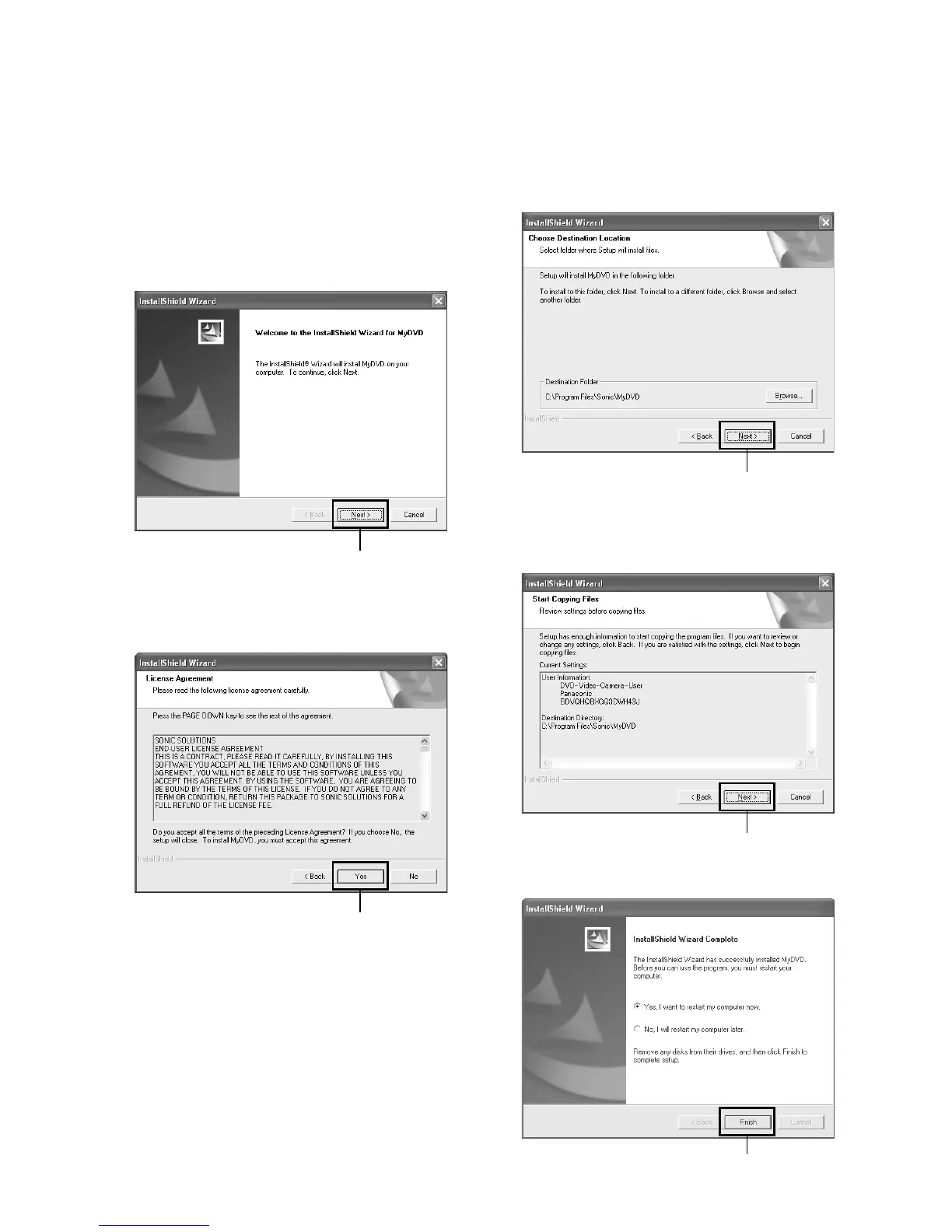
Installing MyDVD
MyDVD included in the provided CD-ROM does not contain the slideshows function. Therefore, you can not edit
stills on MyDVD.
1 Insert the provided CD-ROM into the PC, and Click
“MyDVD 4.0” on the “Setup Menu” screen.
If the “Setup Menu” screen does not appear, double-
click the CD-ROM drive icon.
2 The screen for installing “MyDVD” will appear:
Click “Next”.
3 Carefully read the Software License Agreement: If
you accept it, click “Yes”.
4 After you accept the Software Licence Agreement,
“Choose Destination Location” will appear. If you do
not wish to change the folder where the software is
installed, click “Next”.
5 Check the contents, and then click “Next”.
Installation will start.
6 Click “Finish”, and then restart the PC.
Click
Click
Click
Click
Click














 To Next Page