18
Checking Provided Accessories
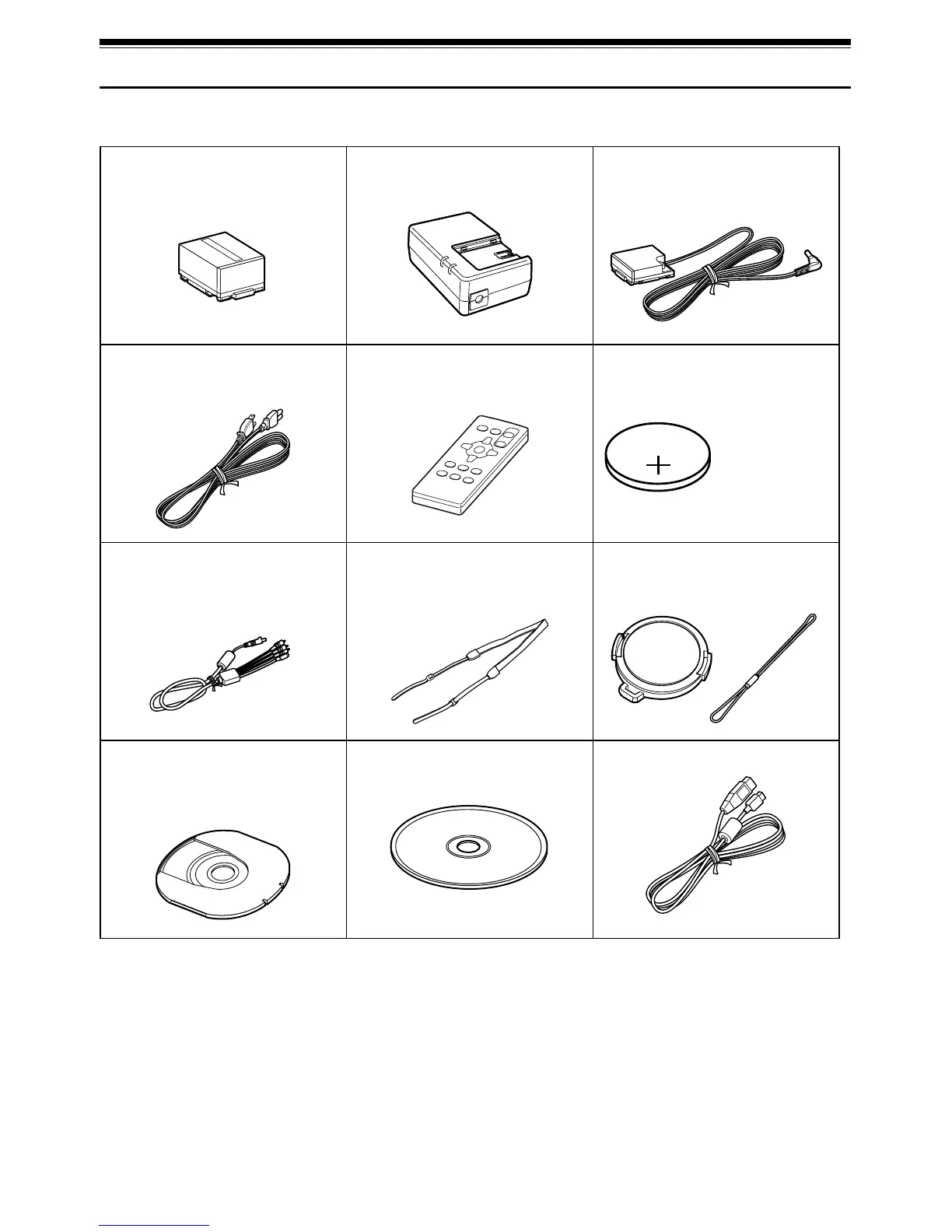
Make sure that you found all the following accessories in the package:
Battery Pack (CGA-DU14A):
Portable power supply for this DVD Video
Camera. Charge it before use.
AC Adaptor/Charger (PV-DAC13):
Used to power the DVD Video Camera from
AC outlet, or charge battery pack.
DC Cord:
When powering the DVD Video Camera from
household AC outlet, use this cord to connect
the DVD Video Camera and AC adaptor.
Power Cable:
Connect between household AC outlet and
AC adaptor.
Remote Controller (VEQ3993):
Use to control the DVD Video Camera from a
distance.
Button Type Battery (CR2025):
To power the remote controller.
AV/S Input/Output Cable: (EW12522)
Used when playing back the DVD Video
Camera picture to a TV screen, or input or
output video from/to another video device.
Shoulder Belt:
Attach to the DVD Video Camera to hang it
from shoulder.
Lens Cap and Lens Cap String:
Attach the lens cap when not recording, to
protect the lens.
8 cm DVD-RAM Disc (in Round DVD
Holder):
To record video (movie) on this DVD Video
Camera.
Software CD-ROM:
Use this CD-ROM on PC when connecting
the DVD Video Camera to PC.
USB Cable: (EW12531)
WARNING: Keep
this battery away
from children. If
swallowed, consult
a physician
immediately for
emergency
treatment.














 To Next Page