Try to Record and Play Back Using Disc (Video and
Photo)
You can record both videos and photos on DVD-RAM disc; only videos on DVD-R disc.
Before You Begin
• It is recommended that you use a DVD-RAM disc for trial recording, since
you can delete the recorded contents (See page 28).
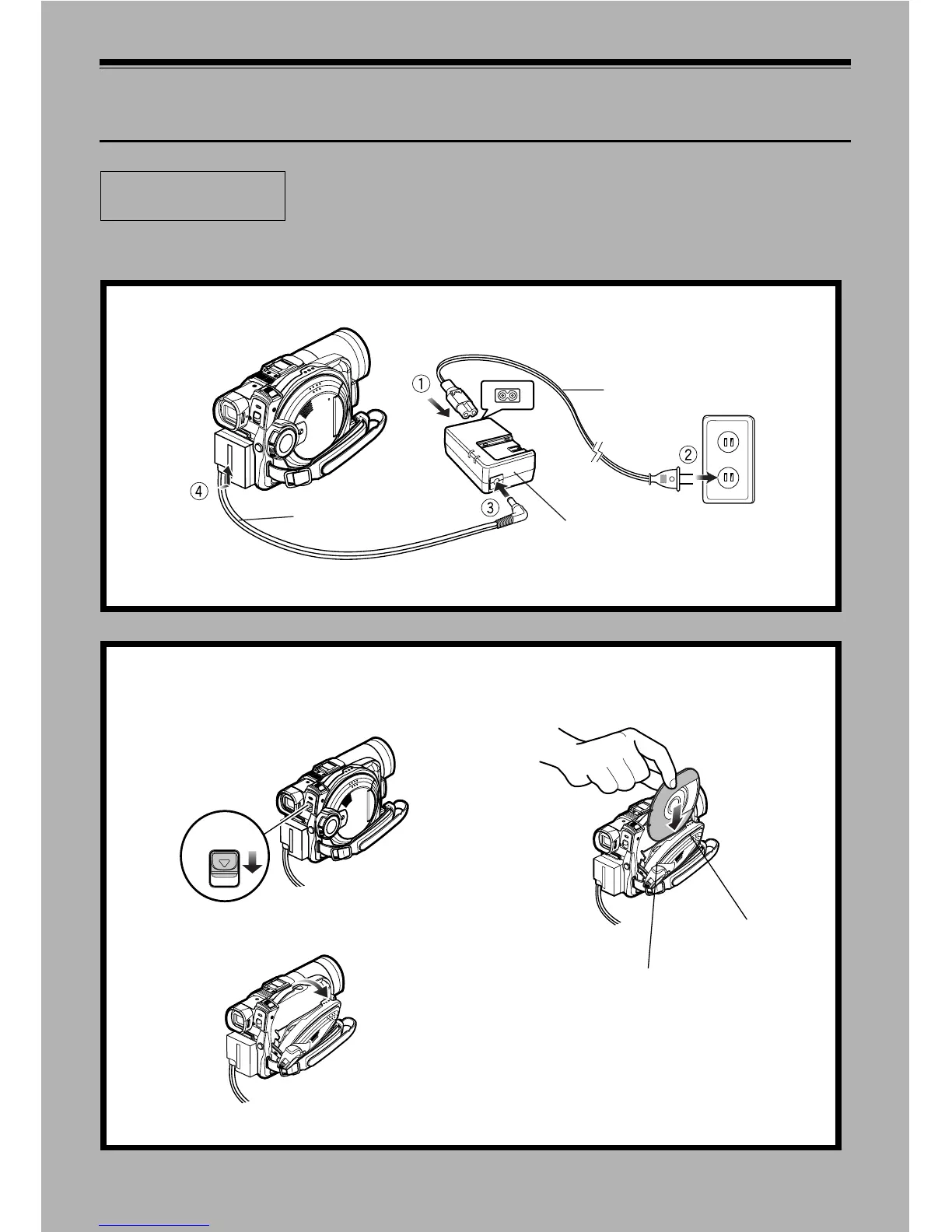
1 Connect power supply (P. 45).
Power cable
AC adaptor
DC cord
Connect them in sequence of the digits.
2 Insert a disc (P. 46).
1. Press down the DISC EJECT lever once and
release it.
2. Gently open the cover until it stops.
3. Insert the disc, in Round DVD Holder, into the disc
guide until it stops.
DISC EJECT
Disc cover
PUSH CLOSE
portion














 To Next Page