25
3 Start recording (P. 51).
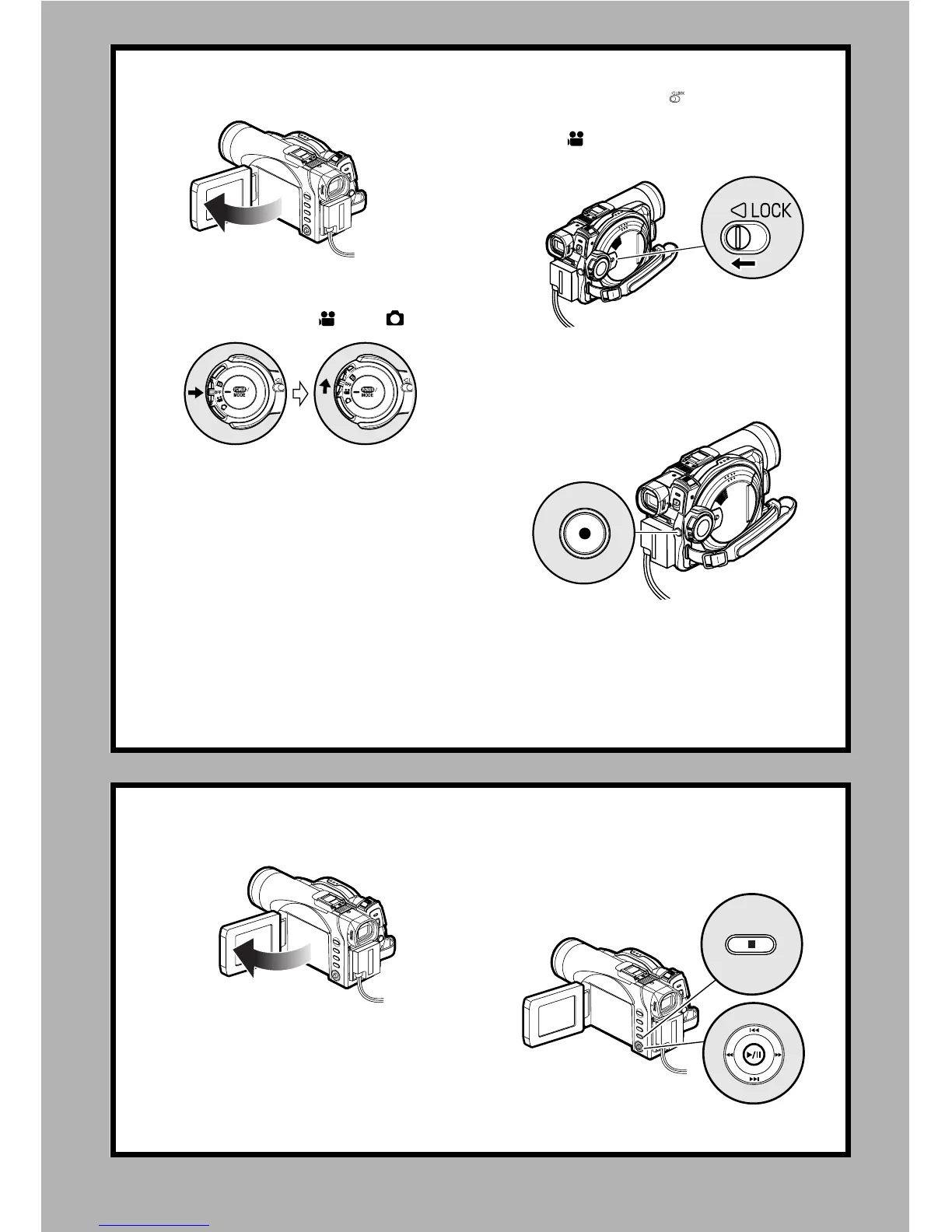
1. Open the LCD monitor (See page 38).
2. While holding the switch at the center of power
switch, set the switch to “ ” or “ ”.
3. Set the LOCK switch to (to the left) to prevent
accidental switching of recording mode.*
* Only in mode.
4. Press the REC button.
Recording will start.
Pressing the REC button again will stop recording.
REC button
Note
:
When using an unformatted disc, format (initialize) it on this DVD Video Camera.
If unformatted disc is inserted into this DVD Video Camera, a message will appear: Format the disc following the
instructions on screen (P. 47, 125). Initializing the disc will erase all the recorded contents: make sure the contents
on disc are not valuable before initializing the disc.
4 View the playback of recorded content on LCD monitor.
1. Open the LCD monitor (See page 38). 2. After recording is finished, press the A button.
The recorded scene will be played back.
3. Press the g button to stop playback.














 To Next Page