EasyManua.ls Logo

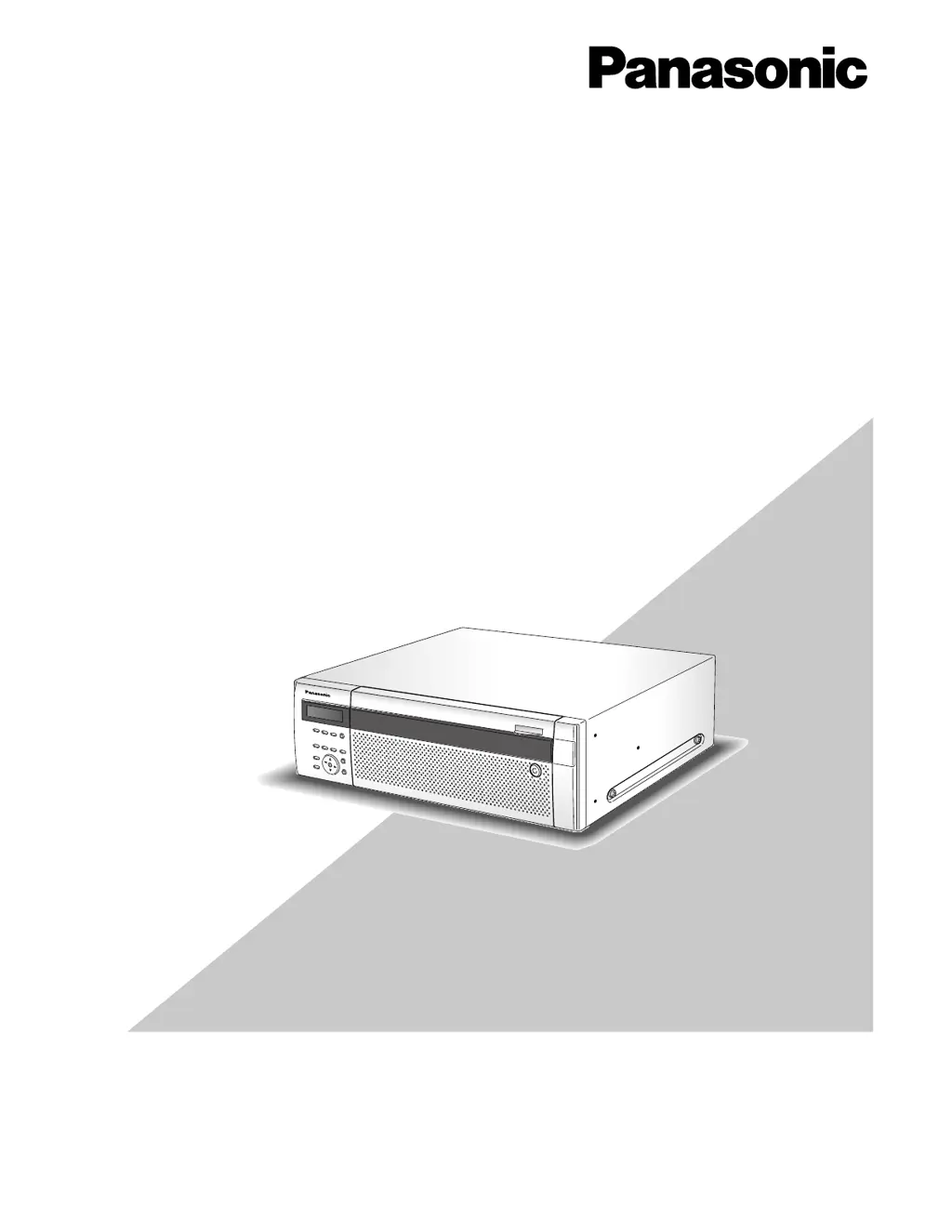
Panasonic WJ-ND400K - User Manual

Panasonic WJ-ND400K
110 pages
Print Icon
To Next Page IconTo Next Page
Loading...
1
2
3
4
5
6
7
8
9
Before attempting to connect or operate this product,
please read these instructions carefully and save this manual for future use.
The model number is abbreviated in some descriptions in this manual.
Setup Instructions
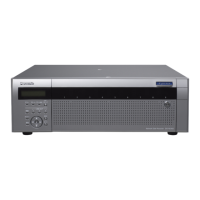
Network Disk Recorder
Model No. WJ-ND400K
WJ-ND400K/G

Other manuals for Panasonic WJ-ND400K

Questions and Answers

  • K
    kylegordonAug 20, 2025
    How to fix Panasonic WJ-ND400K CD Player when power is not turned on?
    • R
      Regina LopezAug 20, 2025
      First, check if the power plug of your Panasonic CD Player is properly connected to the AC outlet. Also, ensure that the power cord is correctly inserted into the power cord inlet of the recorder.
  • T
    thillAug 22, 2025
    Why is my Panasonic DVR network performance poor?
    • S
      Seth RoachAug 22, 2025
      Poor network performance with your Panasonic DVR might occur if the settings exceed your network line or the recorder's network capabilities. Try lowering the transmission rate, recording rate, or other network-related settings to improve performance.
  • B
    brian55Aug 25, 2025
    How to fix Panasonic DVR if I cannot access it from the browser?
    • U
      ubautistaAug 25, 2025
      If you cannot access your Panasonic DVR from the browser, check the connection by pinging the recorder's IP address. If you get a reply, the connection is normal. If not, verify the IP address and subnet mask settings.
  • M
    Meghan NavarroAug 26, 2025
    What to do if playback of Panasonic DVR recorded images stops and resumes?
    • D
      David GriffinAug 27, 2025
      If playback of recorded images on your Panasonic DVR stops and resumes, it may be due to auto-correction of the recorder clock causing a gap in playback time. Wait for a while until playback resumes.
  • C
    Catherine DavisAug 28, 2025
    How to fix Panasonic DVR if live or recording images are not displayed?
    • R
      Robert WebbAug 28, 2025
      If live or recording images are not displayed on your Panasonic DVR, check the settings in the setup menu under "Camera" - "NW camera".
  • J
    Jessica FreemanAug 30, 2025
    What to do if Panasonic DVR images cannot be displayed, recorded, or played correctly?
    • J
      Julie CollinsAug 30, 2025
      If images cannot be displayed, recorded, or played correctly on your Panasonic DVR, check if the user name and password are set correctly in the setup menu under "NW camera".
  • R
    Riley WalterAug 31, 2025
    Why are the buttons on the browser displayed out of alignment on my Panasonic DVR?
    • M
      mary68Sep 1, 2025
      If the buttons on the browser are displayed out of alignment when using your Panasonic DVR, it's likely because the font setting of Windows has been changed from the default setting. Use the default font setting.
  • T
    terryluisSep 3, 2025
    What to do if some contents are not displayed on the browser using Panasonic DVR?
    • R
      reyesmarvinSep 3, 2025
      If some content is not displayed in the browser while using your Panasonic DVR, press [F5] on the keyboard to request images.
  • J
    Jamie SinghSep 5, 2025
    What to do if the image is not being refreshed on Panasonic DVR?
    • M
      Matthew ColeSep 5, 2025
      If the image is not being refreshed on your Panasonic DVR, press [F5] on the keyboard to request images.
  • A
    Alexis WilliamsonSep 7, 2025
    How to play SD memory data on Panasonic DVR?
    • J
      Justin ArnoldSep 7, 2025
      To play SD memory data on your Panasonic DVR, search SD memory data using the search filter "SD" only, then select and play the listed SD memory data.

Summary

Setup Instructions

Network Disk Recorder WJ-ND400 K; WJ-ND400 K;G

Identifies the model of the Network Disk Recorder and its variants.

System requirements for a PC

Specifies the PC hardware and software needed to operate the recorder.

Operation flow

Rack mounting

Step 1 in the operation flow, covering physical installation.

Connections

Step 2 in the operation flow, detailing device connections.

Setup menu and its items

Quick

Section for minimum required settings to operate the recorder.

Basic

Section for basic operations and system settings.

Network settings

Network settings of the recorder

Configures network settings for the recorder's ports.

Network settings of a PC

Guides on configuring PC network settings to match the recorder.

About the operation window

Display;Close the operation window

Details the process of accessing and closing the recorder's web-based operation window.

Major operating controls and their functions

Top page

Describes the main interface of the recorder's operation window.

[Setup] button

Provides access to the recorder's configuration menu.

Status display area

Quick settings

Setup

Guides through initial setup steps including language and time.

Camera registration

Automatic camera detection and registration

Process for automatically detecting and registering network cameras.

Basic settings

Basic

Details fundamental system configurations.

Time & date

Explains how to configure the recorder's time and date settings.

Emergency recording

Recording duration

Sets the recording duration for emergency recording events.

Event

Terminal alarm

Configures event actions for terminal alarm occurrences.

Site alarm

Configures event actions for site alarm occurrences.

Command alarm

Configures event actions for command alarm occurrences.

Schedule recording

Program

Defines recording programs for live image transmission and recording rates.

Time table

Creates timetables for assigning programs to specific days and times.

Camera

NW camera

Handles registration and editing of network camera settings.

Sequence

Configures sequential display of camera images.

Server

NTP

Sets up Network Time Protocol for accurate time synchronization.

FTP

FTP server address

Configures the address of the FTP server for image transfer.

Mail

SMTP server address

Configures the SMTP server address for sending emails.

Network

Basic

Configures basic network settings and port forwarding.

User management

Administrator

Configures settings for the administrator account.

User

Manages user accounts, including name, password, and level.

Maintenance

Product information

Displays software and hardware versions, MAC address, and serial number.

Disk information

Shows details about hard disk drives, capacities, and recording areas.

Disk

Normal recording area

Defines the action when the normal recording area capacity runs out.

HDD capacity warning

Sets levels for warnings when HDD capacity is low.

Delete recorded images on the hard disk drive

HDD auto delete

Configures automatic deletion of images based on days passed.

Disk format

Format

Guides on formatting hard disk drives and assigning recording areas.

Troubleshooting

Cannot access from the browser

Provides solutions for issues accessing the recorder via a web browser.

Message displayed on the information bar

Glossary

Panasonic WJ-ND400K Specifications

General IconGeneral
BrandPanasonic
ModelWJ-ND400K
CategoryCD Player
LanguageEnglish

Related product manuals