EasyManua.ls Logo

Parker 514C-04 - User Manual

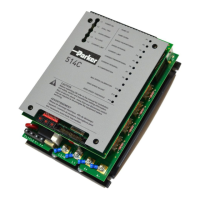
Parker 514C-04
43 pages
Print Icon
To Next Page IconTo Next Page
Loading...
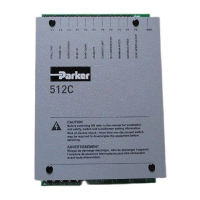
514C
DC Controller
HA463296 Issue 8
Technical Manual
aerospace
climate control
electromechanical
filtration
fluid & gas handling
hydraulics
pneumatics
process control
sealing & shielding
ENGINEERING YOUR SUCCESS.
This manual was downloaded on www.sdsdrives.com
+44 (0)117 938 1800 - info@sdsdrives.com

Questions and Answers

  • A
    amypowersAug 1, 2025
    How to troubleshoot a Parker Controller when the 'Power On' LED is not illuminated, but the drive doesn't operate?
    • G
      graycristinaAug 1, 2025
      If the 'Power On' LED is not illuminated and the drive isn't operating, here's what you can check: * First, verify auxiliary supply availability by checking if the supply fuse is fitted or the circuit breaker is closed. * If the supply fuse is blown, investigate contactor connections or the transformer tapping switch position. * Confirm that the supply voltage is compatible with the transformer tapping switch position. * Ensure the auxiliary supply switch setting is correct.
  • A
    Andrew WardAug 6, 2025
    What to do if Parker 514C-04 motor runs with the 'Current Limit' LED illuminated and stops with the 'Stall' LED illuminated?
    • S
      scottalexandraAug 6, 2025
      If the motor runs with the 'Current Limit' LED5 illuminated and stops after a short period with the 'Stall' LED2 illuminated, consider the following: * The current limit setting may be incorrect. Check the P5 setting and the external current limit setting and wiring if used. * The current calibration may be incorrect. Check the current calibration switches SW2, 3 & 4. * The motor may be jammed. If so, free any obstruction.
  • S
    Sean RobersonAug 12, 2025
    Why does the Parker Controller motor run then stop with the 'Stall' LED illuminated?
    • J
      Jacob HudsonAug 12, 2025
      If the motor runs and then stops after a short period with the 'Stall' LED2 illuminated, the issue could be: * The maximum controller output might be exceeded. Check the compatibility of the motor voltage to the controller output voltage. * The feedback voltage calibration might be incorrect. Check the feedback voltage calibration switches SW1/1 & SW1/2. Note that these switches must be set for both tachogenerator & armature voltage feedback. * There could be a faulty tachogenerator and/or coupling. Check the tachogenerator (use armature voltage feedback temporarily).
  • D
    David CarrilloAug 17, 2025
    Why won't the Parker 514C-04 Controller motor turn after the drive run command?
    • H
      Heather VillegasAug 17, 2025
      The motor might not turn due to several reasons: * The enable signal might not be present, so check the control circuit wiring. * There might be no speed setpoint. In this case, check the total setpoint terminal T12, the setpoint potentiometer and wiring. If using the setpoint ramp input T13, ensure SW1/6 is OFF. * There might be no armature current, so check the P5 adjustment and external current limit potentiometer setting and wiring (if used). * There might be no field, so check the field AC supply and field connections. * The motor might be jammed. If so, free the obstruction.
  • R
    Ricardo BowersAug 21, 2025
    What should I do if the 'PLL LOCK' LED 4 is not illuminated after the Drive Run command on my Parker 514C-04?
    • R
      riosstephanieAug 21, 2025
      If the 'PLL LOCK' LED 4 is not illuminated after the Drive Run command, it could be due to: * The main power supply not being present. In this case, check the run command and contactor wiring to ensure the main contactor is energized. * Also, check if the supply fuse is fitted or the circuit breaker is closed.
  • W
    wortizAug 27, 2025
    What to do if Parker Controller trips immediately after the drive run command?
    • C
      Casey JohnsonAug 27, 2025
      If the controller trips immediately after the drive run command, it might be because the microtherm is not wired. Connect the microtherm to terminals T22 and T11, or if a microtherm is unavailable, link T22 to T11.

Summary

Safety Information

Warnings and Precautions

Covers product warnings, hazards, safety, EMC, and application risk considerations.

Product Overview

Technical Specifications

Detailed electrical ratings, mechanical, and environmental requirements.

Installation Procedure

Setting-Up & Commissioning

Potentiometers and Calibration

Describes potentiometers and the current calibration procedure.

Basic Setting-Up & Power-Up

Step-by-step guide for initial setup and safely powering up the controller.

Running Performance Adjustments

Detailed guide for tuning the controller's current and speed loop performance.

Diagnostics and Fault Finding

Drive Trips & Test Points

Describes trip conditions, reset procedures, and diagnostic test point descriptions.

Troubleshooting

Provides common problems, their causes, and recommended remedies.

Parker 514C-04 Specifications

General IconGeneral
BrandParker
Model514C-04
CategoryController
LanguageEnglish

Related product manuals