Introduction 45
SmartNode 200 User Manual C • Cabling
Introduction
This section provides information on the cables used to connect the SmartNode device to the existing network
infrastructure and to third party products.
Ethernet
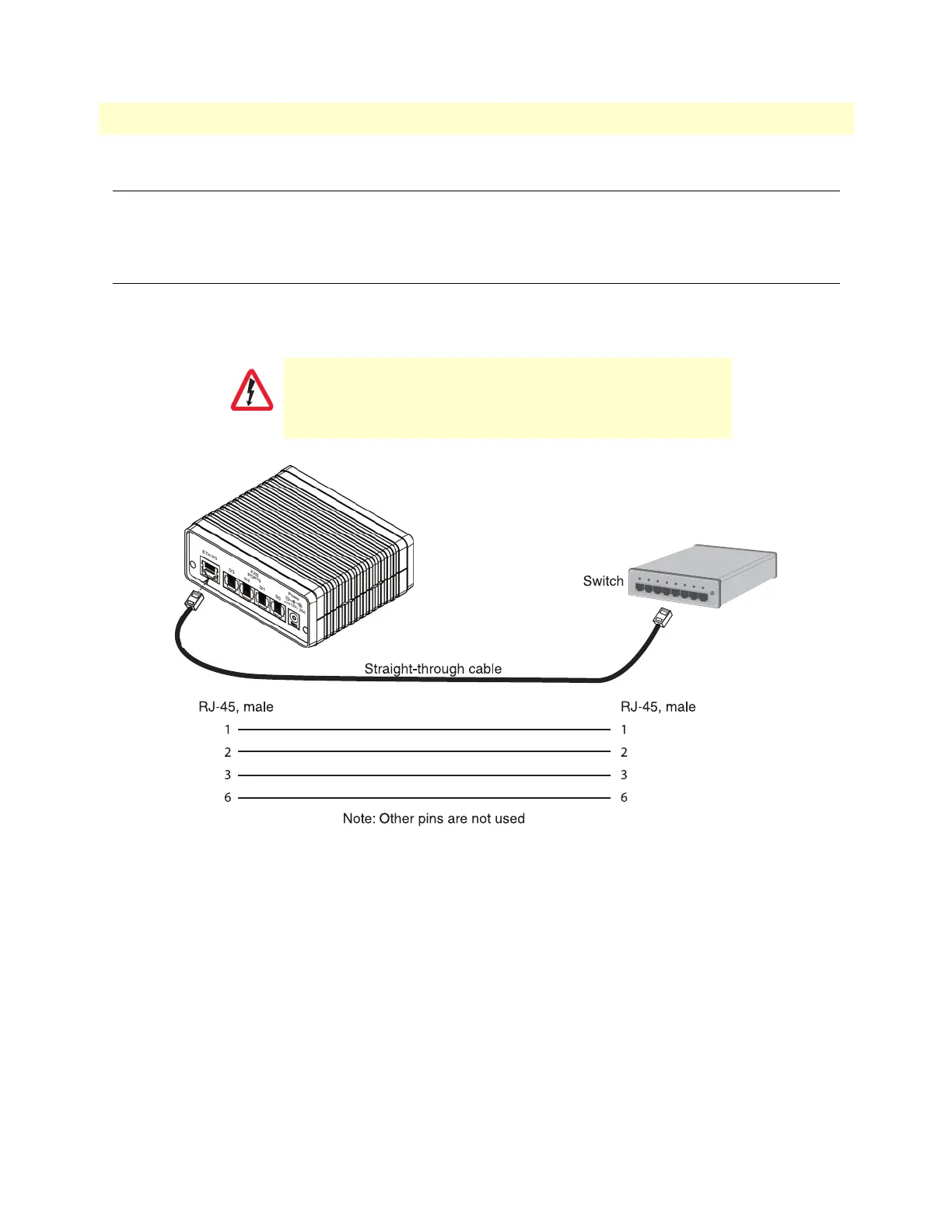
Ethernet devices (10/100Base-T) are connected to the SmartNode over a cable with an RJ-45 plug. The Ether-
net port on the SmartNode device is Auto-MDX. Use any straight or crossover cable to a host, switch, PC or
other device.
Figure 11. Typical Ethernet straight-through cable diagram for 10/100Base-T
The interconnecting cable shall be acceptable for external use
an shall be rated for the proper application with respect to volt
-
age, current, anticipated temperature, flammability, and
mechanical serviceability.


 To Next Page