Introduction 54
SmartNode 200 User Manual F • Reset Button Functions
Introduction
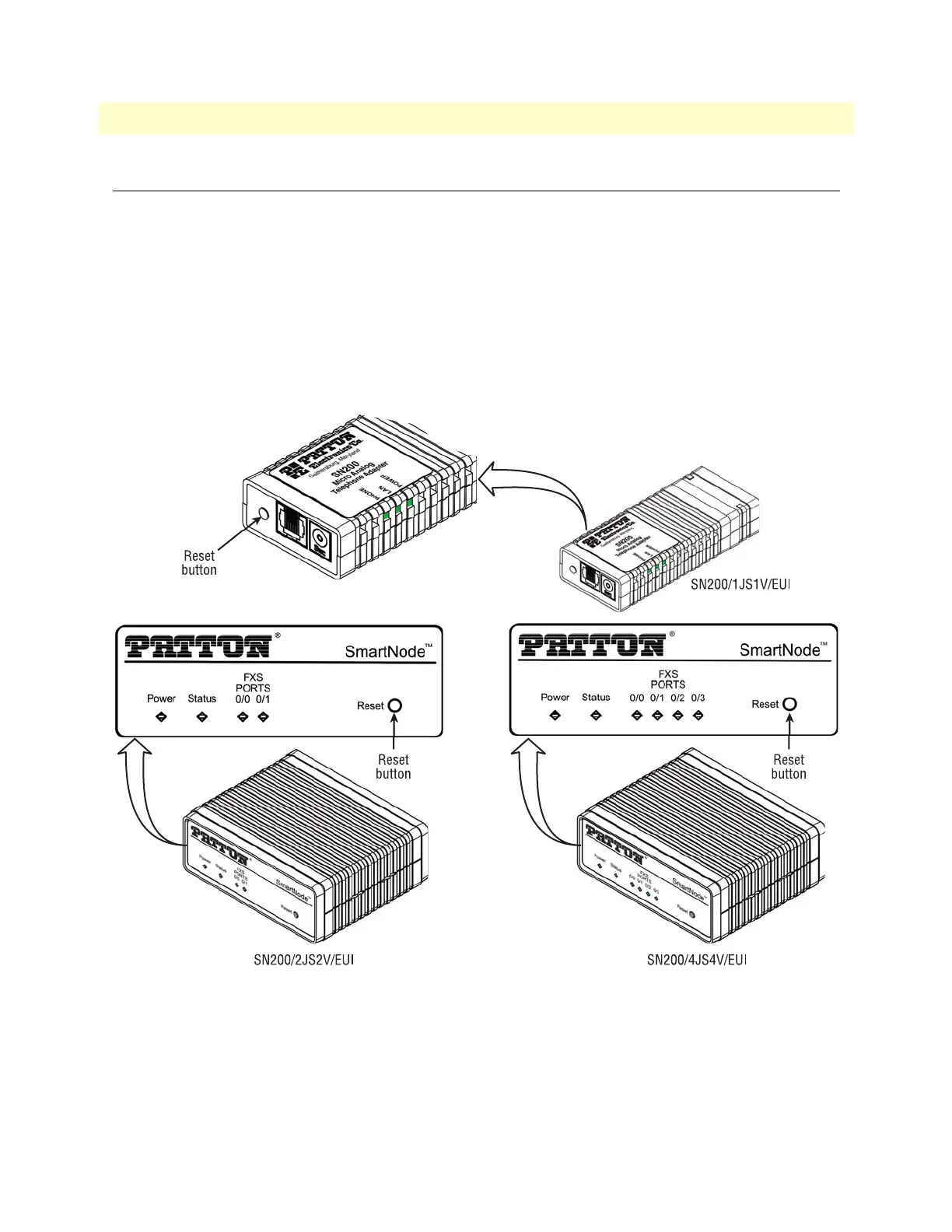
The Reset button (see figure 16) is used to do the following:
• Reboot the SmartNode device (see section “Resetting the SmartNode device when it is operating and the
Power LED is lit” on page 55)
• Erase the startup-config settings, which is followed by a SmartNode device reboot as indicated by the slow
blinking of all LEDs (see section
“Resetting the SmartNode device when it is operating and the Power LED
is lit” on page 55)
• Factory reset, which is followed by a device reboot as indicated by the fast blinking of all LEDs (see section
“Resetting the SmartNode device when it is operating and the Power LED is lit” on page 55)
Figure 16. SN200 Reset button


 To Next Page