Analog FXO 47
SmartNode 200 User Manual C • Cabling
Analog FXO
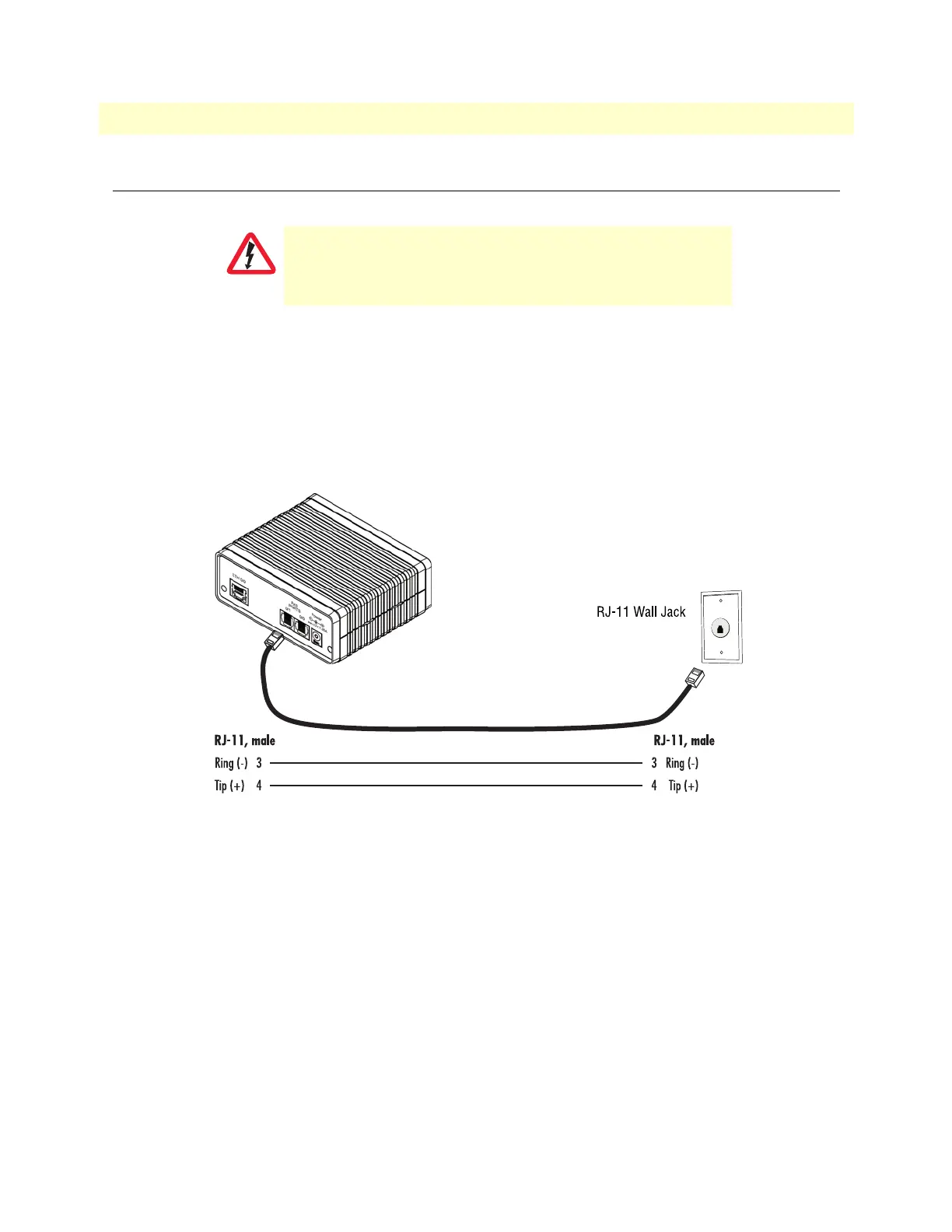
Applicable to a SmartNode equipped with an FXO port. The FXO port is connected to an analog phone line
via a cable terminated with an RJ-11 connector (see section
“FXO port” on page 50 for details on port pin-
outs).
Note The phone line socket (connector type and pinout) available from the public
network vary from country to country. Refer to technical information avail
-
able from your local operator for additional cabling information.
Figure 13. Connecting to an FXO line jack
The Interconnecting cable shall be acceptable for external use
and shall be rated for the proper application with respect to volt
-
age, current, anticipated temperature, flammability, and
mechanical serviceability.


 To Next Page