SmartNode 200 overview 19
SmartNode 200 User Manual 2 • General information
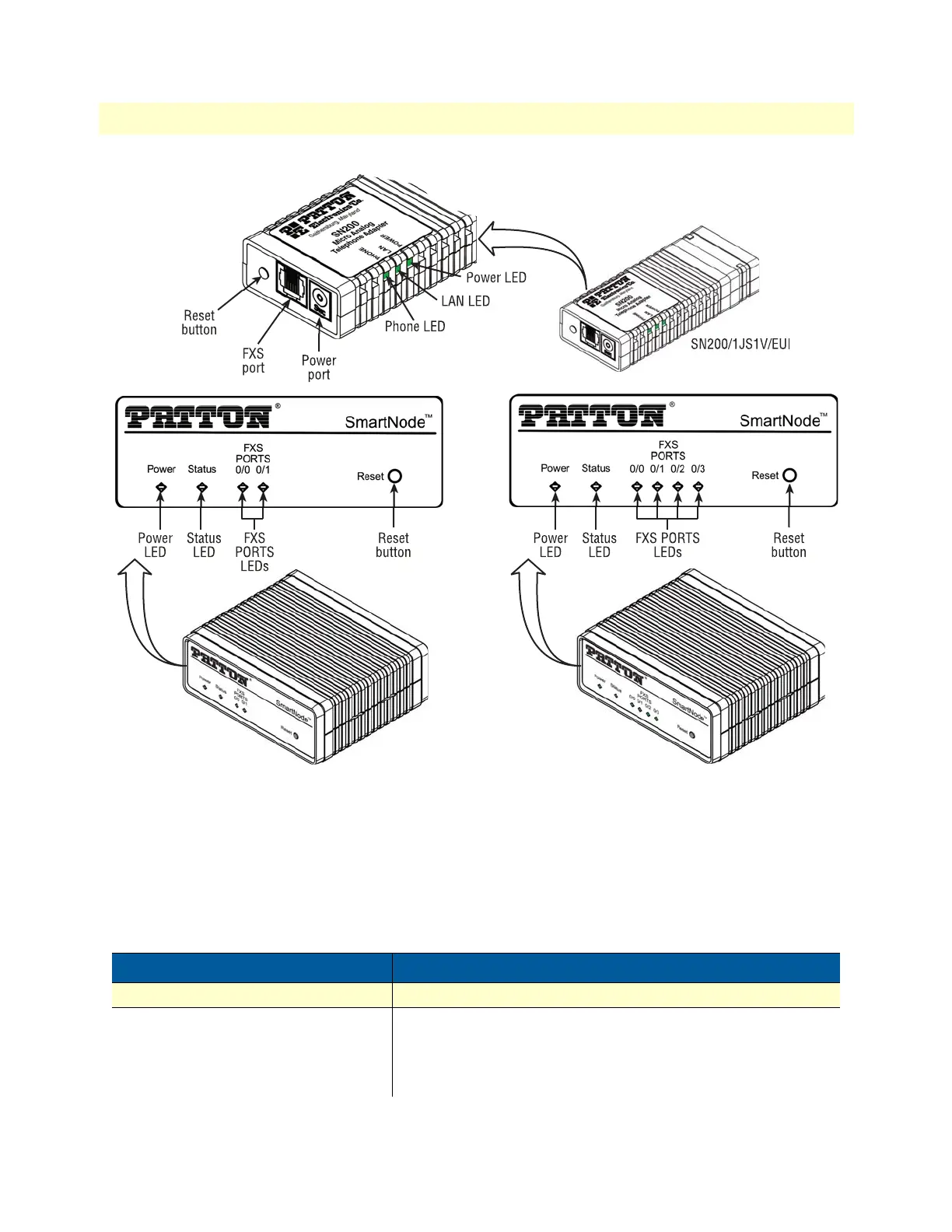
Figure 3. SN200 front panels
SN200 front panel LED and button definitions
figure 3 shows SN200 LEDs and the Reset button; the definitions are listed in table 2.
Note If an error occurs, all LEDs will flash for more than 5 seconds until the device
reboots.
Table 2. SN200 LED and Button Definitions
LED/Button Description
Power LED
• When lit, indicates power is applied.
LAN LED
ETH 0 (SN200/1JS1V/EUI)
• When lit, indicates the Ethernet connection has a link indica-
tion.
• Flashes when data is received or transmitted at the Ethernet
port.


 To Next Page