Analog FXS 46
SmartNode 200 User Manual C • Cabling
Analog FXS
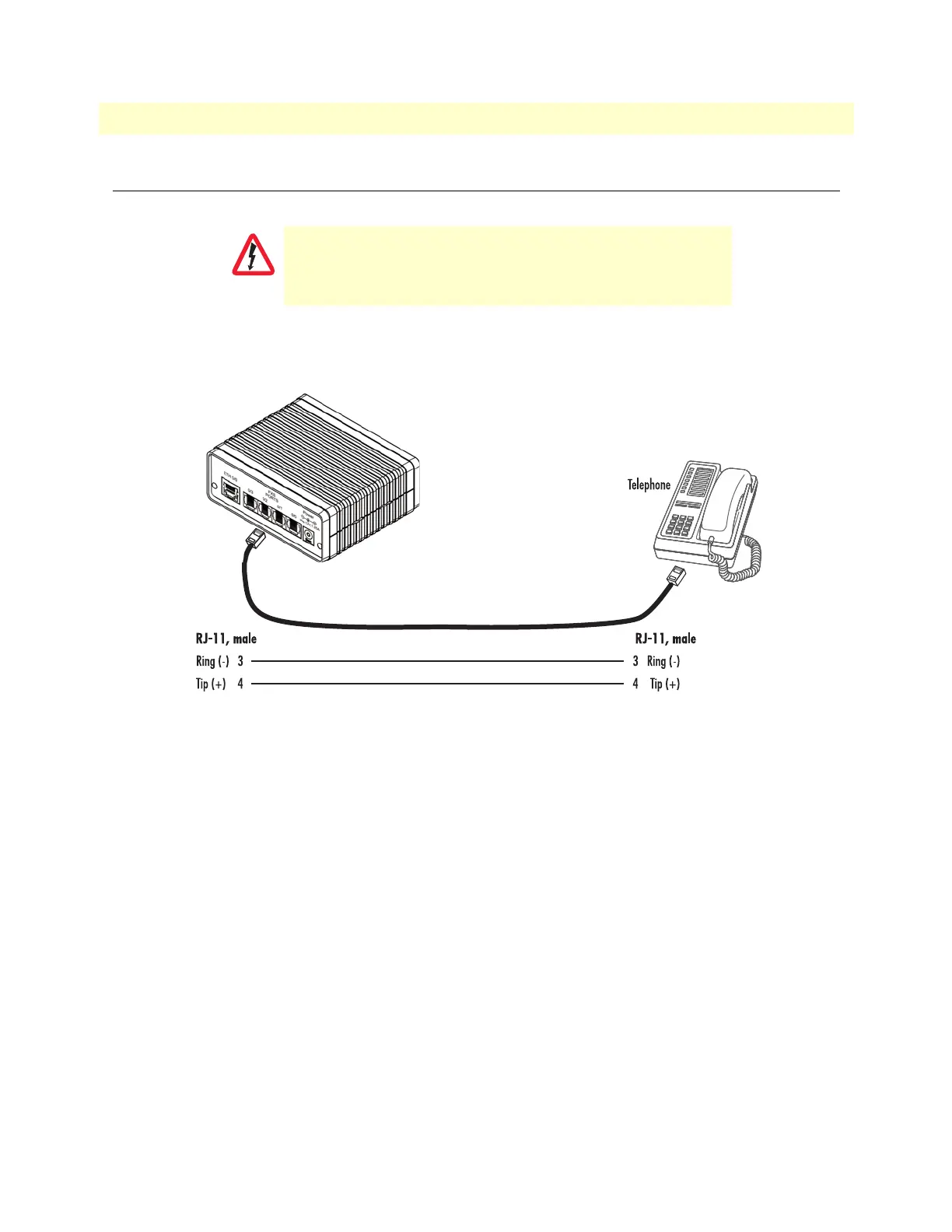
The FXS ports are connected to analog terminals (phones, fax machines, answering machines, etc.) via cables
terminated with RJ-11 connectors (see section
“FXS port” on page 49 for details on port pinouts).
Figure 12. Connecting an FXS device
The Interconnecting cables shall be acceptable for external use
and shall be rated for the proper application with respect to volt
-
age, current, anticipated temperature, flammability, and
mechanical serviceability.


 To Next Page