6. Press Screen Select to go to the screen select screen.
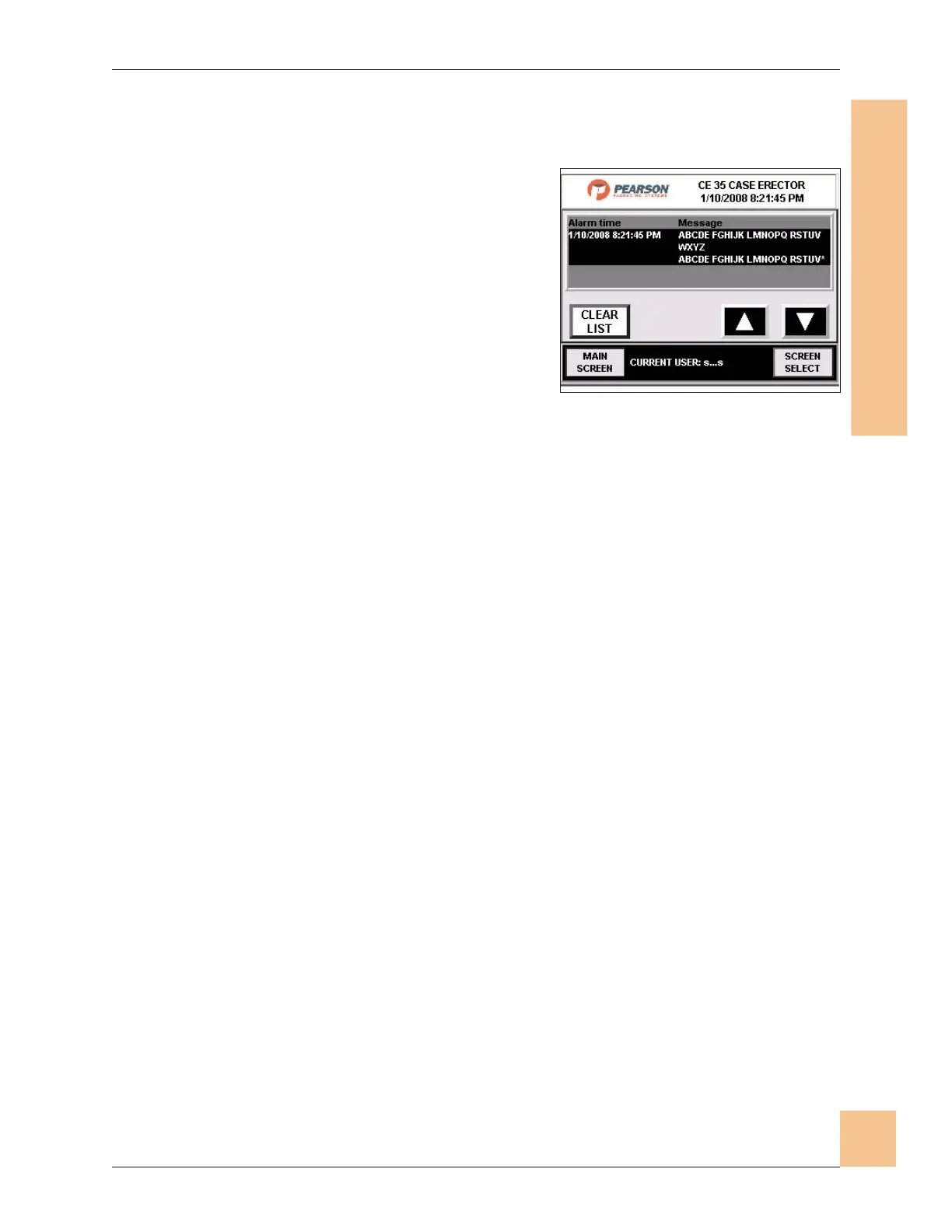
Alarm History
1. The Alarm History screen displays the
causes of up to 99 machine alarms, from
most recent to oldest in the top portion
of the screen.
2. Use the up/down keys to scroll through
the list.
3. Press Clear List to clear the alarm list.
4. Press Main Screen to go to the Main
Operator screen.
5. Press screen Select to go to the Screen Select screen.
Operations Manual CE35-T Case Erector
M-CE35T-2c Horiz Mag 3/2/2010
Human-Machine Interface
(HMI)
69
Fig. 65: Alarm History Screen


 To Next Page