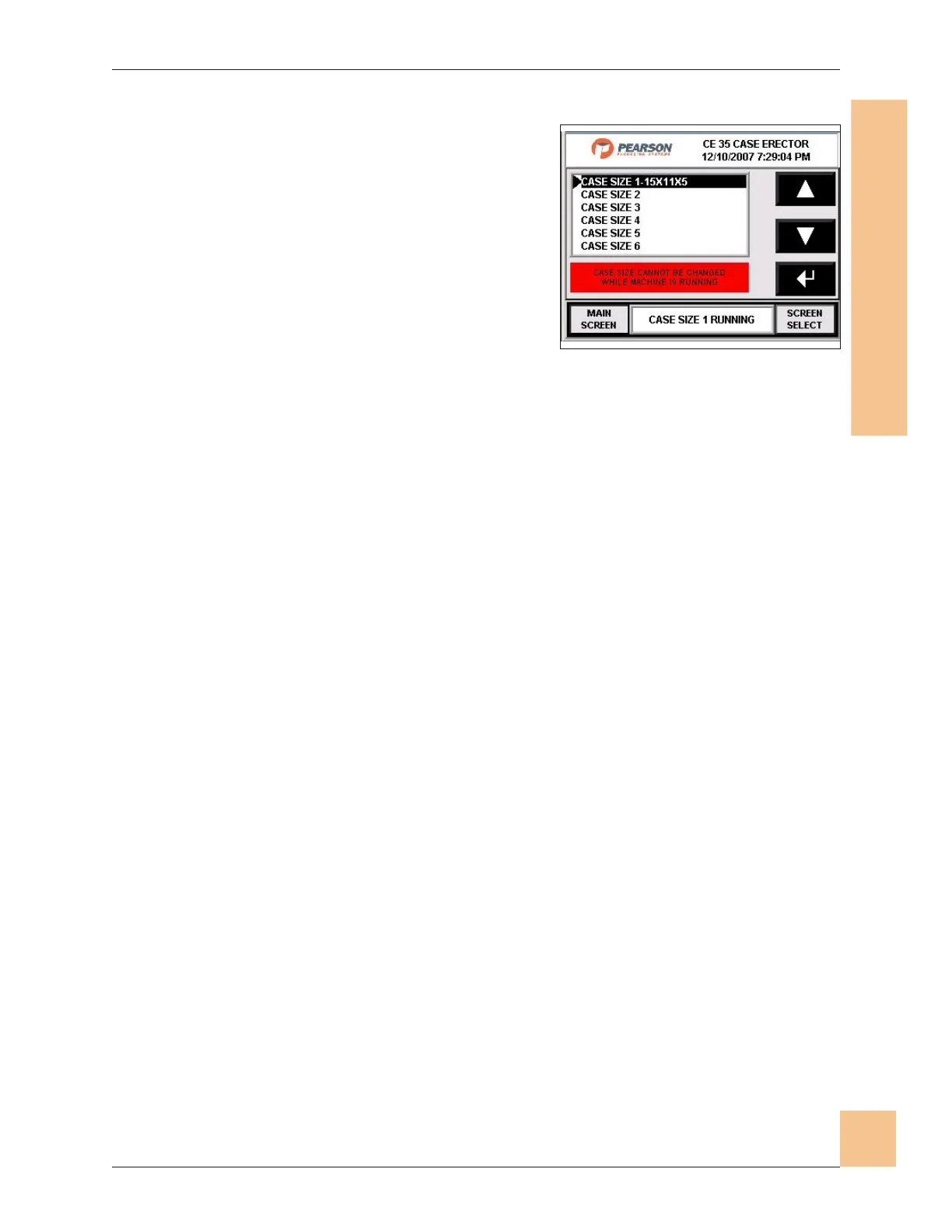
Case Size Select
1. The Case Size Select screen allows the
operator to scroll through case sizes to
select the size to run.
2. Scroll to the desired case size.
3. Press Enter to select the case size.
4. Press Main Screen to go to the main
screen.
5. Press Screen Select to go to the screen
selection screen.
Operations Manual CE35-T Case Erector
M-CE35T-2c Horiz Mag 3/2/2010
Human-Machine Interface
(HMI)
71
Fig. 67: Case Size Select Screen


 To Next Page