Chapter 3 Installing Drivers for 6000 Boards
23
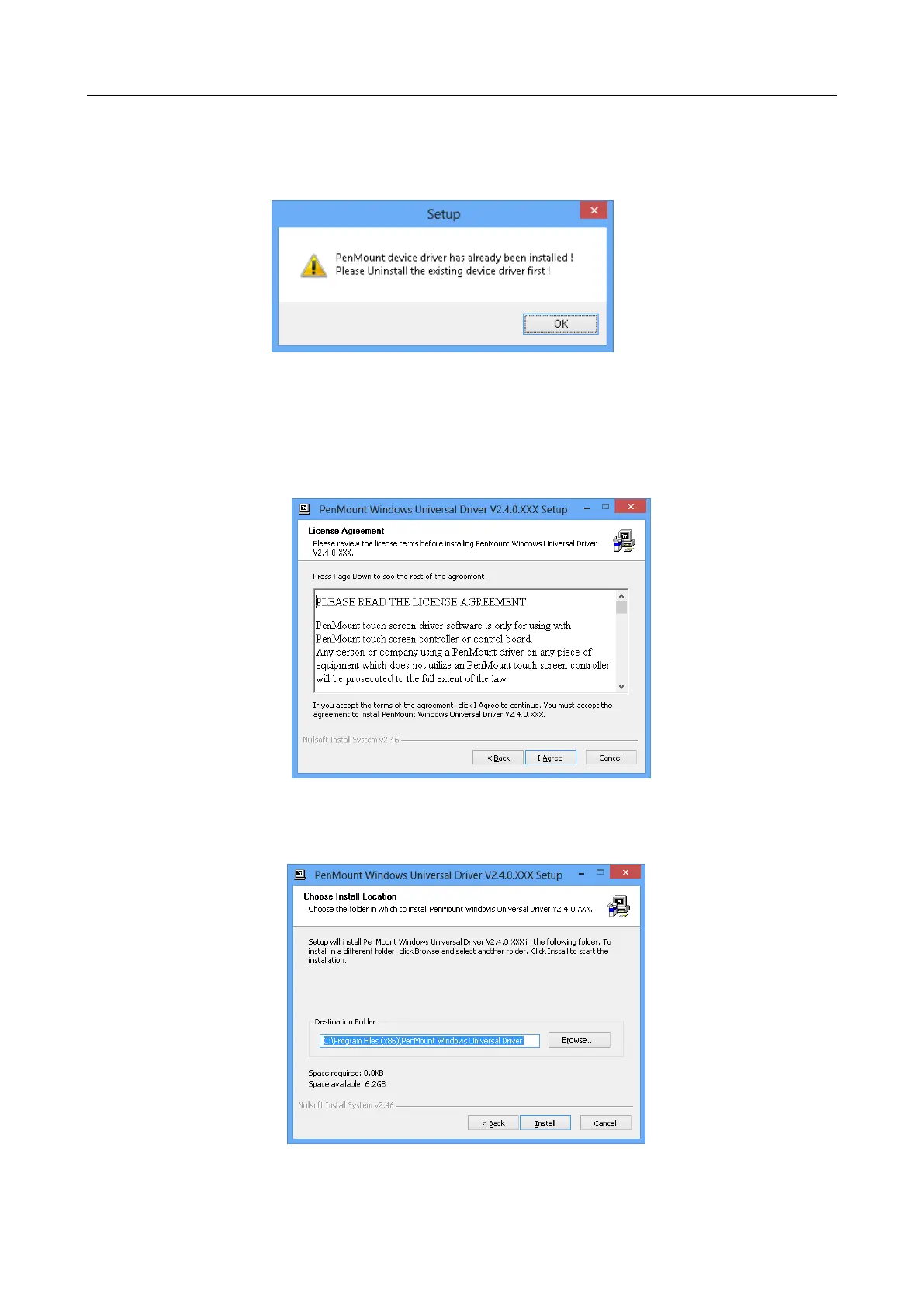
If these is an older PenMount device driver installed on the system, a waning
message box will appear when trying to install a new device driver. Please
click the OK button and perform device driver uninstallation before
proceeding.
Please follow the steps below to install PenMount Windows Universal Driver:
1. Connect the PenMount 6000 control board.
2. Open File Explorer, change to the PenMount Universal Driver and double
click on the ”Setup.exe” file.
3. In the License Agreement window, click on the “I Agree” button
proceed.
4. The setup program will install the device driver files to the Program Files
directory by default. Please click on the “Install” button to confirm
installation.
5. Starting from PenMount Universal Driver V2.4, the setup program will


 To Next Page