Installing Drivers for 6000 Boards
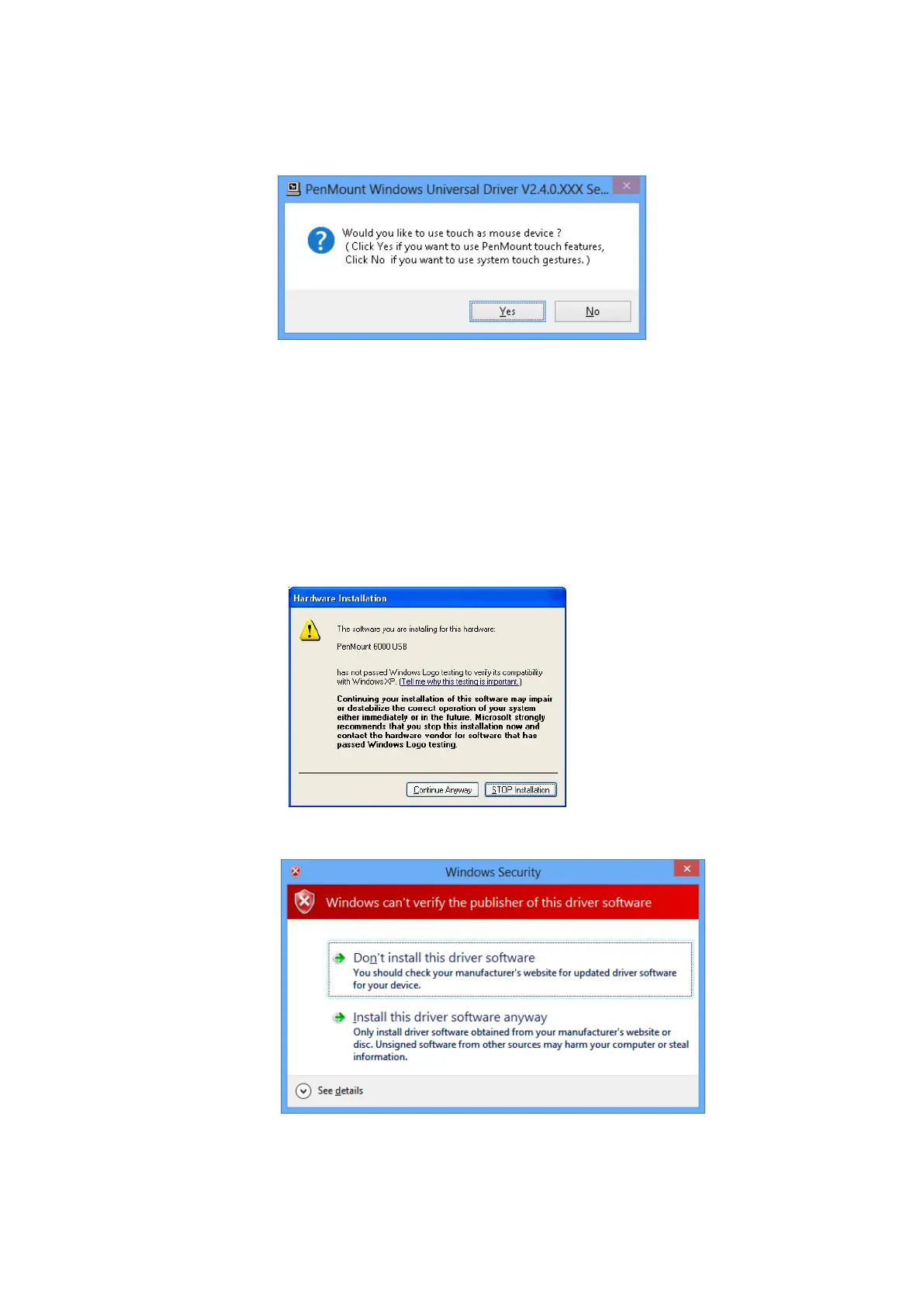
allow user to choose to install the device as “Mouse Device” or “Digitizer
Device” on systems that supports Digitizer. A message box will show up.
Please select “Yes” for installing PenMount as mouse mode; select “no”
for digitizer mode. The later section describes more detail on these two
modes.
6. The device driver installation will take some time.
When installing PenMount device driver without WHQL, a warning
message box might appear. Please click the “Continue Anyway” button
to proceed.
Warning messages in Windows 2000 / XP
Warning messages in Windows Vista / Windows 7 / Windows 8
7. A window notifying of installation completion appears. Please click on the
“Finish” button.



 To Next Page