EasyManua.ls Logo

Pentair SunTouch - User Manual

Pentair SunTouch
92 pages
Print Icon
To Next Page IconTo Next Page
Loading...
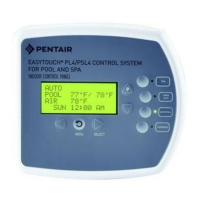
FOR POOL AND SPA
IMPORTANT SAFETY INSTRUCTIONS
READ AND FOLLOW ALL INSTRUCTIONS
SAVE THESE INSTRUCTIONS
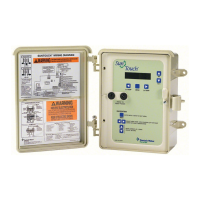
SUNTOUCH
®
CONTROL SYSTEM
INSTALLATION AND
USER'S GUIDE
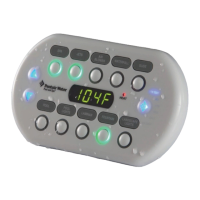
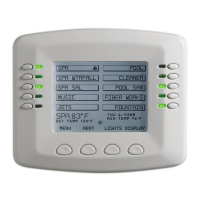
SPA 71°F / 91°F

Table of Contents

Other manuals for Pentair SunTouch

Questions and Answers

  • M
    Megan CastroJul 28, 2025
    What to do if Pentair Security System pump stopped with SVRS audible alarm ON?
    • K
      kristi60Jul 29, 2025
      If the Pentair Security System pump has stopped and the SVRS audible alarm is on, likely due to a drain blockage, inspect the pool or spa's main drain for any obstructions. Remove any blockage that you find. Then, press the Reset/Restart button once to turn the alarm off.
  • H
    Heather HuangAug 5, 2025
    What to do if Pentair Security System shows SVRS Alarm Blockage Alarm?
    • B
      Brian MannAug 6, 2025
      If the Pentair Security System displays an SVRS Alarm Blockage Alarm, check the pool or spa's main drain for any blockages and remove them. Afterward, press the Reset/Restart button once to deactivate the alarm.
  • E
    Erika HuffmanAug 13, 2025
    How to fix communication with Pentair Security System pump alarm?
    • L
      leeheidiAug 13, 2025
      To address a communication issue with the Pentair Security System pump alarm, check the RS485 communication cable between the pump and the SVRS Alarm power center.
  • R
    richardgutierrezAug 19, 2025
    How to start Pentair Security System pump?
    • C
      Christopher HarrisAug 19, 2025
      To start the Pentair Security System pump: first, press the SVRS alarm control panel Menu button, then press the Right arrow button to disable the alarm (this enables “Service” mode). Next, press the pump’s Start/Stop button two times, ensuring the LED above the Start/Stop button is on. To reactivate the SVRS alarm, press the Menu button again.

Summary

SunTouch Control System Overview

Solar Mode

Automates solar heating and nocturnal cooling for pools and spas.

Pool;Spa Mode

Automates pool and spa operations, including heating and schedules.

Control Panel and Buttons

Control Panel Display

Describes the LCD display and status information shown.

Control Buttons Functionality

Explains the function of each button for system navigation and control.

Important Safety Instructions

General Installation Safety

Covers electrical safety, grounding, and code compliance for installation.

Specific Safety Warnings

Highlights hazards like high temperatures, electrical shock, and proper use.

Solar Only Mode Menus

Water Temperature Settings

Adjusts desired set temperature for solar heating operation.

System Control and Mode

Sets system operation (AUTO, SOLAR ON/OFF) and mode (Solar Only/Pool/Spa).

Heat Differentials and Freeze Protection

Adjusts start/stop temp differentials and enables freeze protection.

Technical Support

Contact Information

Provides phone numbers, fax, and website addresses for customer support.

Pool;Spa Mode Menus

Circuit On;Off Menu

Manually switches filter pump and auxiliary circuits ON/OFF.

Heat Menu

Sets pool/spa temperature and selects heat source (Heater, Solar).

Schedules Menu

Programs scheduled start/stop times for circuits, automating functions.

Advanced Menu Options

Configures temp units, calibration, system mode, delays, and resets.

Pump Menu Configuration

Sets up various pump types (Single Speed, Two Speed, IntelliFlo).

IntelliChlor SCG Menu

Manages salt chlorine generator status, chlorine levels, and super chlorination.

Installation and Setup

Installation Steps Summary

Step-by-step guide for installing the SunTouch Control System enclosure.

Required Tools

Lists necessary tools for mounting the control system and sensors.

Power Center Components and Wiring

Details power center layout, connections, transformer, and wiring.

Plumbing and Hydraulic Requirements

Provides guidelines for pool/spa plumbing and solar hydraulics systems.

Power Center Connections and Mounting

Details high voltage connections and provides location guidelines.

Grounding and Bonding

Explains essential grounding and bonding procedures for safety.

Installing Relays and Actuators

Instructions for installing auxiliary relays and valve actuators.

Connecting Sensors and Heaters

Guides on installing temperature sensors and connecting various heaters.

Motherboard Connections

Details the motherboard layout and connections for components.

System Start-Up and Testing

Start-Up Procedures

Outlines initial power-up and system setup steps.

System Testing

Procedures for testing valve actuators, filter pump, and relays.

Troubleshooting

Frequently Asked Questions (FAQ)

Answers common questions about pump setup and solar heating.

Error Messages and Codes

Lists system error messages, possible causes, and solutions.

Problem Solving Solar System

Addresses issues with solar system operation and water flow.

Checking Temperature Sensors

Guides on testing temperature sensors using an ohm meter.

Appendix

Emergency Shut-Off Switch (ESO3)

Details installation and use of the Emergency Shut-Off Switch.

Commercial Application Example

Illustrates a commercial application setup using ESO3 and SunTouch.

Glossary

Key Term Definitions

Provides definitions for technical terms used in the manual.

Pentair SunTouch Specifications

General IconGeneral
Control TypeDigital
TypePool and Spa Control System
AutomationYes
DisplayLCD
Temperature ControlYes
ProgrammableYes
ApplicationPool and Spa
Wireless RemoteOptional
Voltage120V or 240V
Max LoadVaries by Relay
Power Supply120V or 240V AC
Load CapacityVaries by Relay
Weight5 lbs

Related product manuals