Back Bar Service Manual
Return to Table of Contents Refrigeration System Repair Instructions Page 6-7
Replace Condenser Fan Motor
STEP 1.
Remove Refrigeration Deck. See Section 6.2.
STEP 2.
Unplug the fan power cord from beneath electrical
box on compressor.
STEP 3.
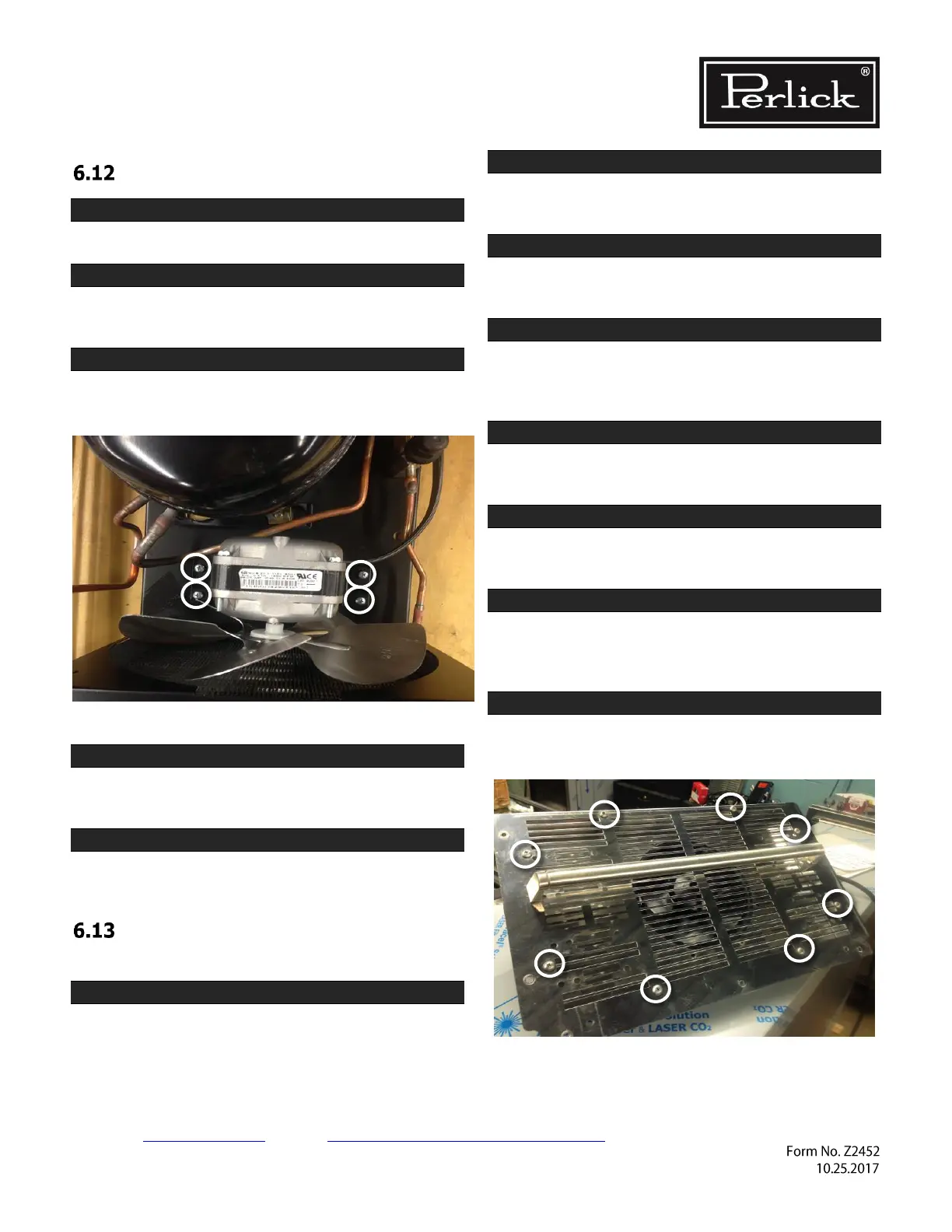
Remove fan motor assembly by removing 4 Phillips
head screws that hold the fan bracket.
Figure 6-10. Fan Mounting Hardware
STEP 4.
Install new fan motor assembly by attaching the
bracket with 4 screws.
STEP 5.
Install refrigeration deck by reversing steps in
section 6.2.
Replace Evaporator Fan Motor –
Self-Contained Models
STEP 1.
Remove grille by removing 3 Phillips head screws,
one at the top center and two at the bottom edge.
STEP 2.
Cut 2 zip ties holding wire harness to top of the
refrigeration module.
STEP 3.
Disconnect evaporator fan wire leads from main
wiring harness.
STEP 4.
Remove sealing compound from top and bottom of
wire pass-through located inside evaporator box
and inside of machine compartment.
STEP 5.
Remove shelving from unit, as well as shelf bracket
on left wall.
STEP 6.
Remove 7 screws holding evaporator fan panel to
unit. Figure 8-7
STEP 7.
Tip evaporator fan assembly down and remove
from unit. Pull evaporator fan wires up though the
top of the machine compartment.
STEP 8.
Remove 8 screws to separate front and back of
evaporator fan panel.



 To Next Page