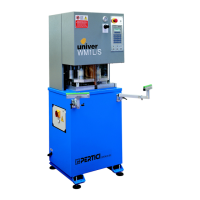
Instruction manual for use and maintenance
for WM1L/S WM1L/S-M WM1L/E Single
head machines
File: 1927.doc - 25/01/02 11:55
23
- The caption “T:210.0>245“ indicates in real time the temperature of the heating plate
(210.0°C) and the entered one (245°C).
- The caption “T:35>40“ indicates in real time the temperature of the welding seal limitation
blades (if they have been installed) (35°C) and the entered one (40°C).
- The controller starts the warming-up phase. During this phase, the operator can not execute
the working cycle.
To avoid the temperatures control (so to be able to execute one or more working cycles at an
incorrect temperature press on F1 for the plate and F4 for the blades. The two letters “T” will
become “t” (thus showing the special working mode of the machine).
To reactivate this control press on the keys indicated again.
- As soon as the machine reaches the entered temperature values, the display shows:
EXEC. SAFETY TEST
T:245.0>245 T:40>40
- The operator must touch with one hand the aluminium surface of the control panel and with
the other hand one of the two vertical blocking plates.
- The electronic control verifies this way the correct functioning of the “SAFE TOUCH” device.
- The machine controller will periodically ask to execute this control.
ATTENTION: NEVER USE PROTECTIVE GLOVES FOR YOUR HANDS WHEN WORKING
ON THIS MACHINE TYPE
- As soon as the test has been passed, on the display will appear:
P1+P2 POSITION
T:245.0>245 T:40>40
- Act at the same time and keep pressed the push buttons P1 and P2.
- The controller activates the positioning plate and moves the trolley to the piece loading
position.
- At the end of the machine movements release the two push buttons.
The display shows:
PBS=CLOSE/OPEN
LE BLOCKING
PBD=CLOSE/OPEN
RI BLOCKING



 To Next Page