6 Commissioning
6.1 Detector start-up
1. Connect the main power supply cable.
2. Set the main switch/circuit breaker to I.
3. For first start-up: set the language, unit, date and time (the user can modify these settings at a
later time).
4. Wait for the detector to enter “Stand-by” mode.
Start-up after an extended shutdown
If the detector has been stored or has not been used, start-up time is longer than if it is in regular use.
After a shutdown of the detector of more than 3 months, it is advisable to start up the detec-
tor 24 hours before its use.
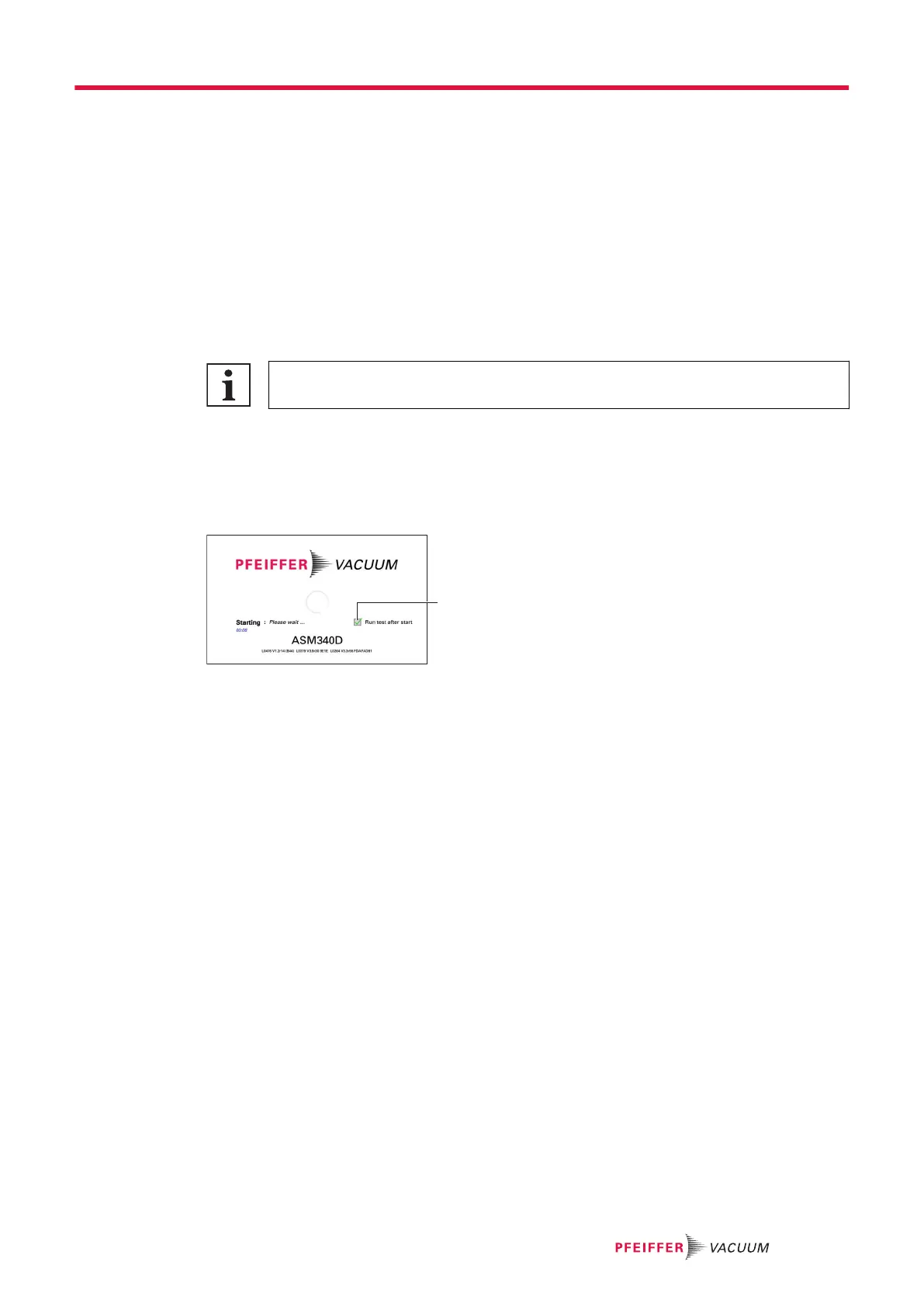
6.2 Test launched automatically upon start-up
This function is used to automatically start the first test after the detector start-up phase.
If the function is enabled, the 1
st
test starts automatically as soon as the detector start-up phase is com-
pleted. Subsequent tests are launched by the user.
1 Check box for the ‘Run Test after start?’ message
1. Ensure that the inlet is connected before starting the function.
2.
During the detector start-up phase, check [✔] to enable the function.
●
The question will be asked each time the leak detector is switched on. The last selection
made is not saved.
6.3 Detector powering off
1. Set the switch/circuit breaker to O.
2. Wait for the control panel screen to turn off completely before working on the product, removing
the cover and/or moving it.
3. Disconnect the mains power cable.
Pump stop due to power failure
When there is a mains power failure, the detector shuts down: it switches on again automatically when
power is restored.
Commissioning
31/108



 To Next Page