Result Description
Success [Cell sta-
tus: xxx %]
Calibration success
[Cell status: xxx %] Indicator of analyzer cell performance.
Default settings: between 90% and 100%
Normal operation: between 10% and 100%
Normal wear on some cell components will reduce this val-
ue over time but will not reduce the accuracy of the detec-
tor's measurements.
FAIL Calibration failure
Cal. check OK Calibration check successful
Cal. check FAIL Calibration check failure
History export
An export can be generated containing the event and calibration history.
2 possible modes of access:
●
[Maintenance] [History] [Events history]
●
[Maintenance] [History] [Calibrations history]
1. Insert a USB stick into the control panel.
2. Press [Export].
The message “Events and calibrations exported” is displayed to confirm the export.
8.4.2 Information
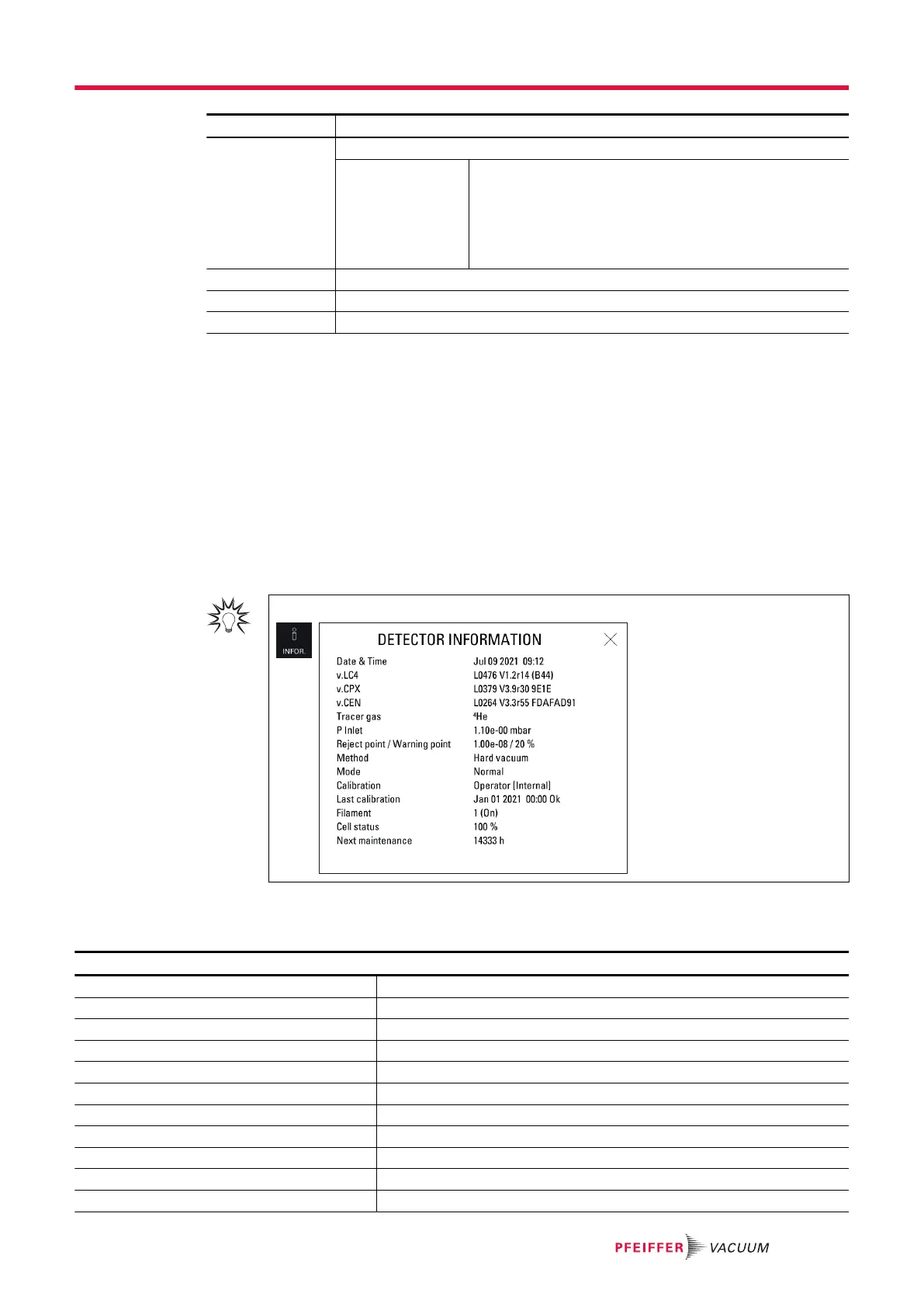
This function is used to view information on the leak detector.
For quick access from the main screen, use the [INFOR.] function key.
Detector information
Reminder: for viewing only in this menu
Access: Menu [Maintenance] [Information] [Detector]
Timer Running time for detector
Date and time Date and time
Software release .LC4 Control panel firmware information
Software release .CPX Leak detector firmware information
Software release .CEN Analyzer cell firmware information
Inlet pressure Inlet pressure
Reject point Set reject point
Warning point Warning point set
Correction Correction factor status
Tracer gas Tracer gas selected
Filament Filament selected
Settings menu
77/108



 To Next Page