46
Operation
8 Close the Configure dialog.
9 Press OK in the Device Setup dialog. Ignore any error message that is displayed and
press OK. The IP Address has been changed.
10 Exit QUADERA.
11 Change the GSD 320 IP Address from the front panel to an appropriate and available
address for the network. Refer to Changing the IP address on page 42 for detailed
instructions on changing the IP Address from the front panel.
12 Change the IP Address on the PC to an appropriate and available address for the
network or set it to 'Obtain an IP address automatically'.
13 Start QUADERA.
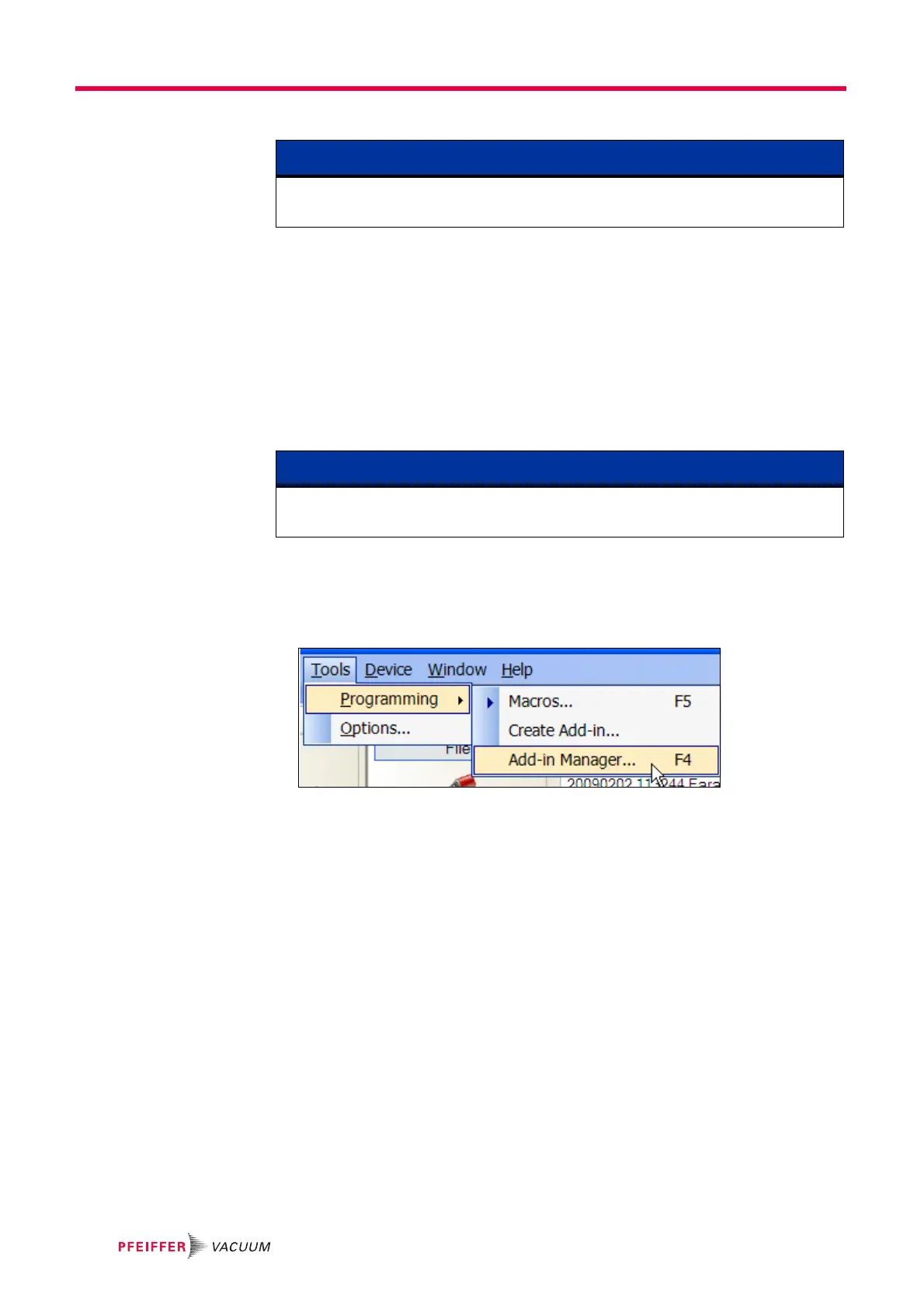
14 Run the GSD 320 Add-in. Load the GSD 320 Add-in from the Tools >>
Programming >> Add-in Manager menu selection (see Figure 7-49).
Figure 7-49 Add-in Manager Menu Selection
NOTE
If the IP Address is changed using the step above then you must wait at least 6 minutes
before continuing.
NOTE
Refer to Windows
®
Help on ’Configure TCP/IP Settings’ for assistance on setting an IP
Address.



 To Next Page