74
Maintenance
4 Remove the front cover of the GSD 320 from the frame in the manner described in
Removing the front cover on page 23.
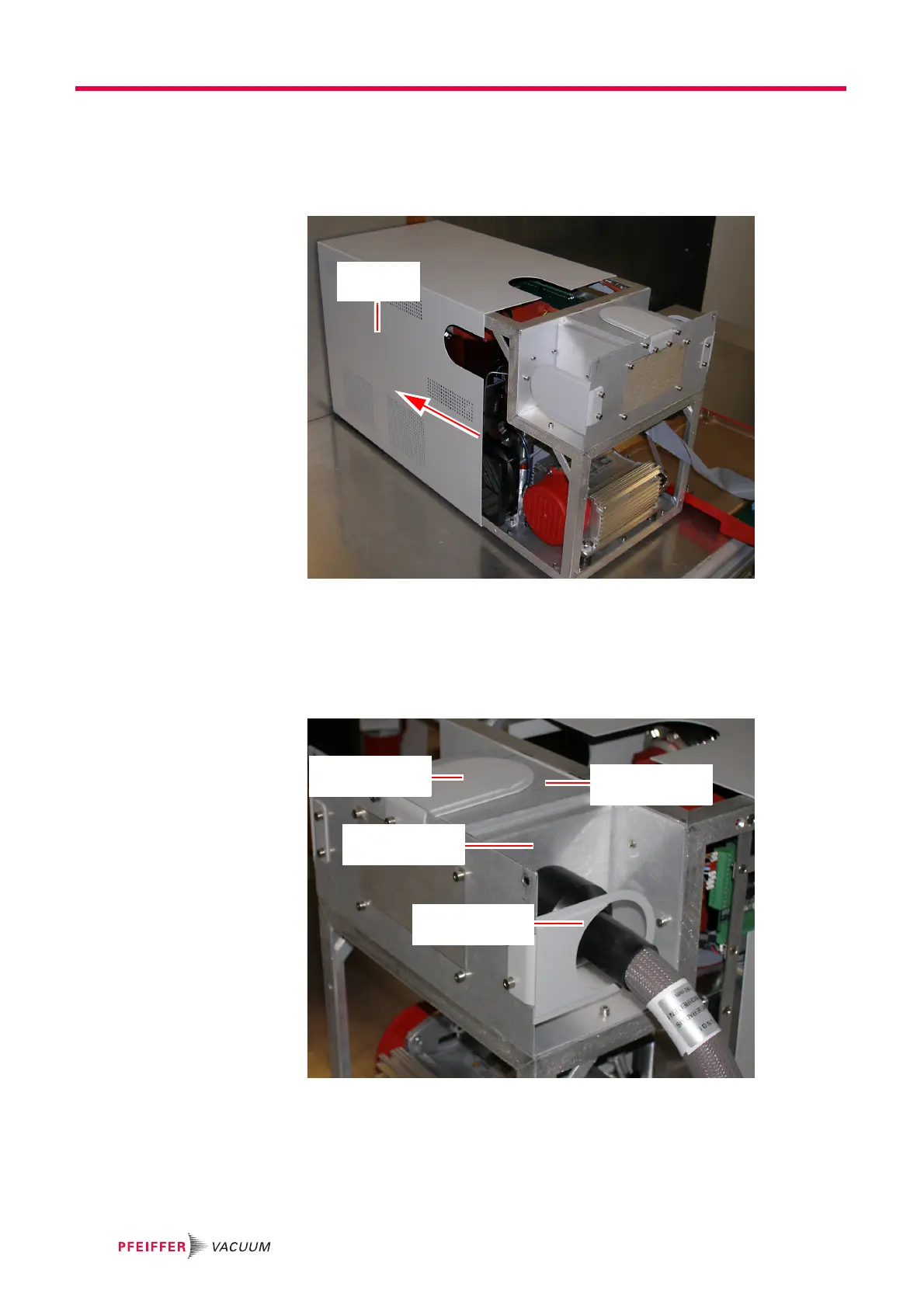
5 Slide the chassis cover off of the GSD 320. See Figure 10-13.
Figure 10-13 Slide chassis cover off
6 Remove the front panel and disconnect the capillary as described in step 6 on page
69 for ThermoStar or step 7 on page 70 for OmniStar.
7 Proceed as follows to change the heater inlet orientation from side to top. See
Figure 10-14 and Figure 10-15.
Figure 10-14 Inlet side configuration
7a Remove the inlet guard with access from the heater line and remove the inlet
guard without access from the top of the GSD 320. Use a 3 mm hex key to
remove the socket head cap screws.
7b Remove (4) socket head cap screws in the oven panel that the heater line is
attached.
Oven
Blank Panel
Inlet Guard
Without Access
Inlet Guard
With Access
Oven
Heater Panel




 To Next Page