PG DRIVES TECHNOLOGY NEWVSI TECHNICAL MANUAL – OPERATION
SK80151-1 11
• Release the joystick, there will be a long bleep.
• The wheelchair is now locked.
To unlock the wheelchair:
• Use the on/off button to switch the controller on. The maximum speed / profile indicator will be rippling up and down.
• Deflect the joystick forwards until the controller bleeps.
• Deflect the joystick in reverse until the controller bleeps.
• Release the joystick, there will be a long bleep.
• The wheelchair is now unlocked.
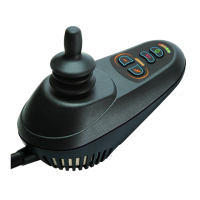
3.3 Joystick
The primary function of the joystick is to control the speed and direction of the wheelchair. The further you push the joystick from
the center position the faster the wheelchair will move. When you release the joystick the brakes are automatically applied.
3.4 Maximum Speed / Profile Indicator
This is a gauge which shows the maximum speed setting for the wheelchair or, if the controller is programmed for drive profile
operation, the selected drive profile. For more information on drive profiles, refer to Chapter 3.
This gauge also indicates if the speed of the wheelchair is being limited or if the controller is locked, refer to sections 8.8 and 8.9.
3.4.1 Maximum Speed Indicator
This is a gauge that shows the maximum speed setting of the wheelchair. There are five speed settings – step 1 is the lowest
speed and step 5 is the highest speed. For details of how to change the maximum speed setting, see sections 3.6 and 3.7.
3.4.2 Profile Indicator
This is an indicator that shows the selected drive profile. There may be up to 5 drive profiles available, this depends on the
programming of the controller (refer to Chapter 3). For details of how to select drive profiles, see sections 3.6 and 3.7.
3.5 Horn Button
The horn will sound while this button is depressed.
3.6 Speed / Profile Decrease Button
This button decreases the maximum speed setting or, if the controller is programmed for drive profile operation, selects a lower
drive profile.
It is possible to program the controller so this button has no effect while the wheelchair is being driven, refer to Chapter 3.
3.7 Speed / Profile Increase Button
This button increases the maximum speed setting or, if the controller is programmed for drive profile operation, selects a higher
drive profile.
It is possible to program the controller so this button has no effect while the wheelchair is being driven, refer to Chapter 3.
3.8 Charger and Programmer Socket
This socket should only be used for programming and charging the wheelchair. Refer to section 10 for more details.
This socket should not be used as a power supply for any other electrical device. Connection of other electrical devices may
damage the controller or affect the E.M.C. performance of the wheelchair.


 To Next Page