17 | P a g e
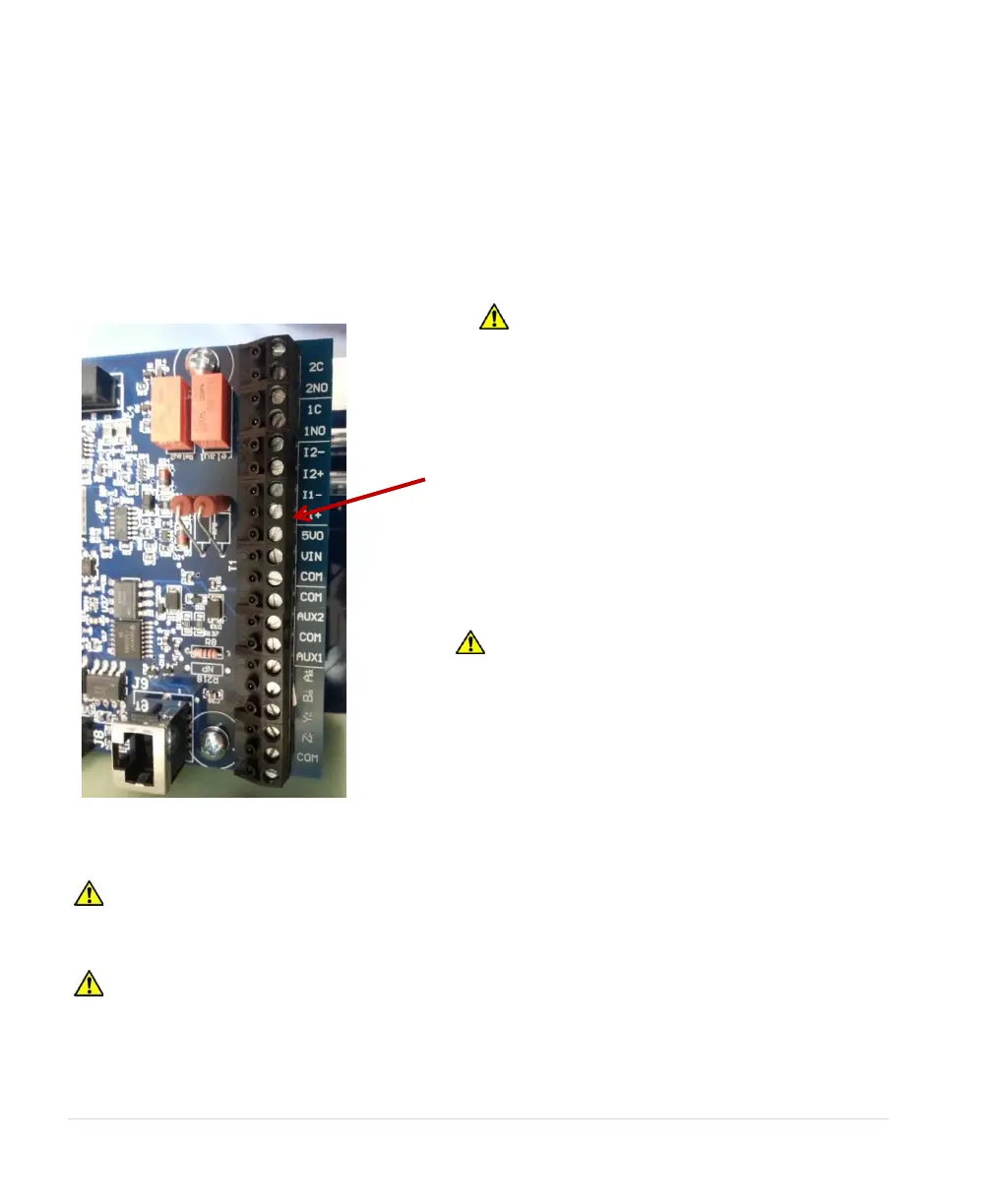
3.4 Control Terminals
SD & 2XD Series drives are equipped with control terminals that allow a number of control functions,
including remote ON/OFF control, digital output signals, and remote notification, operation of constant
pressure water systems.
The correct System Configuration must be selected for proper operation of the different types
of control systems! See Table 16, Interface Parameters, for details.
Figure 16 - Control Terminal Location
WARNING: Do not connect control terminals to external circuits with voltage greater than that
specified for each control terminal in Table 8. Disconnect all incoming sources of power, and then wait
5 minutes for internal charges to dissipate before servicing the equipment.
CAUTION: The AUX1 and AUX2 terminals are galvanically isolated, with approximately 5 V
potential between them. DO NOT apply a voltage to the terminals. Use dry contacts only.
WARNING: Risk of electric shock. De-
energize the unit by disconnecting all
incoming sources of power, then wait 5
minutes for internal charges to dissipate
wires. To remove the terminal blocks, simply
pull the block from mounting pins soldered into
the circuit board.
CAUTION: Use care not to damage other
components on the printed circuit board
when removing and replacing the control
terminal blocks.



 To Next Page