24
SETTING THE COMPRESSOR DELAY
The delay time before the compressor starts can be changed to reduce the load on the power line and to
facilitate the start-up (reset) of the freezer during recovery after power failure.
Setting range of delay time: between 3 and 15 minutes, in 1-minute intervals
Initial setting (factory setting): 3 minutes
Note:
There is no need to change the delay time when the capacity of the power source is adequate.
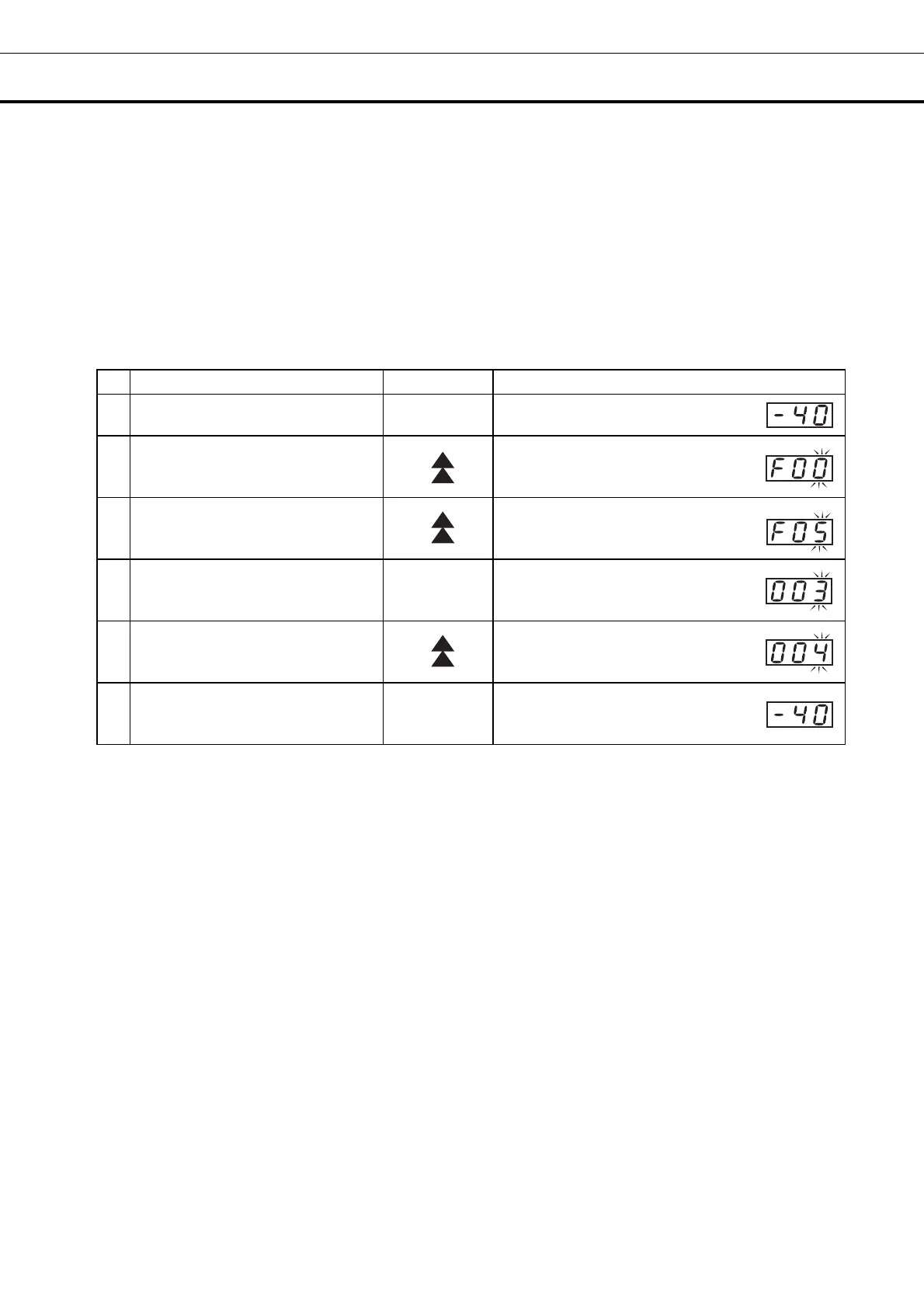
For example, to change the setting of the compressor delay from 3 minutes (initial setting) to 4 minutes
(The following is only an example. Choose the setting according to the desired start delay.)
Operation Key operated Display after operation
1
-----
The current chamber temperature is
displayed.
2
Press the up arrow key for 5
seconds.
The current chamber temperature
changes to function code F00 and
the right-hand figure (0) blinks.
3 Press the up arrow key 5 times.
The display changes from F00 to F05.
4 Press the “Set” key once.
SET
The current setting (003) is displayed
and the right-hand figure (3) blinks.
5
Press the up arrow key (as many
times as needed to reach the
desired figure).
The display changes from 003 to 004.
6 Press the “Set” key once. SET
The new setting is memorized and
the current chamber temperature is
displayed.
The unit will return from setting mode to temperature display mode automatically after 90 seconds if no
key is operated (auto-return function). In this case, the setting is not changed.


 To Next Page