Mechanical Instruction
Go to cover page
12
170B6 LCD
In warranty, it is not allowed to disassembly the LCD panel, even the
backlight unit defect.
Out of warranty, the replacment of backlight unit is a correct way
when the defect is cused by backlight (CCFL,Lamp).
Fig. 13
Fig. 14
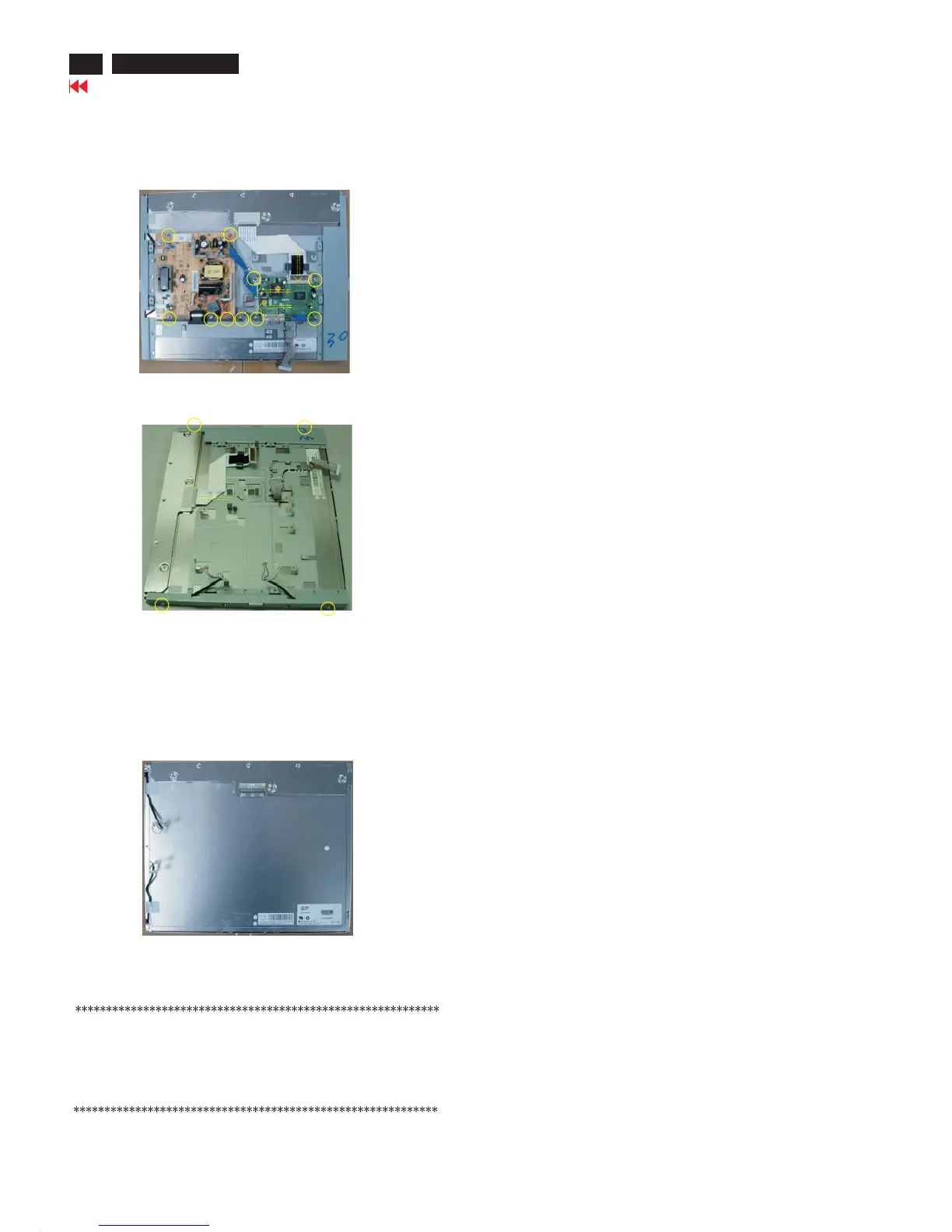
Step 3. Remove the Scaler and Power board.
a.
b. Remove the 10 screws and disconnect the 3 cables as Fig. 12.
c.
Remove the 8 screws and disconnect the 2 cables as Fig. 11.
Remove the 4 screws and disconnect the 1 cables as Fig. 13.
Fig. 12
LCD Panel
1050 823827717631 TFT-LCD MOD QD170EL07 REV.09(Fig.14).



 To Next Page