Page 23 DPM 8000 series - Technical Specification and Advanced Device Configuration
Adjust the brightness of the display in 9 steps. The brightness level of the
display will affect how quickly the device consumes battery power.
Set the length of time the device waits before turning o: the display’s
backlight:
Auto: adjusts the brightness of the display automatically and turns o: the
display’s backlight after 8 seconds.
8 sec (default), 20 sec, On
Select a display mode: Advanced (default), Classic
Enable/disable the LED light.
Set the language for the device’s user interface: English, Deutsch,
Français, Español, and Italiano.
Enable/disable key and signal tones.
Allows you to listen to the recording while forwarding or rewinding.
Set the length of time before the recorder will enter into powersave
mode: 1 min, 5 min (default), 10 min, 15 min, Off
The date and time are saved with each recording as the recording time.
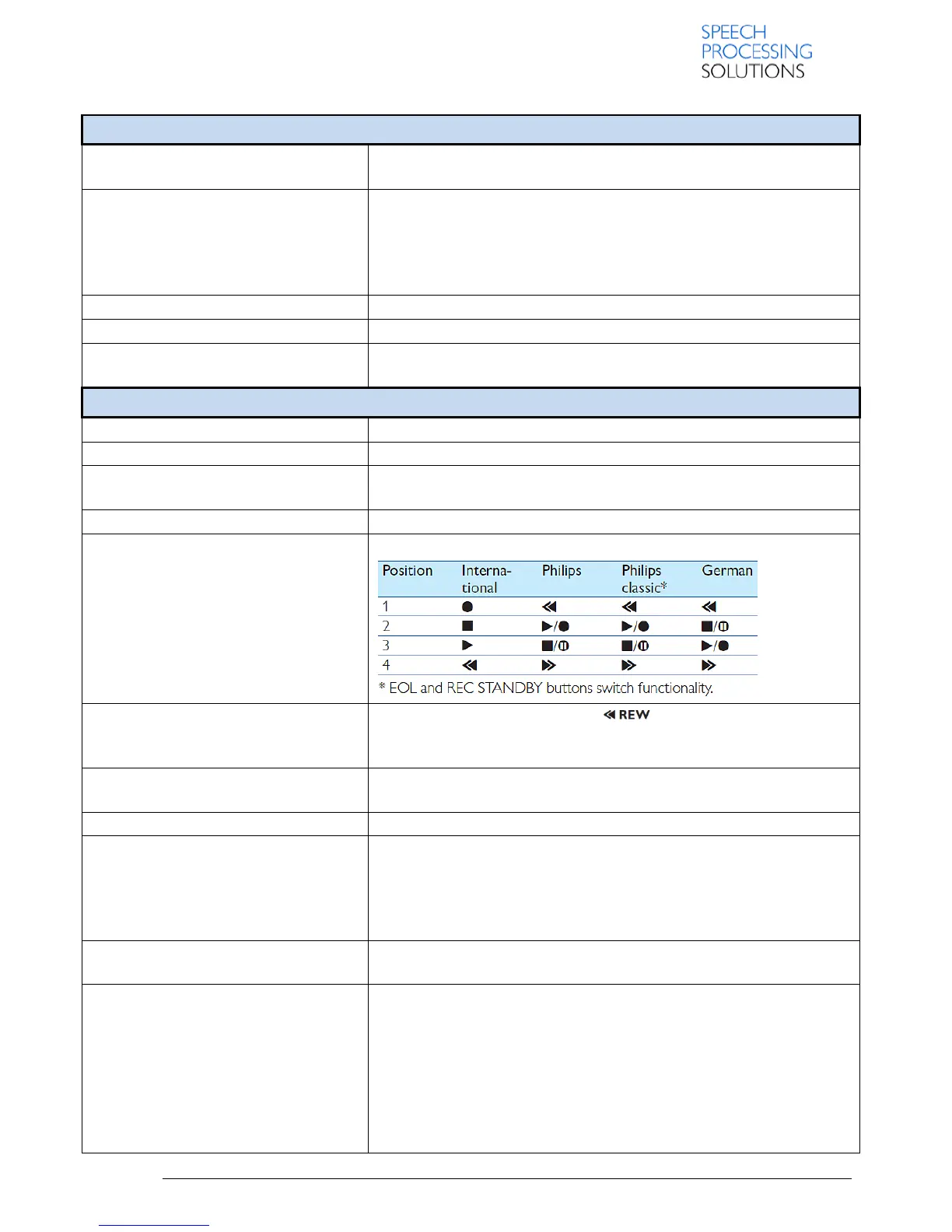
You can customize the functionality of the slide switch
Move the slide switch briefly to the position to jump back the
configured number of seconds in the recording:
Off (default), 1 sec, 2 sec, 3 sec, 4 sec.
Display information about the device, such serial number, model number
and firmware version.
Deletes all recordings and files saved on the device.
Change the charging option of the device. If the USB port of your
computer does not supply enough power capacity (500 mA), charging
may not be successful. Set the USB charge option to Slow [100 mA] or
O+ and use an (optional) power supply.• Fast [500 mA] (default)• Slow
[100 mA] Off
When set to On, the device can be used as audio output device for the
computer when it is connected via the USB cable.
Factory default Off, which means the audio output signal is routed to the
internal speaker if no headphone is connected and to the headphone-
jack if a headphone is connected.
By changing this setting to On, the audio output signal is routed to the
internal speaker and to the headphone-jack at the same time (no matter
if a headphone is connected or not).
The remote control (only available for DPM8900) can’t be detected
reliably if this setting is changed to “On”.













 To Next Page