Page 28 DPM 8000 series - Technical Specification and Advanced Device Configuration
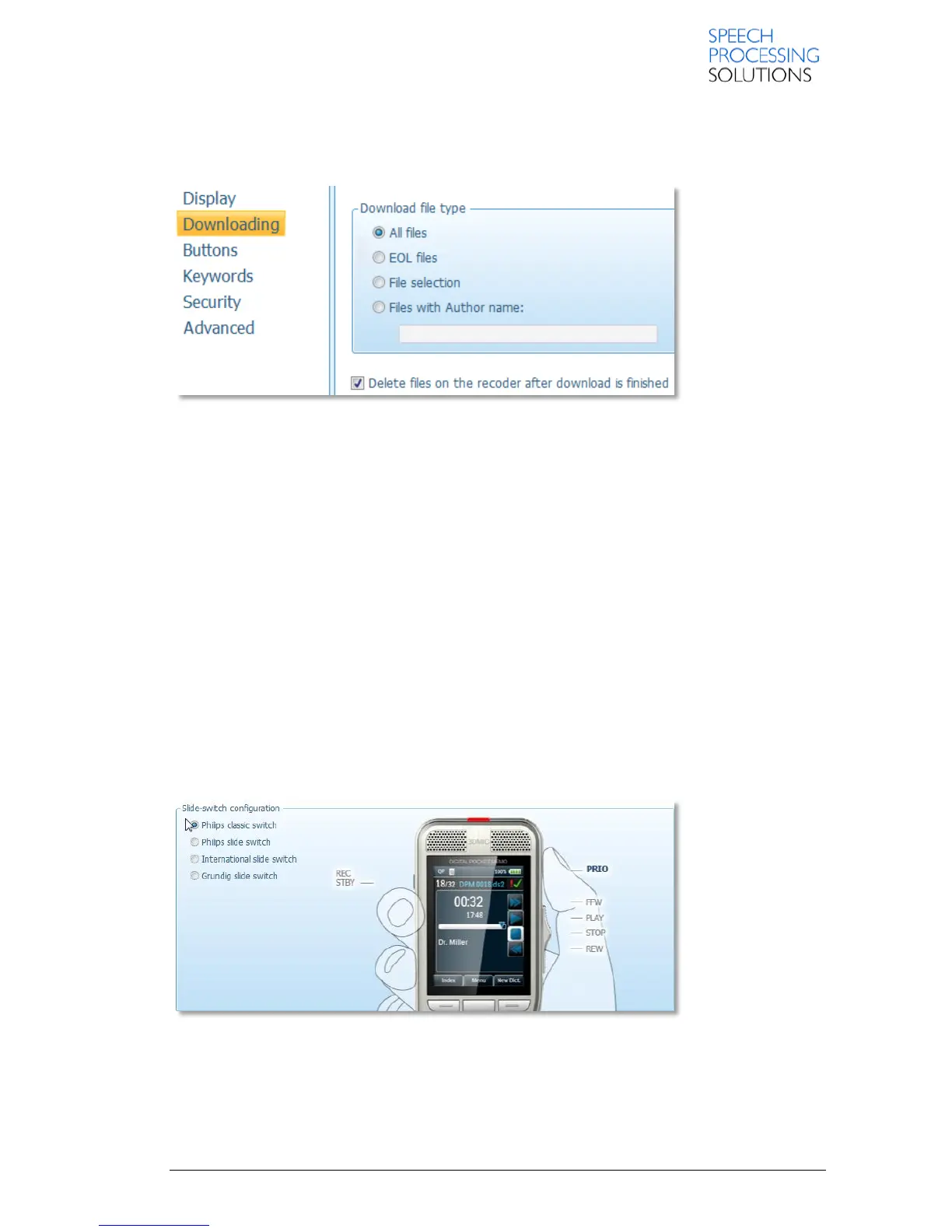
3.2. Downloading
This page provides various options for device-specific settings for the file transfer between the
recorder and the computer.
Download file type:
Note: This setting is ignored when performing manual download in SpeechExec. In this case, all the
files on the recorder are displayed and can be selected individually for download.
All files
Downloads all files from the recorder to the computer. This is the default setting.
EOL files
Downloads all files with the EOL indication.
File selection
Instructs the download application to display the list of files on the recorder. This dialog enables you
to select individual files for downloading.
Files with Author name
Downloads all files with a specific author name (1st keyword). The maximum number of characters
is 30.
Delete files on the recorder after download is finished
Deletes the downloaded dictation files on the recorder after they have been transferred to the
computer.
3.3. Buttons and slide-switch configuration
On the right-hand side of the group-box, an animation related to the currently selected slide switch
configuration is played.
The following slide-switch types are available:













 To Next Page