Page 40 DPM 8000 series - Technical Specification and Advanced Device Configuration
3.7. Advanced configuration
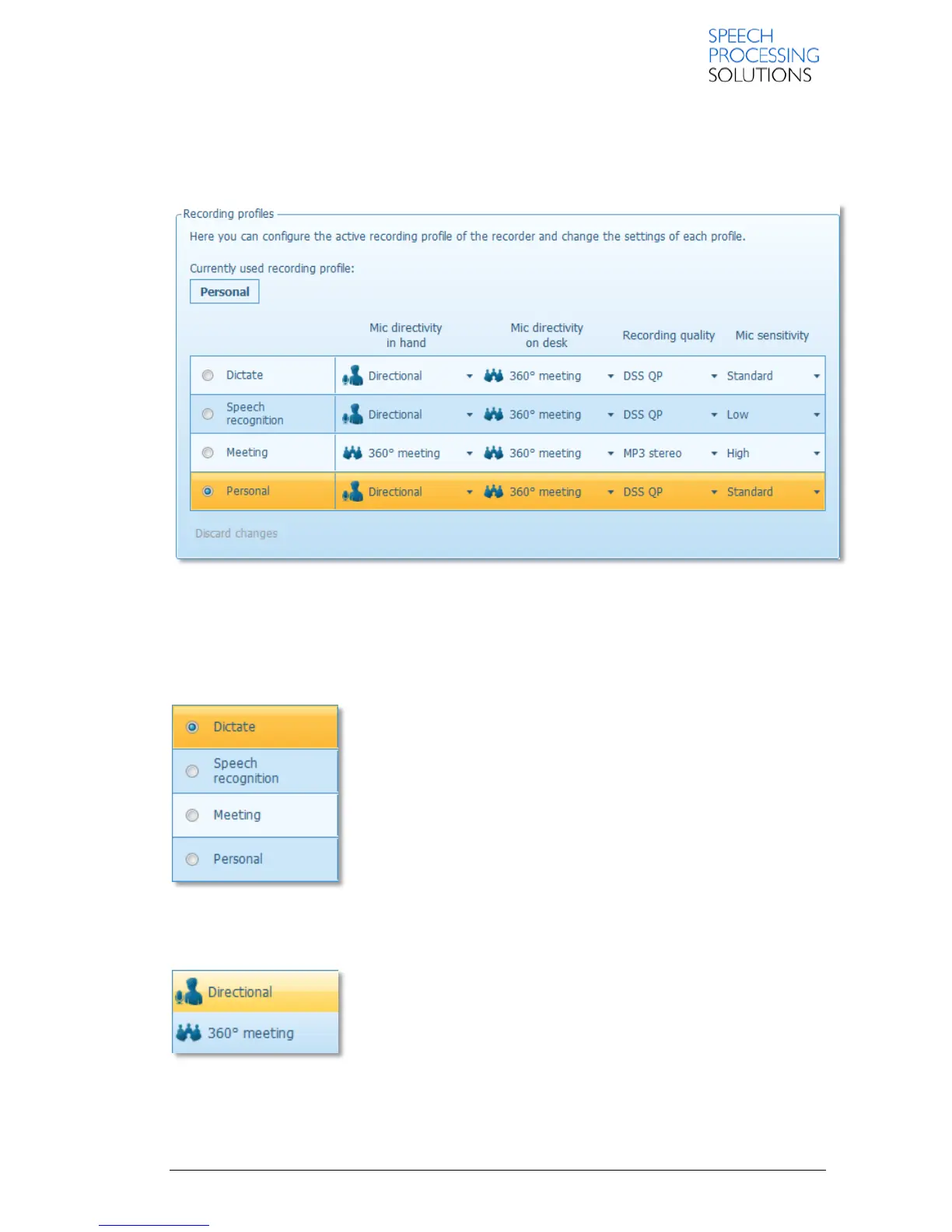
Here you can configure the active recording profile of the recorder and change the settings of each
profile.
3.7.1. Recording profiles
The following recording profiles are available:
Dictate
Speech recognition
Meeting
Personal
3.7.2. Mic directivity in hand / Mic directivity on desk
Here you can set how the recorder uses its microphones while that is
hold in hand or put on a desk.
The following two options are available:
Directional: This option is used for focused recording.
360° meeting: This option is used for recording overall ambient sound
equally with two active microphones.













 To Next Page