EasyManua.ls Logo

Philips DPM8000 - Programmable Smart Button

Philips DPM8000
60 pages
Print Icon
To Next Page IconTo Next Page
To Previous Page IconTo Previous Page
Loading...
Page 30 DPM 8000 series - Technical Specification and Advanced Device Configuration
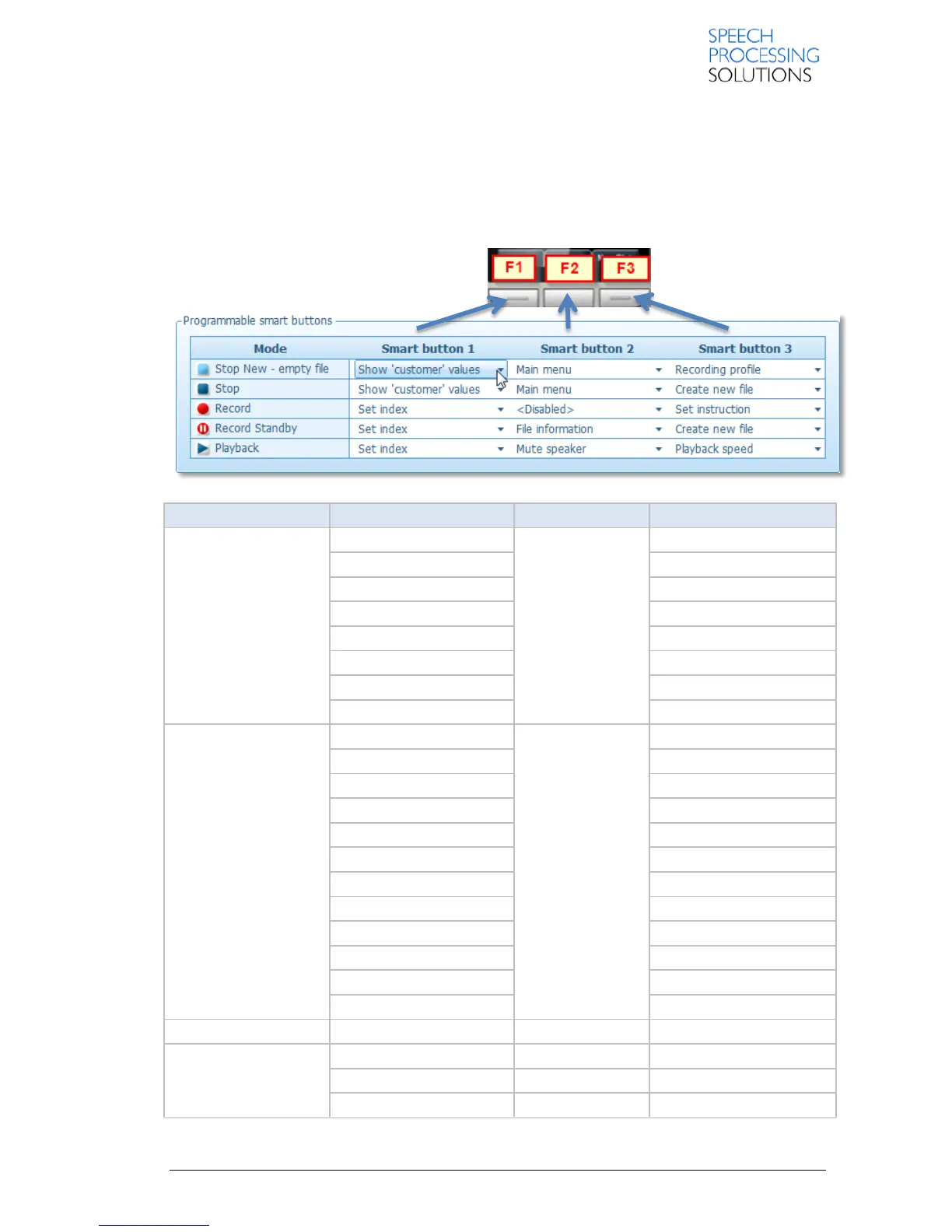
3.3.5. Programmable smart button
Here you can customize the role and behaviour of the Smart buttons 1-3 on the selected recorder to
meet your personal requirements in Stop New, Stop, Record, Record Standby and Playback
mode.
Note: In case of International slide switch configuration, the smart buttons cannot be customized in
Record Standby mode.

Pocket Memo Mode
Smart Button 1
Smart Button 2
Smart Button 3
Stop New empty file
Show “Author” values
Main menu
Show “Author” values
Show “Work type” values
Show “Comment” values
Show “Delivery” values
Toggle priority
Toggle priority
File information
File information
Recording profile
Recording profile
Disabled
Disabled
Stop
Set index
Main menu
Set index
Change edit mode
Change edit mode
Show “Author” values
Show “Work type” values
Show “Comment” values
Show “Delivery” values
Toggle priority
Toggle priority
File information
File information
Delete file
Delete file
Toggle EOL
Toggle EOL
Create new file
Create new file
Disabled
Disabled
Record
Set index
Set index
Set index
Set instruction
Set instruction
Set instruction
Disabled
Disabled
Disabled

Table of Contents