Page 25 DPM 8000 series - Technical Specification and Advanced Device Configuration
3. DPM8000 Advanced Recorder Configuration.
The SpeechExec Pro Dictate Advanced Recorder Configuration wizard enables you to configure
your recorder according to your individual preferences.
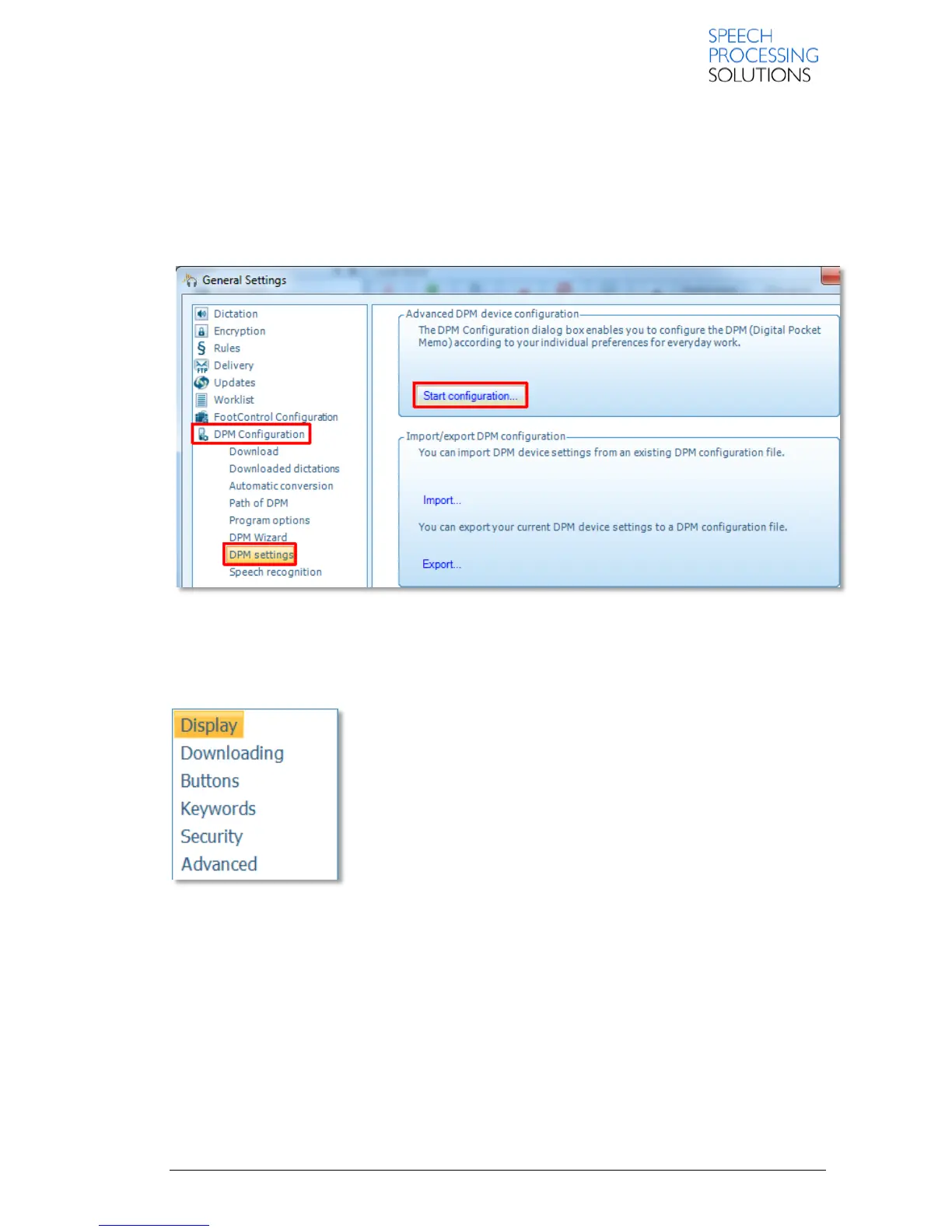
To start the Advanced Recorder Configuration wizard, click SETTINGS, select DPM Configuration
and click on DPM settings.
The wizard consists of the following pages
Display: Enables users to customize the display of the recorder.
Downloading: Enables users to make device-specific settings for the
file transfer between the recorder and the computer.
Buttons: Enables users to customize the functions of the buttons on
their recorder.
Keywords: Enables users to create keywords with strings for their
displayed name and selectable values.
Security: Enables users to set security options for their recordings and
for the recorder as well.
Advanced: Provides advanced options and settings for the behavior of
the recorder.













 To Next Page