Page 27 DPM 8000 series - Technical Specification and Advanced Device Configuration
3.1.2. Advanced Display
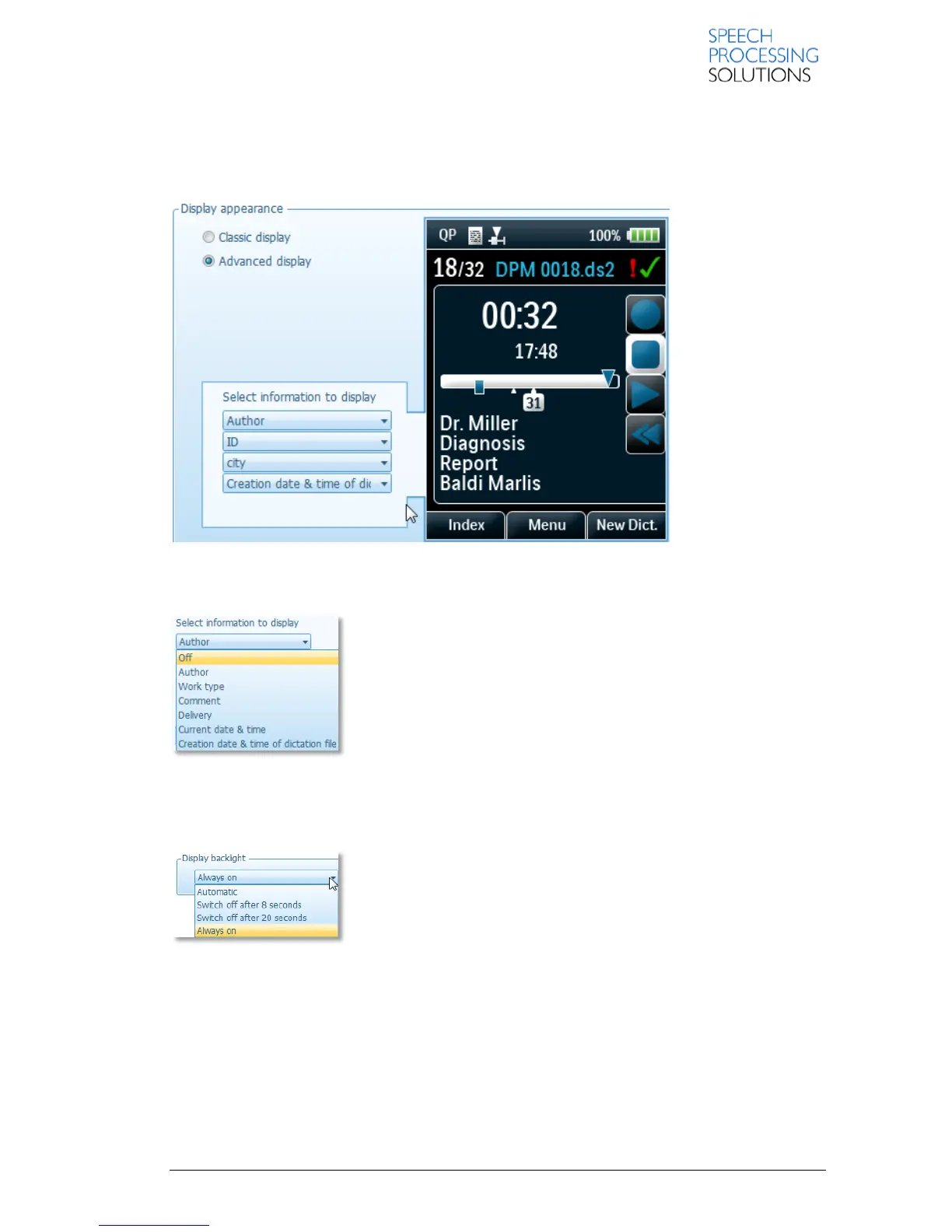
This option uses smaller symbols and shows more detailed information about the current dictation.
A group-box enclosing four combo boxes are displayed here.
You can also specify what kind of additional information you would like to see about your dictation
file:
Available values of keywords:
Off
Author
Work type
Comment
Delivery
Current date & time
Creation date & time of dictation file
3.1.3. Display backlight
This setting enables you to control the switch-off time of the recorder
display by selecting one of the following values:
Automatic – Light sensor
Switch off after 8 seconds
Switch off after 20 seconds
Always on
3.1.4. Time Format
This setting defines that the time is displayed in the 12-hour time format with AM/PM symbols on the
recorder. Otherwise, the time is displayed in the standard 24-hour format.
Note: The date is always displayed in the YYYY-MM-DD format.













 To Next Page