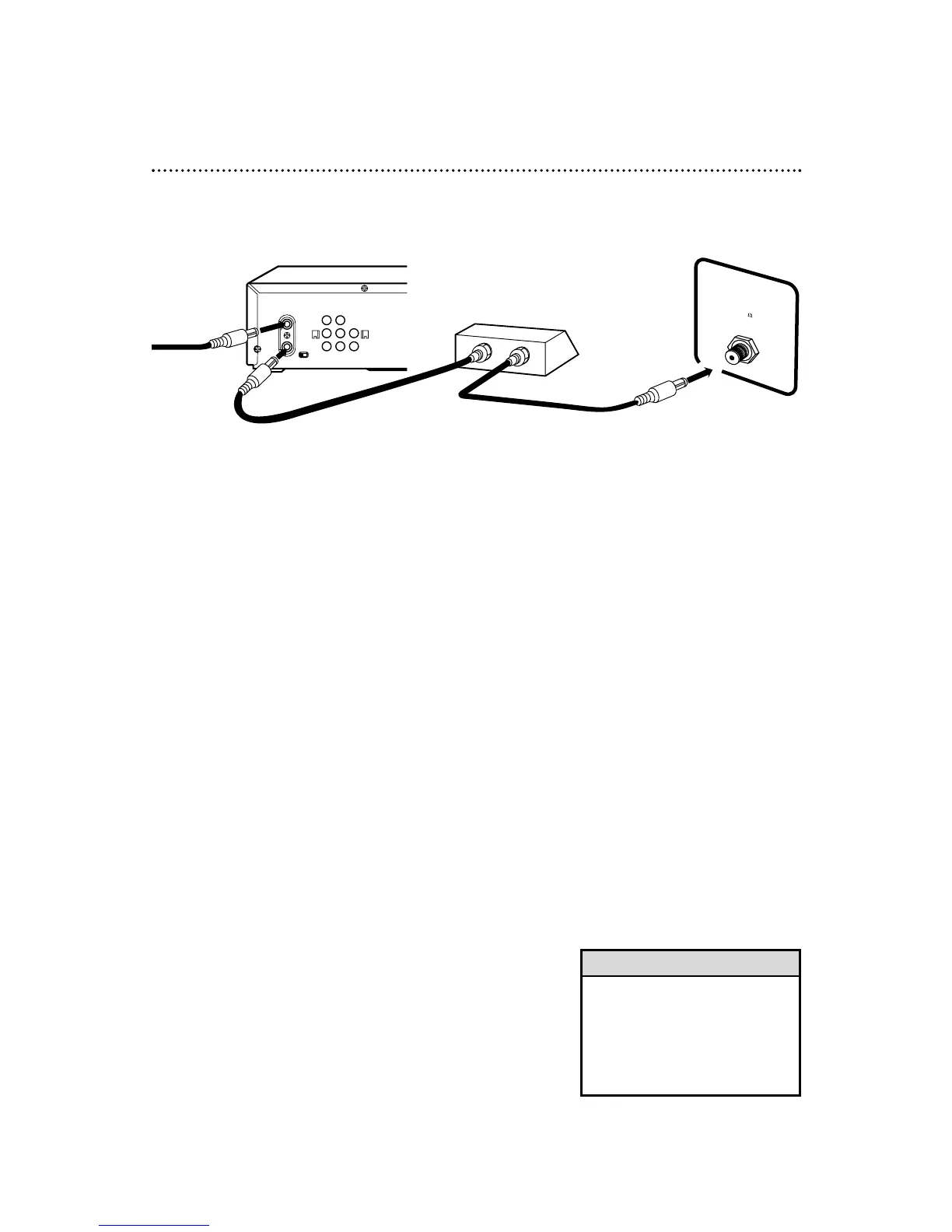
With this connection:
● You may watch one channel while recording another.
● You may not record scrambled channels.
Recording One Channel/Watching Another
1
Put the Cable Box/DBS on the same channel as the
DVD/VCR’s CH3/CH4 switch. Set the TV to the Cable
Box/DBS output channel (03 or 04).
Then, with the DVD/VCR in VCR position (the VCR light and the
VCR/TV light will appear on the display panel), use the CHAN-
NEL o/p buttons to select the channel you want to
record at the DVD/VCR. Start the recording.
2
Press the VCR/TV button once to put the DVD/VCR in
TV position. (The VCR/TV light will disappear.)
3
Select the channel you want to watch at the Cable
Box/DBS.
TV’s ANTENNA
IN Jack
Cable Box/DBS
DVD/VCR
• When you play a tape, make sure
the Cable Box/DBS is set to the
same channel as the CH3/CH4
switch on the DVD/VCR. Set the
TV to the Cable Box/DBS output
channel (03 or 04).
Helpful Hint
1
Connect a Cable signal to the DVD/VCR’s ANT-IN (Antenna In)
Jack.
2
Use an RF coaxial cable (supplied) to connect the ANT-OUT
(Antenna Out) Jack on the DVD/VCR to the IN Jack on the Cable
Box/DBS.
3
Use a second RF coaxial cable to connect the OUT Jack on the
Cable Box/DBS to the ANTENNA IN Jack on the TV.
1
2
3
Connections
Cable
Signal
RF coaxial
cable
RF coaxial
cable



 To Next Page