32 Playing a Video Cassette Tape
•
If the tape you want to play is
already in the DVD/VCR, make sure
the DVD/VCR power is on and the
DVD/VCR is in VCR mode and VCR
position. (The VCR light and the
VCR/TV light will appear on the front
of the DVD/VCR.) Then press the
PLAYbutton.
• Other tape playback options and
features are on pages 41-48.
• When you play a tape recorded in
S-VHS format on this unit, you can
not get the high resolution that
would be available on an S-VHS
VCR. Noise lines (black and white
streaks) may appear on the picture.
• If REPEAT PLAY is set to ON, play-
back will begin automatically, even
when the record tab is intact.
Helpful Hints
Read and follow the steps below to play a tape.
1
Turn on the TV and set it to channel 3 or 4, whichever
channel the CH3/CH4 switch on the back of the DVD/VCR is set
to. Or, if you connected the DVD/VCR to the TV using audio and
video cables, select the correct audio and video in channel at the
TV. Details are on page 12.
2
Insert a tape in the cassette compartment of the
DVD/VCR. The POWER,VCR, VCR/TV and CST. IN lights will
appear on the front of the DVD/VCR. If the tape’s record tab has
been removed, playback will start automatically.
6
After the tape stops, press the STOP/EJECT button on
the DVD/VCR to remove the tape.
3
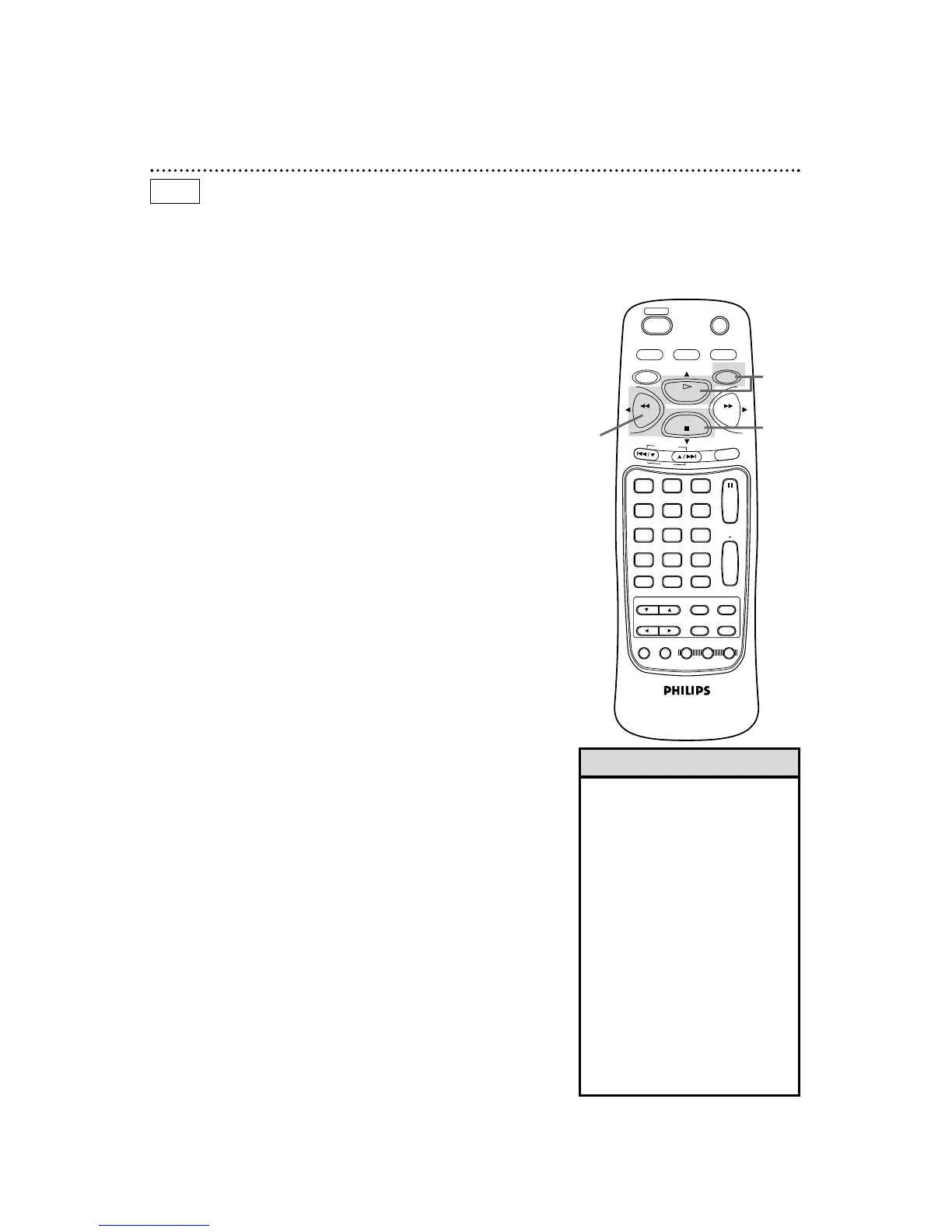
If playback does not start automatically, press the VCR
button, then press the PLAY button.
4
Press the STOP button to stop playback.
5
Press the REW(ind) button to rewind the tape.
1
Turn on the TV.
2
Insert a tape in the
DVD/VCR.
4
5
S-VHS Quasi Play Back (SQPB)
This unit allows you to view a tape recorded in S-VHS format. A
tape recorded in S-VHS format will play the same as a tape record-
ed in normal format. This unit detects whether the tape is record-
ed in S-VHS format or in normal format.
VCR
3



 To Next Page