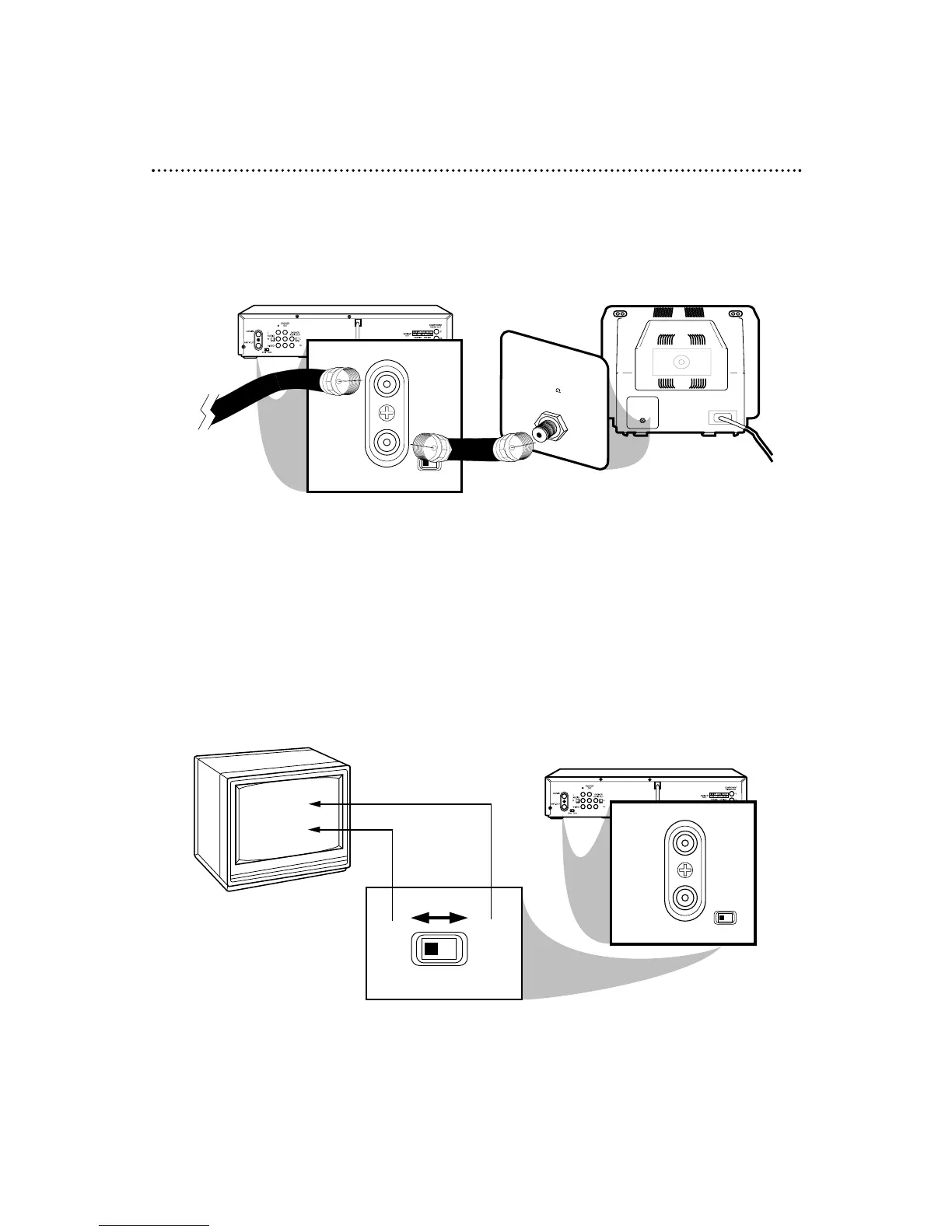
RF coaxial cable
Antenna
or Cable
3
Connect the RF coaxial cable (supplied) to the ANT-IN (Antenna In) Jack on the
back of the DVD/VCR and to the ANTENNA IN Jack on the TV. (You may use
either a snap-on type (supplied) or screw-on type of coaxial cable, whichever you prefer.)
5
Set the CH3/CH4 switch on the back of the DVD/VCR to CH3 or CH4,
whichever channel is not used or least used in your area. Set the TV to the same
channel. For example, when playing a tape, if the CH3/CH4 switch is set to CH3, the
TV should be on channel 03.
Hookups Without a Cable Box/Direct Broadcast System (cont’d) 9
ANTENNA IN Jack
(on back of TV)
example only
4
Plug in the TV and the DVD/VCR.
6
You are ready to turn on the DVD/VCR. Please go to page 16 before turning
on the DVD/VCR.



 To Next Page