A
B
56 Title/Chapter Playback
DVD
Starting Playback at a Specific Title/Chapter
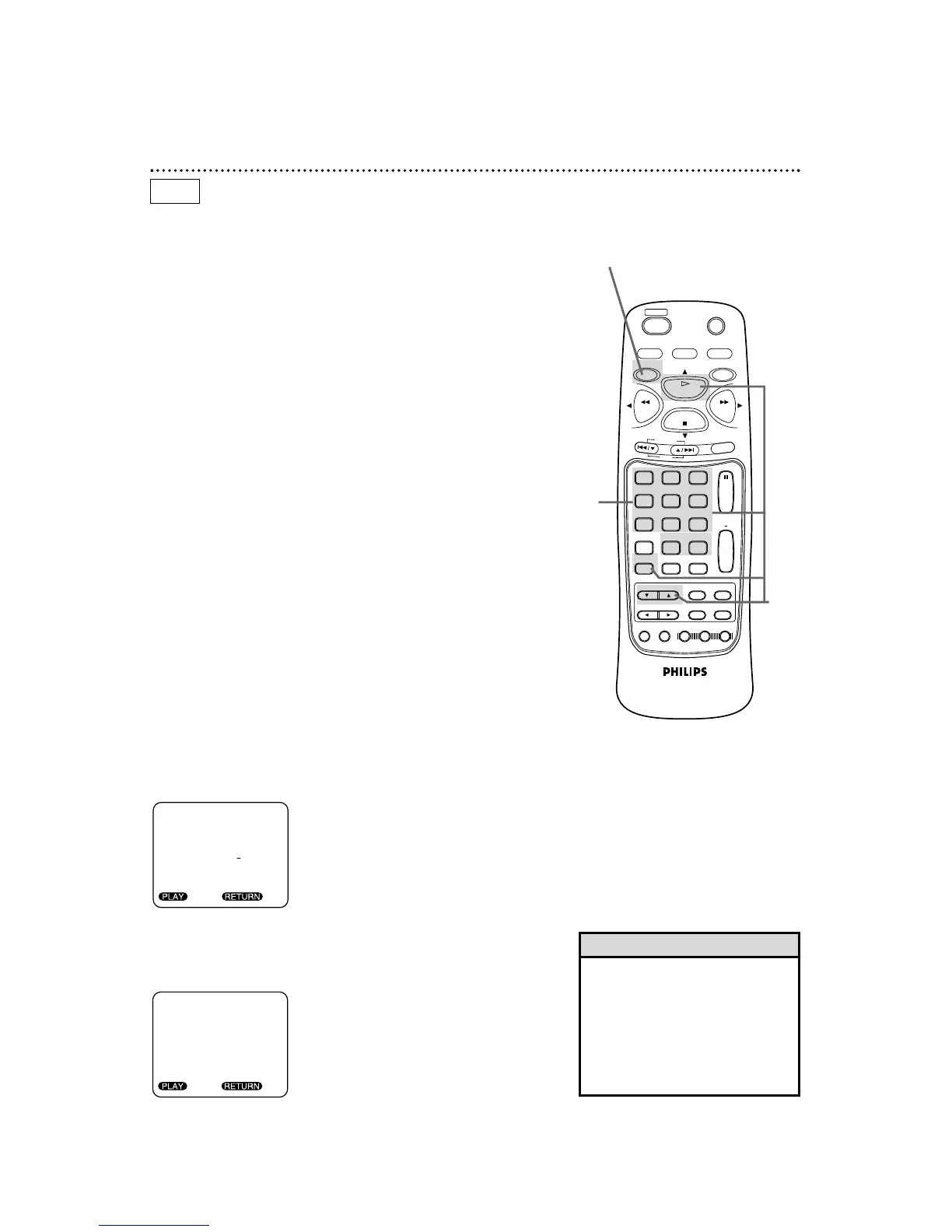
There are two ways to begin DVD playback at a specific Title or
Chapter. You may use the Number buttons or the SEARCH
MODE button.
A
Using the Number Buttons to Select a Title/Chapter
During playback, press the DVD button, then press the
Number buttons to select a Chapter. The Chapter will be
located and playback will start.
When playback is stopped, press the Number buttons to
select a Title. The Title will be located and playback will begin.
For single-digit Chapters or Titles, press a single Number button.
For example, to play Chapter three, press the Number 3 button
during playback. To play Title two, press the Number 2 button
while playback is stopped.
For Chapters/Titles numbered 10 and above, press the +10 button
(repeatedly, if necessary), then press the Number button of the sec-
ond digit. For example, to play Chapter 12, press the +10 button,
then press the Number 2 button during playback. For Title 22,
press the +10 button twice, then press the Number 2 button when
playback is stopped.
B
Using the SEARCH MODE Button to Select a Title/Chapter
To start playback at a specific Chapter, press the DVD but-
ton, then press the SEARCH MODE button once, then
press the Number buttons or the
oo
/
pp
buttons to enter the
Chapter number. Press the PLAY button to begin playback
at the selected Chapter.
To start playback at a specific Title, press the SEARCH MODE
button twice, then press the Number buttons or the
oo
/
pp
but-
tons to enter the Title number. Press the PLAY button to
begin playback at the selected Title.
● Before you begin, place the DVD/VCR in DVD mode.
Press the DVD/VCR OUTPUT button so that the red DVD light
appears on the front of the DVD/VCR.
• Some discs may not allow you to
change Titles in the Search Mode
screen.
• During DVD playback, press the
SKIP buttons to go to the next chap-
ter, return to the beginning of the
current chapter, or go to a previous
chapter.
Helpful Hints
A-B



 To Next Page