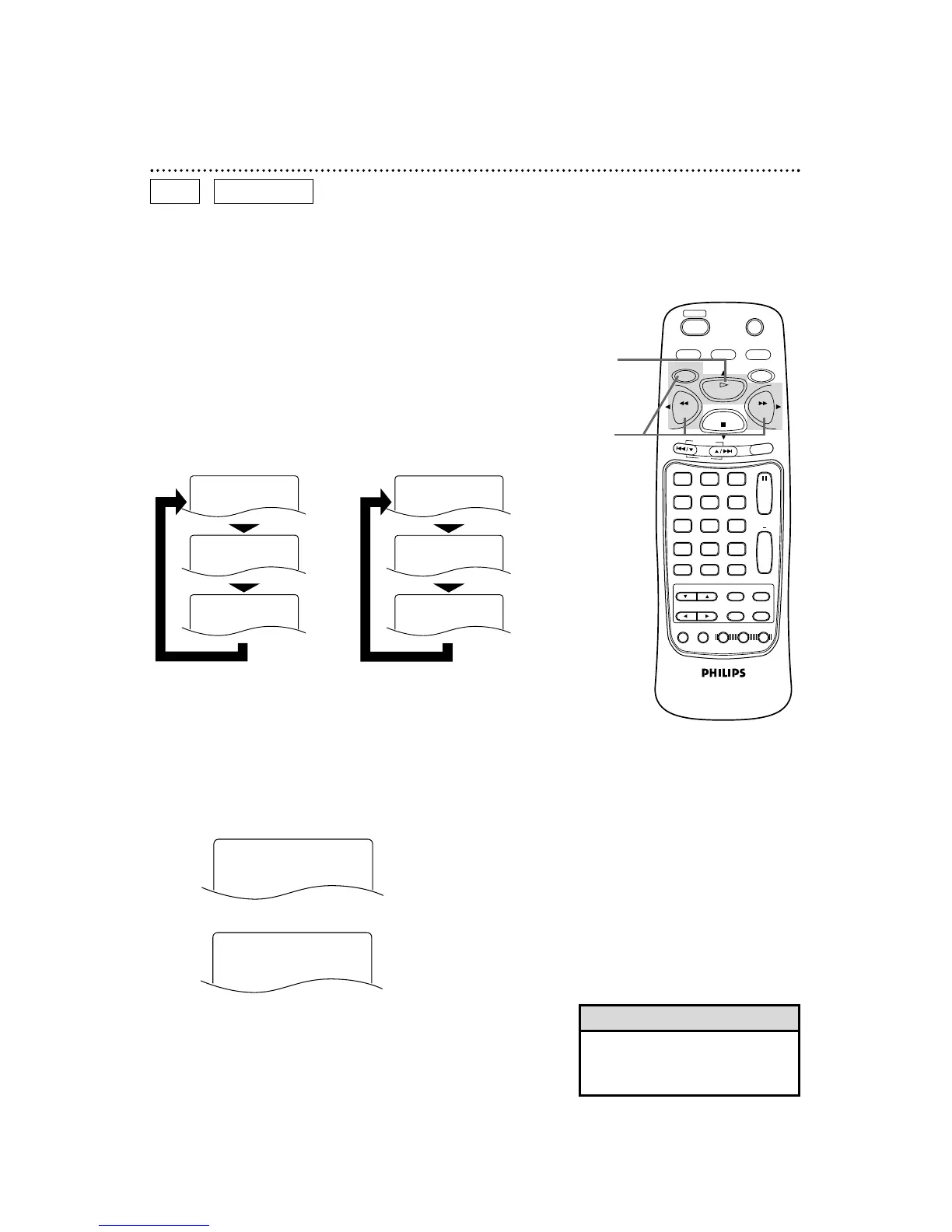
54 Fast Forward/Reverse Search
2
Press the PLAY button to return to normal playback.
1
During playback, press the DVD button, then press the
F.FWD button or the REW button on the remote control.
● On a DVD, pressing the F.FWD or REW button repeatedly will
forward or reverse the picture at twice, eight times, or 32 times
the normal playback speed. Sound will be muted during searching.
● Use the F.FWD button for a forward search. Press the REW
button for a reverse search.
DVD
AUDIO CD
1
2
● On an Audio CD, you may search forward or backward at 16
times the normal playback speed (hX16 or gX16). Pressing
the F.FWD or REW button repeatedly will not affect the speed of
the search. Sound will be intermittent during searching on an
Audio CD.
● Use the F.FWD button for a forward search. Press the REW but-
ton for a reverse search.
● Before you begin, place the DVD/VCR in DVD mode.
Press the DVD/VCR OUTPUT button so that the red DVD light
appears on the front of the DVD/VCR.
• To see the search speed on the
screen, OSD MESSAGE must be set
to ON. Details are on page 74.
Helpful Hint



 To Next Page