8 Hookups Without a Cable Box/Direct Broadcast System
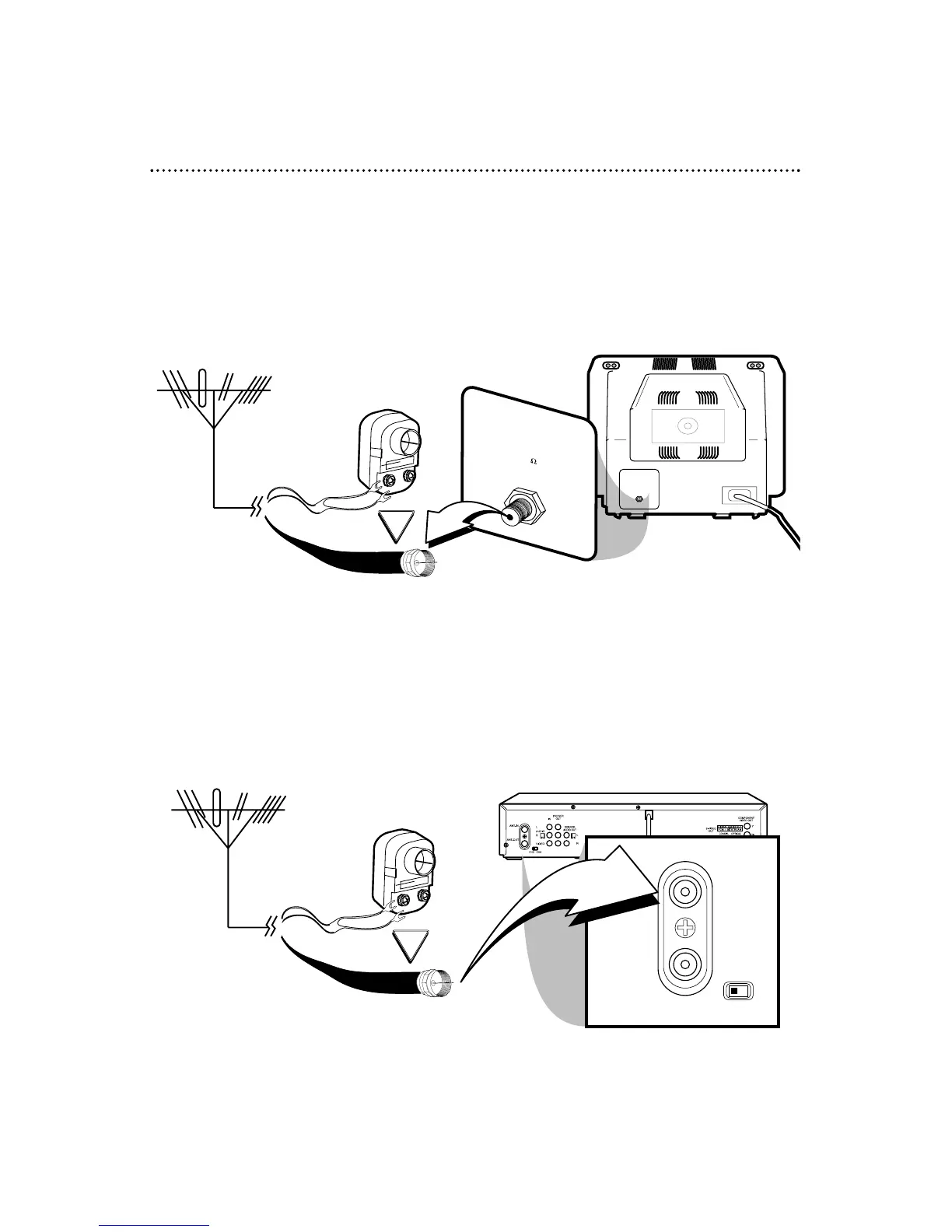
The basic antenna/cable to DVD/VCR to TV is shown below.
If you have a Cable Box or a Direct Broadcast System, please see pages 10-11. For better
sound and picture quality when using the DVD player, refer to the Optional Hookups on pages
12-14. After you hook up the DVD/VCR, go to page 16 to turn on the DVD/VCR.
ANTENNA IN
Jack
(on back of TV)
Cable
(75 ohm)
Back of DVD/VCR
Antenna
Indoor/Outdoor
(300 ohm)
1
Disconnect the antenna or cable from your TV.
2
Connect the antenna or cable to the ANT-IN (Antenna In) Jack of your
DVD/VCR.
Cable
(75 ohm)
Antenna
Indoor/Outdoor
(300 ohm)



 To Next Page