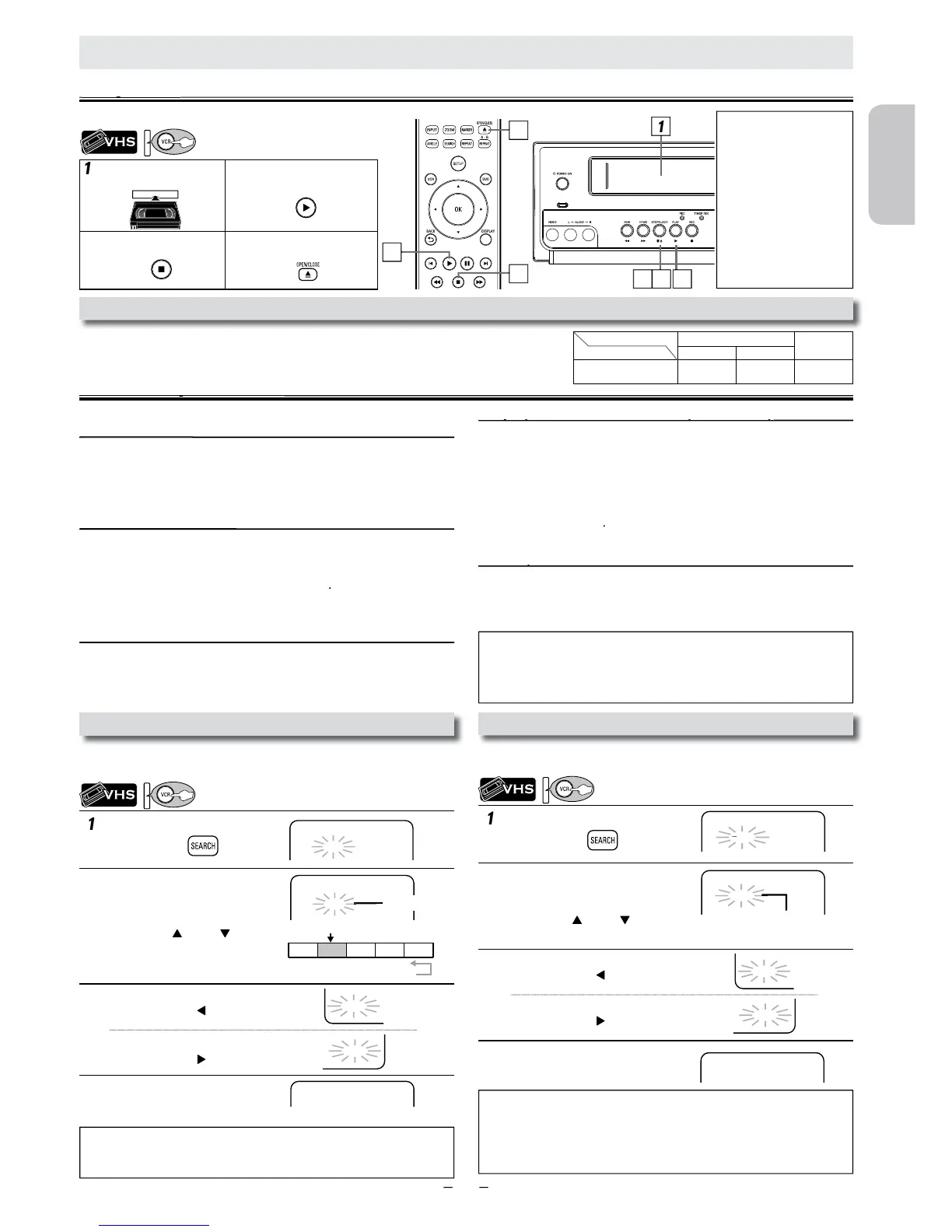
nsert a cassette tape
into t
Select the desired length of time
or fast forwarding or rewinding.
hen selected length of time is
utomatically at the beginning of each recording.
Pro.1 Pro.2 Pro.3 Pro.4 Pro.5
02 01 01 02 03
beginning of
the contents
end of the
contents
current program
index mark
:
• The time gap between index marks should be more than 1 minute for SP
mode
2 minutes for LP mode and 3 minutes for SLP mode.
or Index Search & Time Search:
• These functions are not available during recording.
•
.
• If a cassette tape ends during a search, your search will be cancelled and
t
To search by length of time
1 minute~9 hours and 59 minutes)
o cue or review the picture during playback
on this Unit).
• Press it again and the Unit will search in super high speed (in only
the SLP mode).
icture on TV screen durin
ill be forwarded one frame at a time.
• If the picture begins to vibrate vertically in the still mode, stabilize
t
• If the picture is distorted or rolling vertically, adjust the vertical
hold control on your TV if equipped.
e cassette tape counter on t
to reset the counter to “0:00:00”.
on this Unit).
• If you want to change the speed in slow mode, press
speed will be faster or slower
•
If the noise bars appear on the TV screen, you can reduce it by using
o rewind the cassette tape automatically (auto
rewind
When a cassette tape reaches its end during playback, fast-forward or
ecording (except timer recording and one-touch timer recording),
the cassette tape will automatically rewind to the beginning. Afte
ewinding finishes, the Unit will eject the cassette tape
nsert a cassette tape into t
nsert a cassette tape into t
:01~ 9:59
When You Playback a Cassette Tape Recorded in Hi-Fi Stere
then select “HIFI” or “MONO”.
•
on the Remote Control is not available.
utomatically stop after 5 minutes.
• To return to playback from the picture search, still or slow mode, press












 To Next Page