elect a desired disc time by using
once for the chapter search.
twice for the title search.
Select title/chapter number by using
Select track number by using
within 30 seconds.
Search Functions
TR 1 TR 2 TR 3 TR 4
Current Track
(TR)
(Next)(Previous)
CH 1 CH 2 CH 3 CH 4
Current Chapter
(CH)
or
TT 1 TT2 TT3 TT4
Current Title
(TT)
(Next)
(Next)(Previous)
(Previous)
:
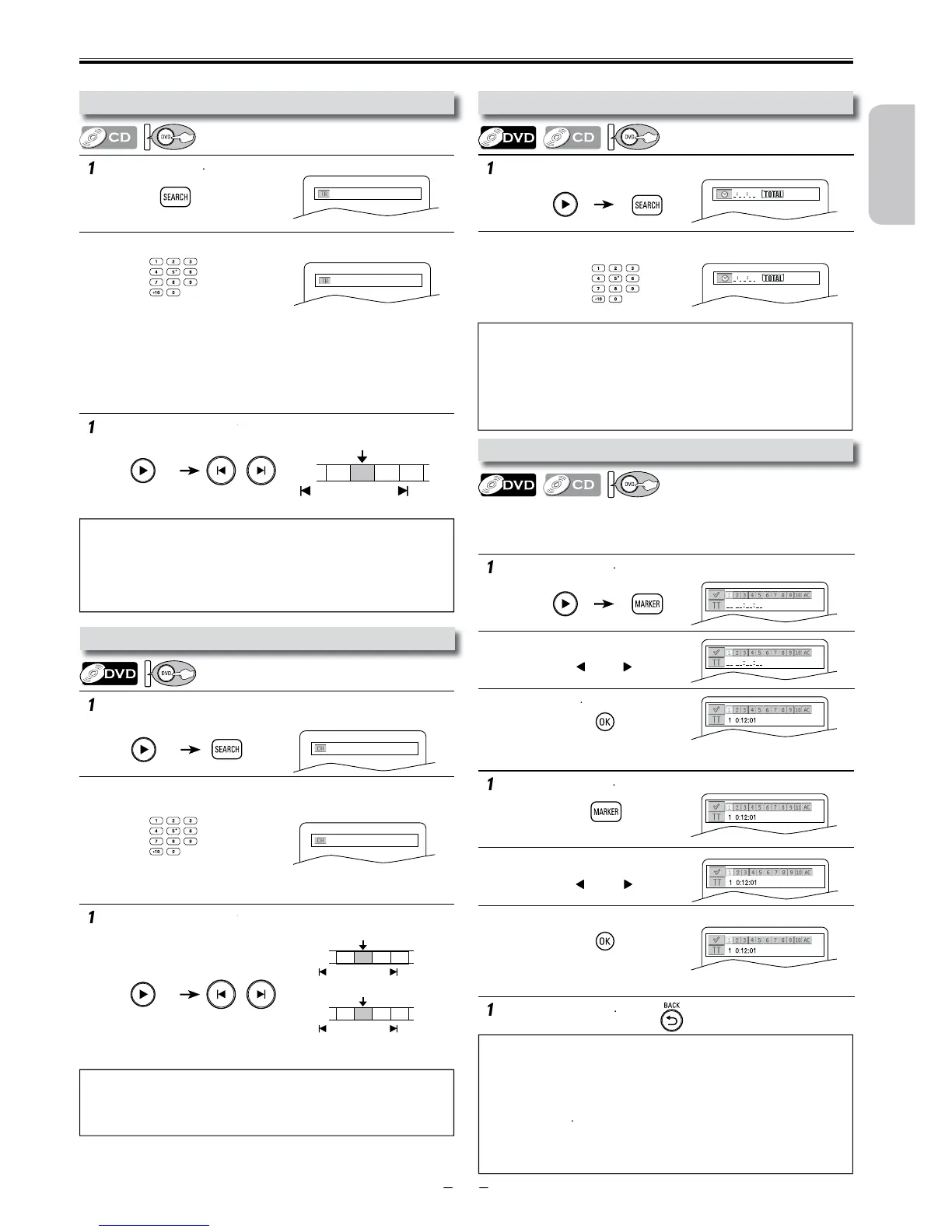
• When there is no need to enter a number, “0” appears automatically.
For example, “0: 0_: _ _” appears in the time search display if the total
ime of the title or track is less than 10 minutes.
•
to erase the incorrect input at step 2.
• For audio CD, time search is not available for programmed and random
p
:
• The marker display will disappear in about 30 seconds when there is no
output.
• To clear a marker, select the marker to be cleared at step 2 in the
section “To set a marker” or “To return to the marker later” and then
press
• Opening the disc tray or turning off the power will erase all markers
• Selecting “AC” at step 2 in the section “To set a marker” or “To return
to the marker later” will also erase all markers.
• For the disc with less than 10 tracks, press the track number directly.
• For discs with more than 10 but less than 99 tracks, to play back single
first, then the track number (e.g., for track 3, press
). To play back a double-digit track, press the track number.
If the disc has no chapters)
can also bring the track search display, except for the disc with
ess than 10 tracks. For such a disc, track search can be performed by
just pressing t
er.
• For audio CD, track search is not available for programmed and random
p
.
Search function does not work during programmed or random playback.
arker Setting
This function allows you to assign a specific point on a disc to be
ca
ote(s):
• Depending on the disc being played back, this function can also be
performed by directly entering the desired chapter number with
Refer to the manual accompanying the disc.
sing Title / Chapter Searc












 To Next Page