1
2
2
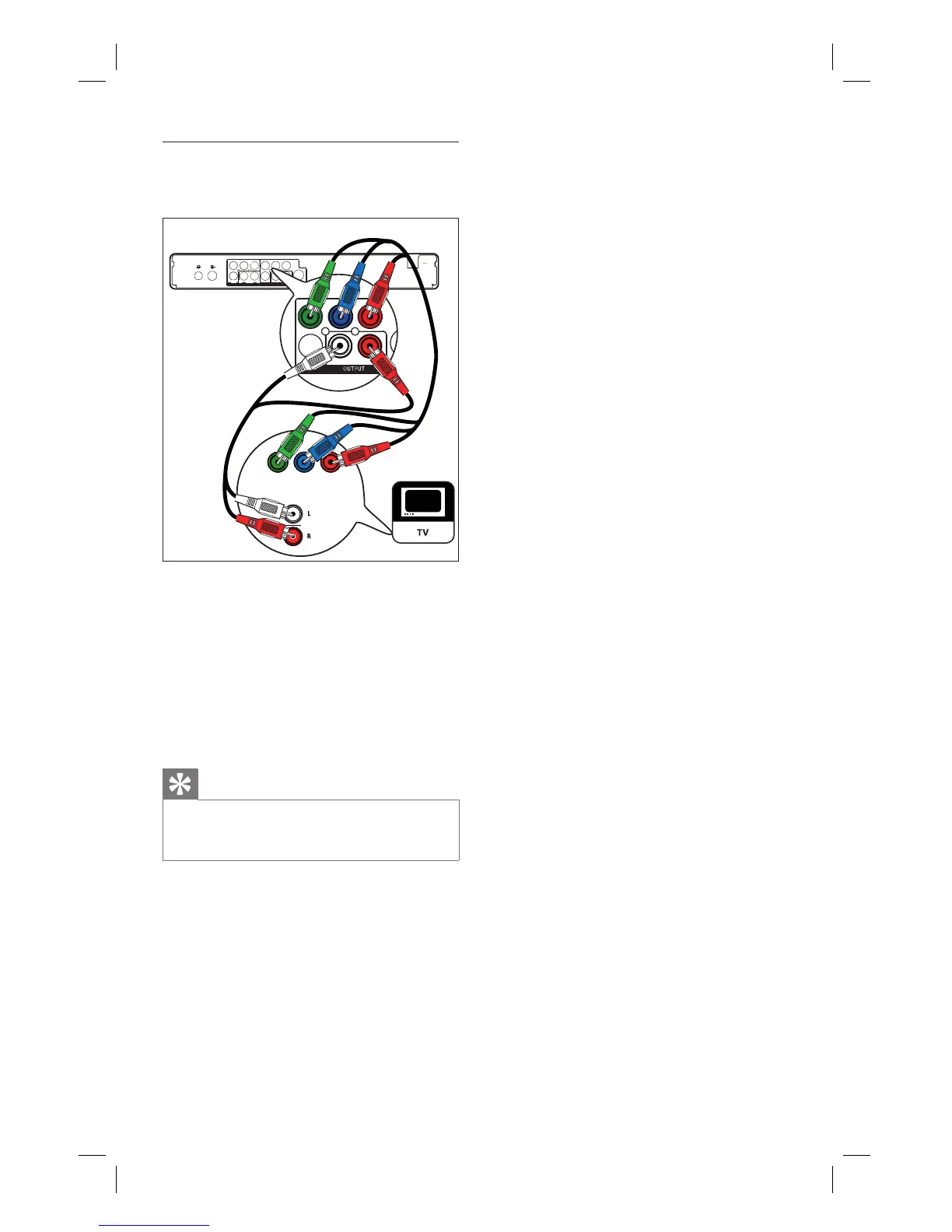
1 Connect component video cables (red/
blue/green - not supplied) from the
Y Pr Pb OUTPUT sockets to the
component input sockets on the TV.
2 Connect an audio cable (red/white ends)
from the AUDIO OUTPUT sockets to
the matching audio input sockets on the
TV.
Tip
Select the supported video resolution progressive
scan. See chapter “Adjust Settings – Video settings
– Set video format”,
•
1_DVR2008-93_eng_wk822.indd 141_DVR2008-93_eng_wk822.indd 14 2008-05-26 10:53:13 AM2008-05-26 10:53:13 AM



 To Next Page