EN 25
English
About timer recording
Schedule a timer recording to start and stop
at a specifi ed date and time.
You can schedule up to 8 recordings at a
time. During timer recording, you can only
watch the current channel.
Before you start ...
Ensure that the system clock is correct. To
adjust the system clock, see chapter “Adjust
Settings - System settings”.
Schedule a timer recording
Note
Once you press 定时, the TSB will be cleared.•
1 Turn on the TV to the correct viewing
channel for the recorder.
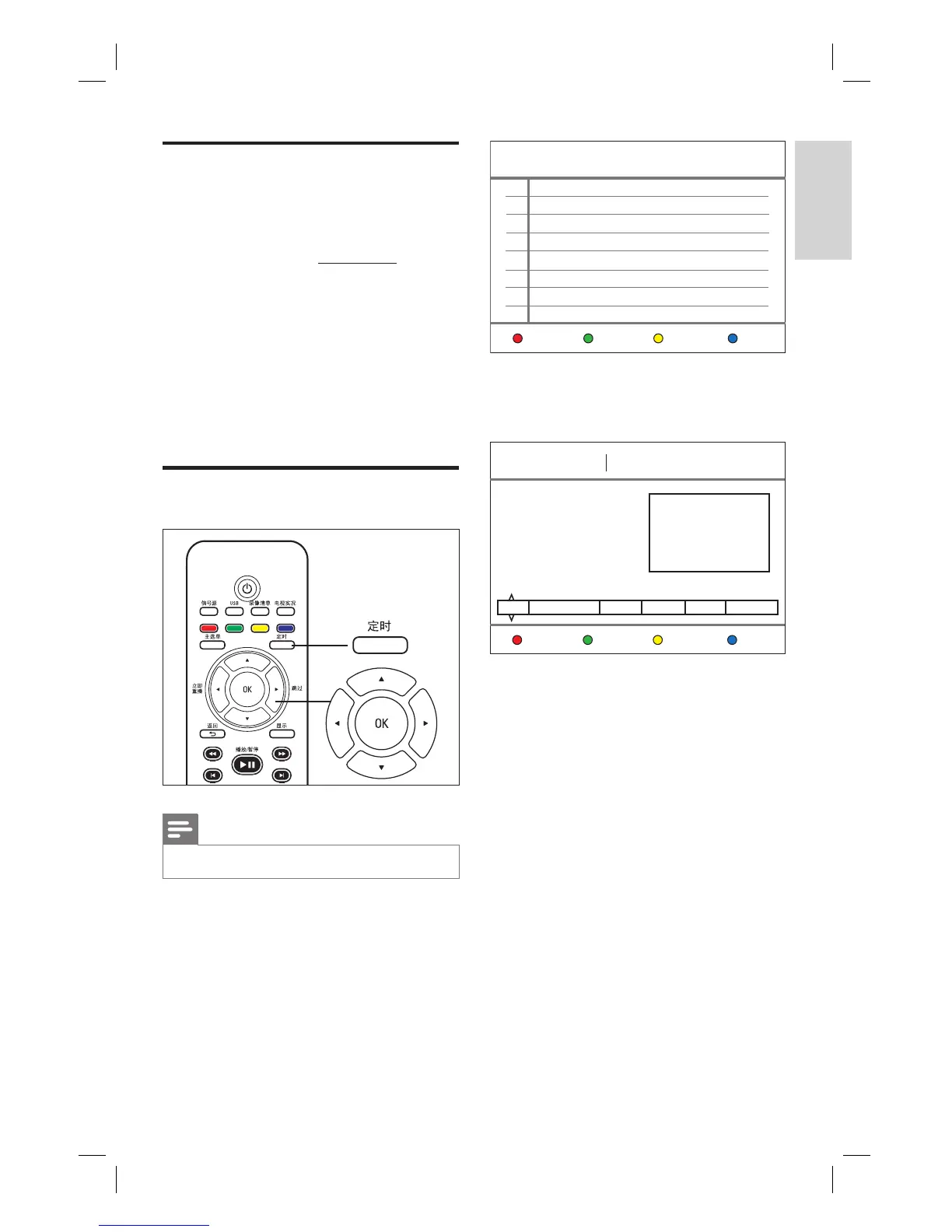
2 Press 定时.
The timer recording schedule is
displayed.
Timer
No Source Start time Length Status
Delete Status HistoryNew
2008/1/3 Thu 11:23
3 To create a new timer entry, press the
Red button [ New ].
The timer schedule is displayed.
2008/1/3 Thu 11:23
Timer Recordings Edit
Total Remaining: 86GB
HQ: 21 hrs. SP: 42 hrs.
LP: 63 hrs. EP: 84 hrs.
SLP: 123 hrs
Source Start time Length Repeat Quality Language
PR1 2008/1/3 11:31 01 : 00 Once SP Language 1
Save
Restore
Default
HDD Free Space
4 Press ST buttons to select the value of
each setting, and use W X keys to move
the next option.
[ Source ]
Select the TV channel or the correct
video source (Tuner, CVBS or YPbPr),
which you have used to connect the
external device.
[ Start time ]
Start date and time of recording (year/
month/date and hours : minutes).
[ Length ]
Duration of recording. (Hours: minutes)
Record
1_DVR2008-93_eng_wk822.indd 251_DVR2008-93_eng_wk822.indd 25 2008-05-26 10:53:15 AM2008-05-26 10:53:15 AM



 To Next Page