EN 21
English
5 Watch live TV
Use your recorder to watch
live TV
Once you switch to live TV, this recorder
stores the current TV programme into the
Time Shift Buffer. You can now control live
TV broadcast. For example, pause live TV
and resume play at any time or replay the live
TV programme.
1 Turn on the TV to the correct viewing
channel for this recorder.
2 Press 2 to turn on this recorder.
3 Press 电视实况.
4 Press 频道 +/- to select a channel.
About Time Shift Buffer -
temporary HDD storage
The Time Shift Buffer (TSB) is a temporary
hard disk storage in your recorder.
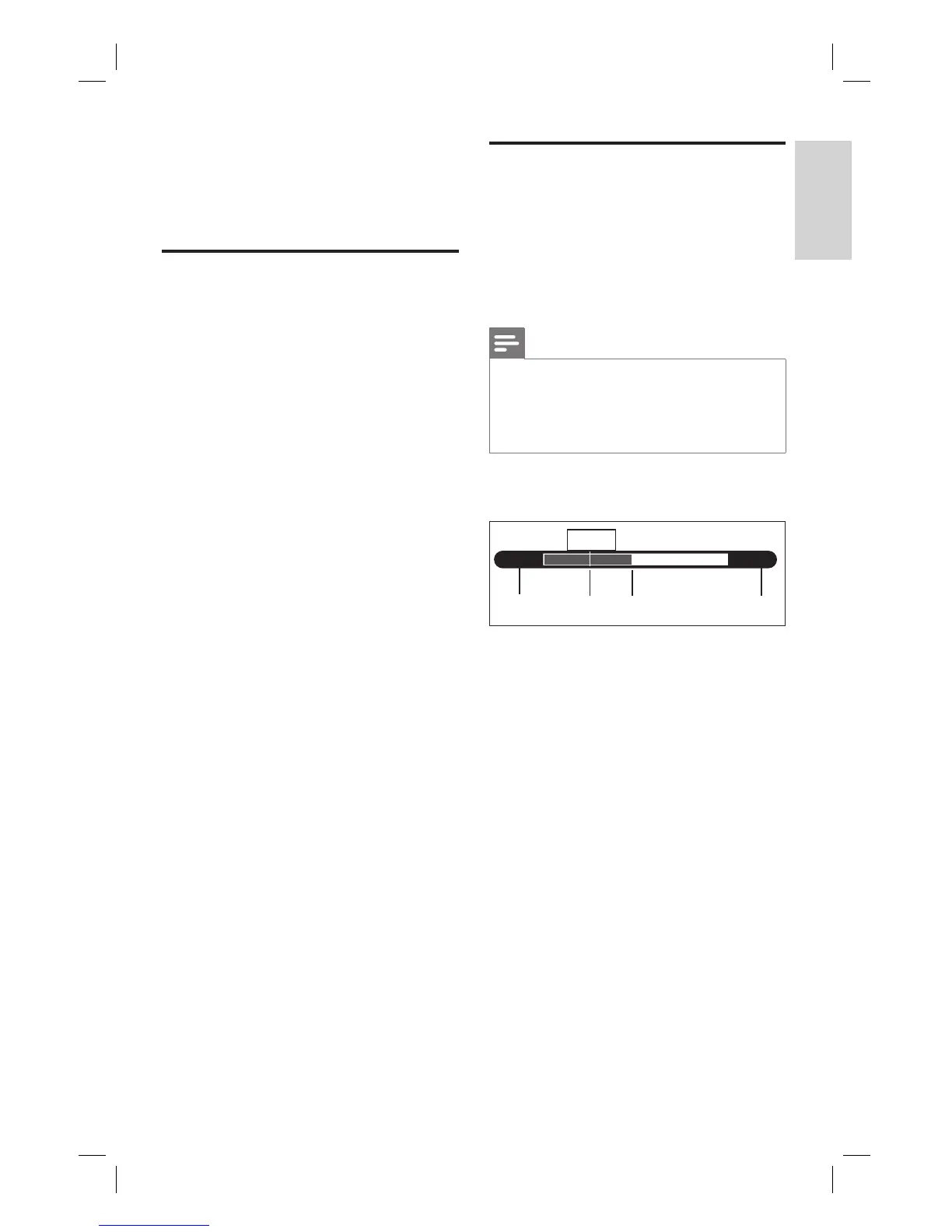
The Time Shift video bar displays the status
and time of the stored TV programmes.
Notes
Content in the Time Shift Buffer is cleared if you
press the 录像 button.
In Home menu, content in the Time Shift Buffer is
cleared if you select [ Recordings ], [ Media Files ],
[ USB ] or [ Timer ] and press OK.
•
•
Press 显示 to display or hide the information
bar.
11:01:05 12:10:05
11:49:10
ABC D
A
Start time of the TV programme.
B
Current play position of the TV
programme.
C
Current position of the broadcast TV
programme.
D
Current time of the TV programme.
Watch live TV
1_DVR2008-93_eng_wk822.indd 211_DVR2008-93_eng_wk822.indd 21 2008-05-26 10:53:14 AM2008-05-26 10:53:14 AM



 To Next Page