18 EN
4 Get Started
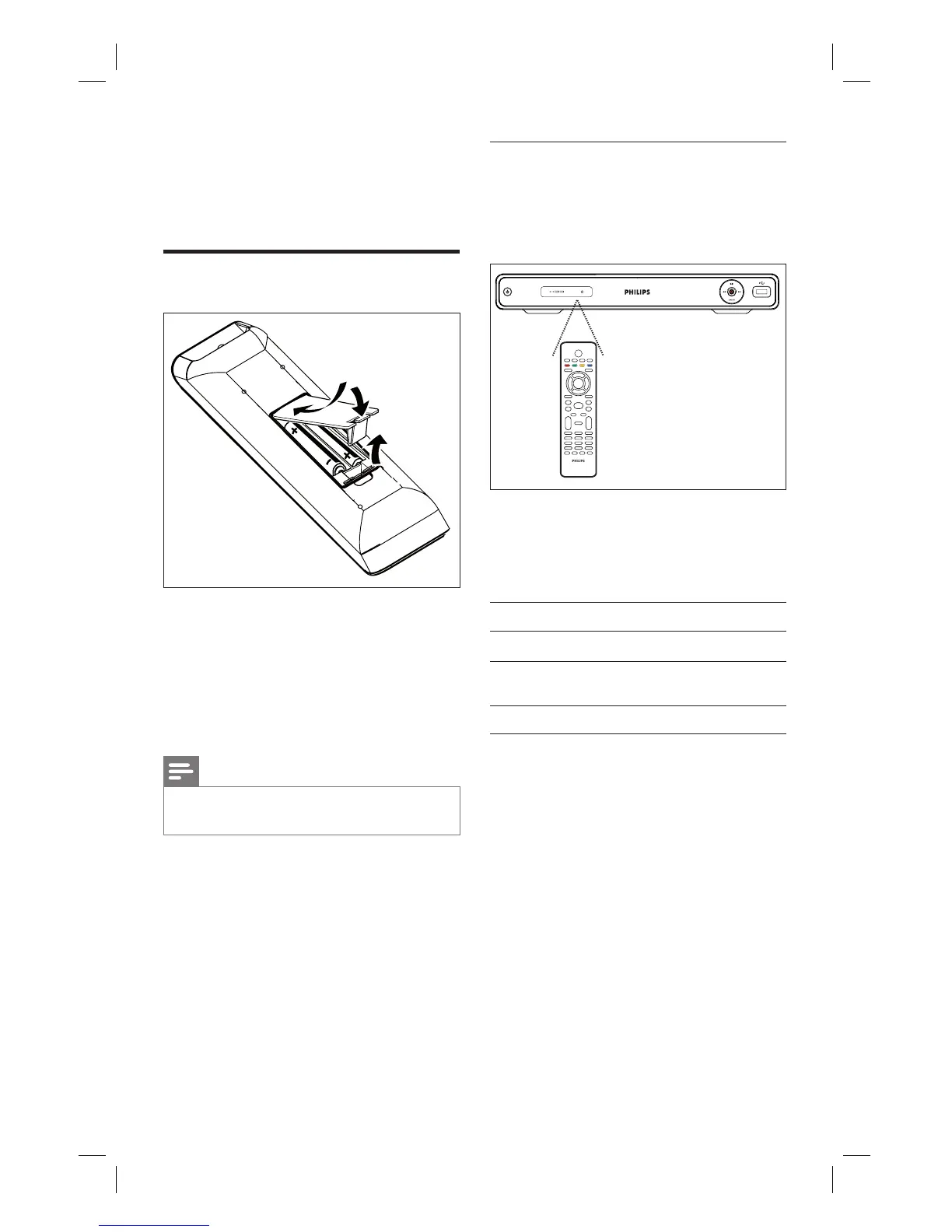
Prepare the remote control
1 Open the battery compartment cover.
2 Insert two batteries type R03 or AAA.
Match the indications (+-) inside the
battery compartment.
3 Close the cover.
Note
If you are not going to use the remote control for a
long time, remove the batteries.
•
Navigate through the menu
1 Point the remote control directly at the
remote sensor on the front panel and
select the desired function.
2 Use the following buttons on the remote
control to navigate through the on-
screen menus, enter numbers and
confi rm your selection.
Action Button
Move up or down in a menu.
ST
Move left or right in the top
menu.
WX
Confi rm a selection.
OK
1_DVR2008-93_eng_wk822.indd 181_DVR2008-93_eng_wk822.indd 18 2008-05-26 10:53:14 AM2008-05-26 10:53:14 AM



 To Next Page