EN 35
English
Edit Recordings
7 Edit Recordings
About the recording list
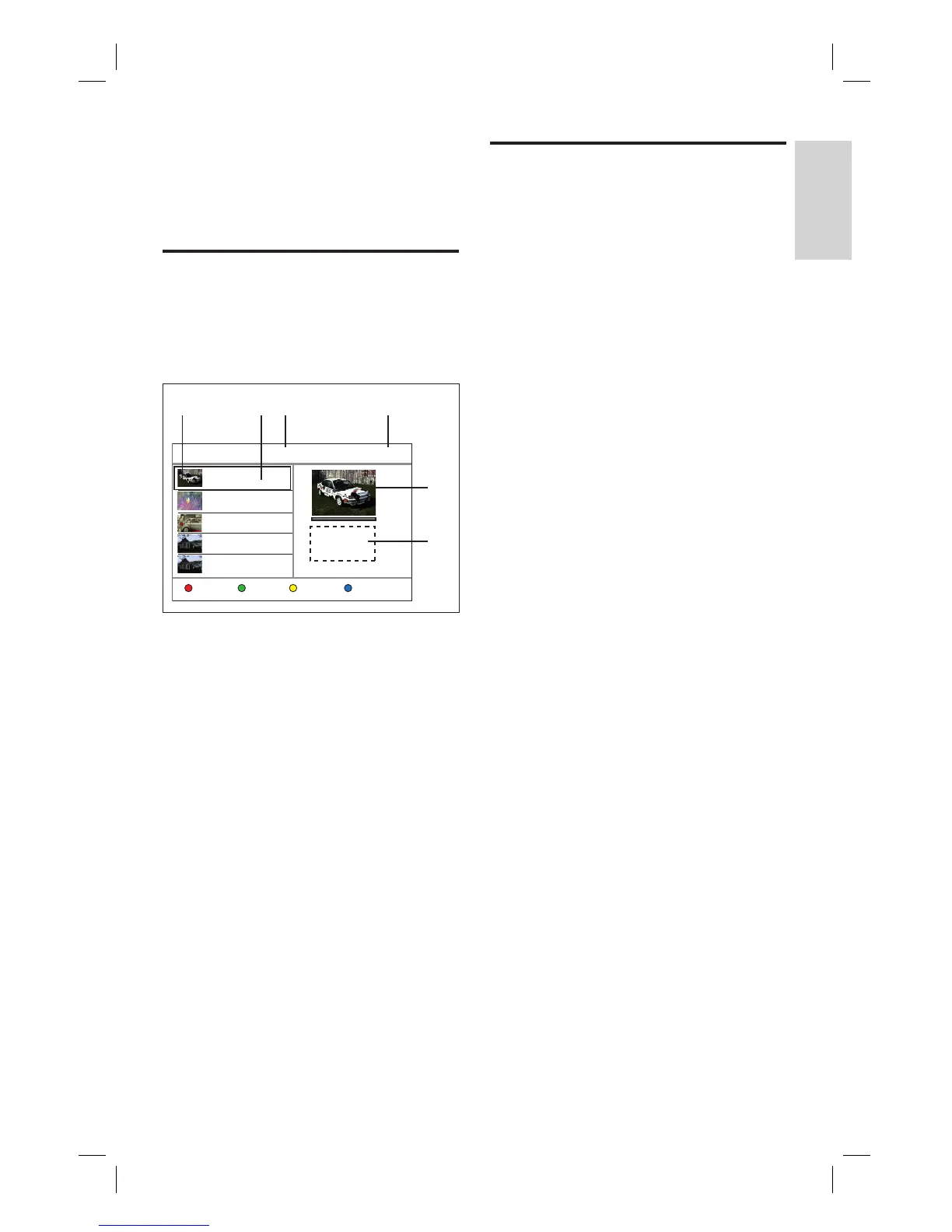
The recording list screen displays the
recordings on this recorder. It is displayed
once you press 录像清单.
Recording List 8 Free Space: 85GB
Tools
TITLE: 01 NEW
2008/03/01 12:00:16
PR 1
TITLE: 02
2008/02/02 10:00:30
PR 13
TITLE: 03
2008/02/10 09:15:16
PR 8
TITLE: 04
2008/02/11 11:00:30
PR 1
TITLE: 01
Quality: SP
Length: 00:15:10
Size: 524 MB
SortingEdit Resume Play
TITLE: 04
2008/02/11 12:15:30
CH01
A B
E
F
C D
The recording menu screen displays
information on:
A The thumbnail of a title.
B The title number, recording date and
time, and the title name. If a recording
has not been played, it is marked
[ NEW ].
C Number of recorded titles.
D The available hard disk space for
recordings.
E The preview of the title.
F The title number, recording quality,
length of recording and its fi le size.
Sort titles
You can easily fi nd a title by using the sort
options.
1 Press 录像清单.
2 Select a title, then press the Yellow
button [ Sorting ].
The sort menu is displayed.
3 Select an option, then press OK.
[ Title Number ]
Sort titles according to its title number
(eg. TITLE 01).
[ Recording Time ]
Sort titles according to its time of
recording. The last recorded title is listed
fi rst.
[ Title Name ]
Sort titles according to its title name.
[ New Titles ]
Titles which have not been played are
listed fi rst.
1_DVR2008-93_eng_wk822.indd 351_DVR2008-93_eng_wk822.indd 35 2008-05-26 10:53:18 AM2008-05-26 10:53:18 AM



 To Next Page