EN 29
English
Play
6 Play
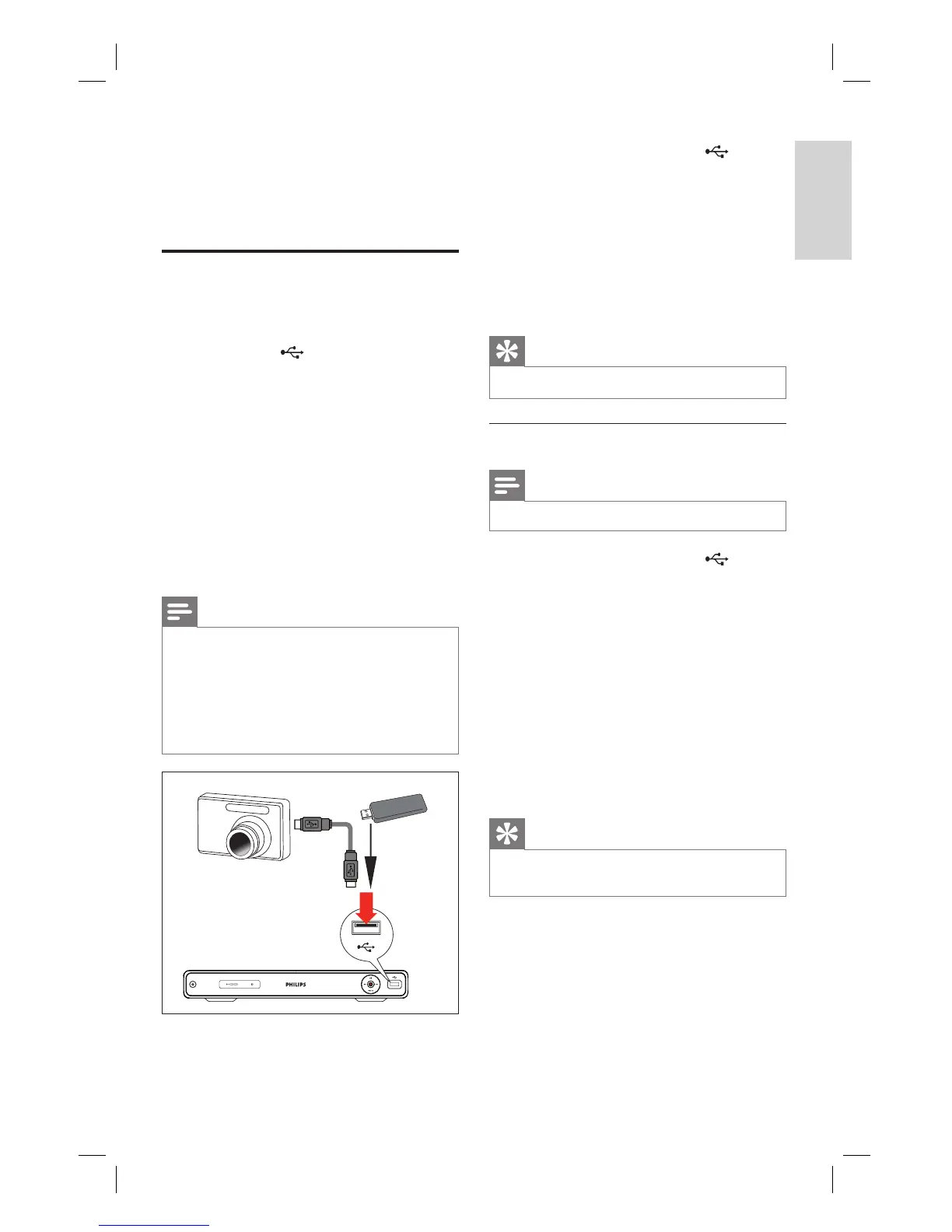
Play from USB
View the contents of a USB drive, USB
memory card reader or digital camera through
this recorder. The
USB socket supports
the play of these formats:
Video : AVI (V: DivX 3x/ 4x/ 5x/ 6x, Xvid),
DivX and DivX Ultra, HD MPEG2 ts/tp,
VOB, DAT, MPEG1/2
Audio : MP3/ WMA/ WAV/ OGG/ AAC.
Maximum number of fi les recognizable
4096 fi les (In one page.)
Photo : JPEG/HD JPEG/BMP
Maximum number of picture recognizable
4096 fi les (preview 6 fi les in the same
time).
Notes
WMA Pro & Advanced Profi le and WMA with
DRM are not supported.
The USB socket does not support a USB hub
device. Only digital cameras and devices which
support USB Mass Storage Device class standard
are supported.
In USB mode, the time shift buffer is cleared.
•
•
•
•
•
•
1 Insert the USB device to the USB
socket.
A message is displayed. Select
[ Confi rm ] to view the USB contents
menu.
If the USB is already connected, press
USB to access the content menu.
2 Select a fi le, then press u.
Tip
For more play options, see chapter ‘Play’.•
Play from a USB card reader
Note
In USB mode, the time shift buffer is cleared.•
1 Insert the USB device to the USB
socket.
A message is displayed. Select
[ Confi rm ] to view the USB contents
menu.
If the USB is already connected, press
USB to access the content menu.
2 Each memory card in the reader is
assigned its own folder. Select a folder
and press OK.
3 Select a fi le, then press u to start.
Tip
During play, when you select another card in the
reader, play stops.
•
•
•
1_DVR2008-93_eng_wk822.indd 291_DVR2008-93_eng_wk822.indd 29 2008-05-26 10:53:16 AM2008-05-26 10:53:16 AM



 To Next Page